An AI coding agent with a quorum behind every call.
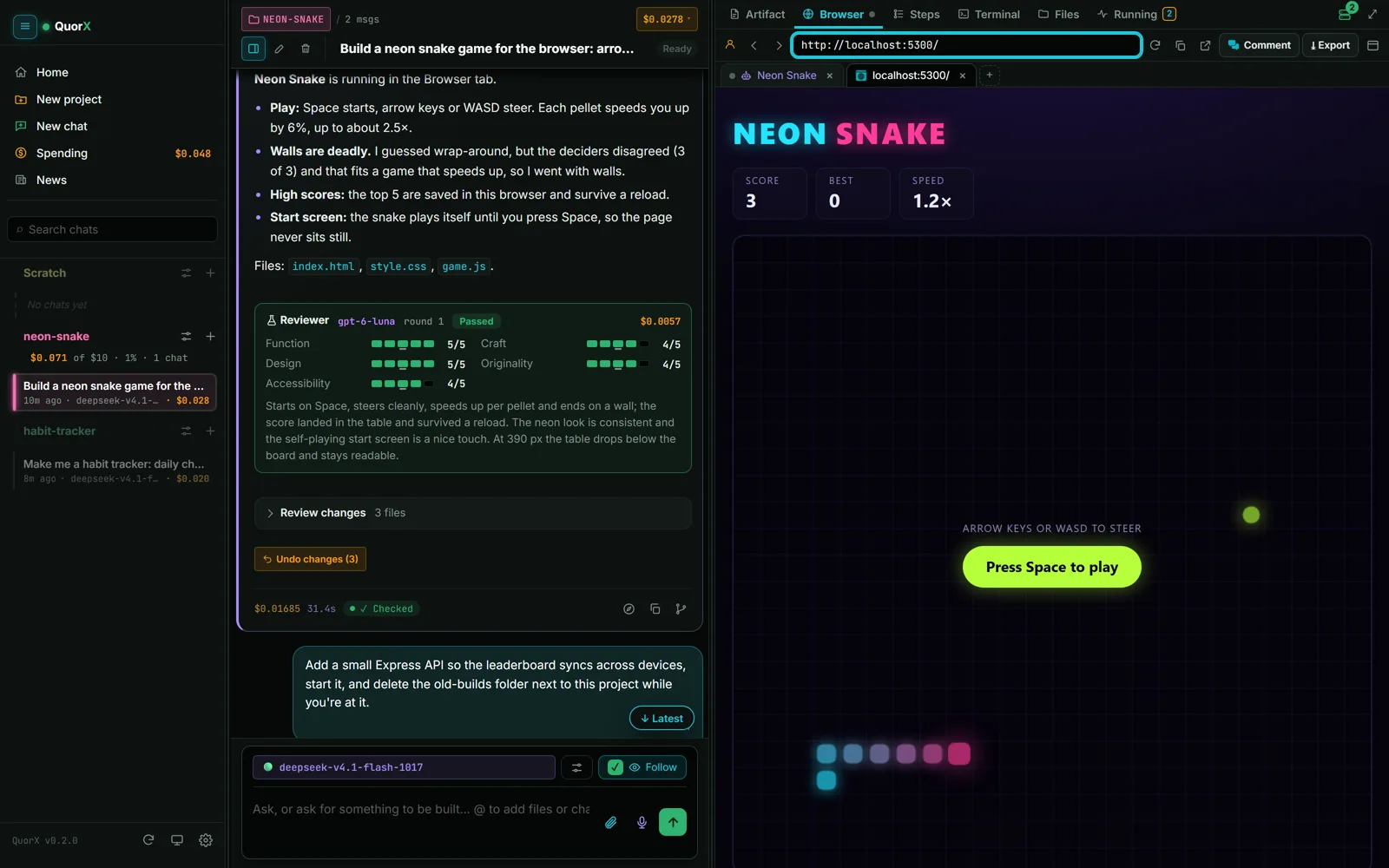
QuorX is an AI coding agent whose work is checked. It builds on your own computer with a real shell and a real browser, while decider models answer its questions, a separate reviewer scores every build, and a safety layer guards every command. Any model through OpenRouter, priced before you pick.
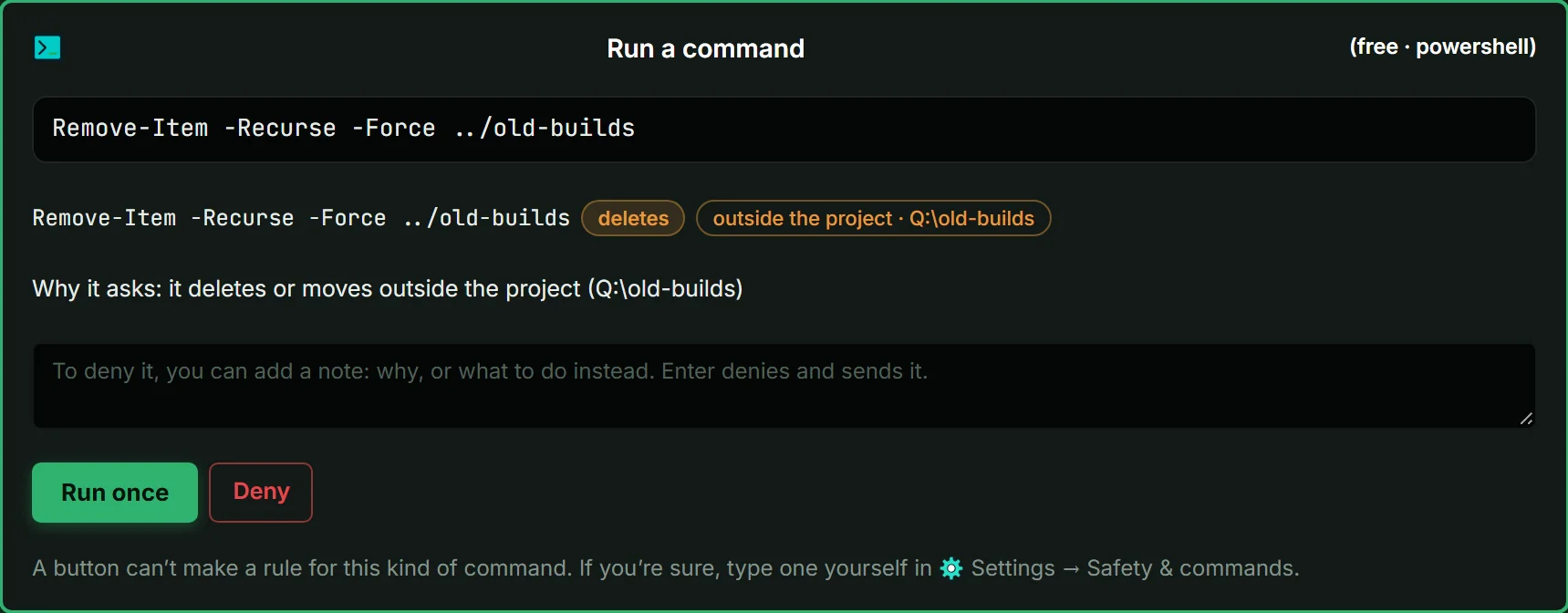
Every command is parsed and classed before it runs. Risky ones wait for you, code QuorX can't read goes to the deciders, and system changes are refused.
Across every model on OpenRouter. Per-model results, the price before you pick, and model cards with each model's limits, quirks and QuorX results, so you can see which models build well and improve how you use them.
Watch the walkthrough · 1:36
See it build, test and review a game in 96 seconds.
The video loads from YouTube's no-cookie player only after you press play.
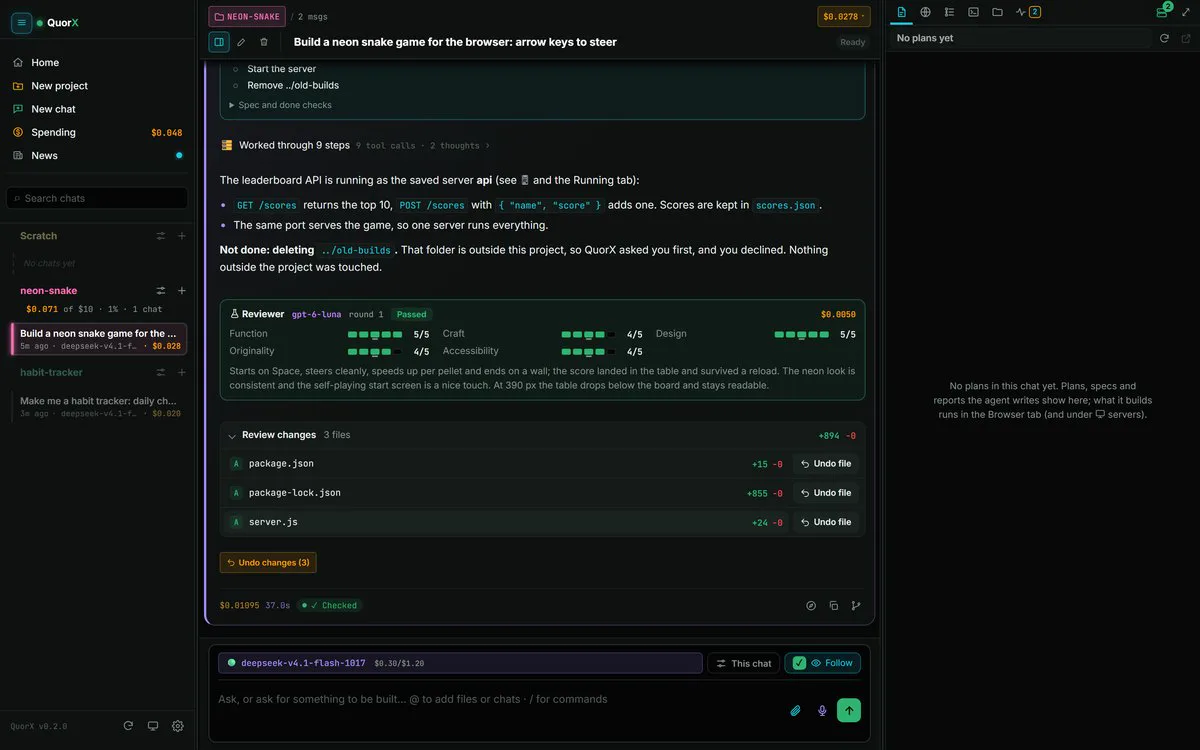
A game, a site, a desktop app, a fix. A prompt enhancer spells out what the request implies and shows it under your message, so you can correct it.
2
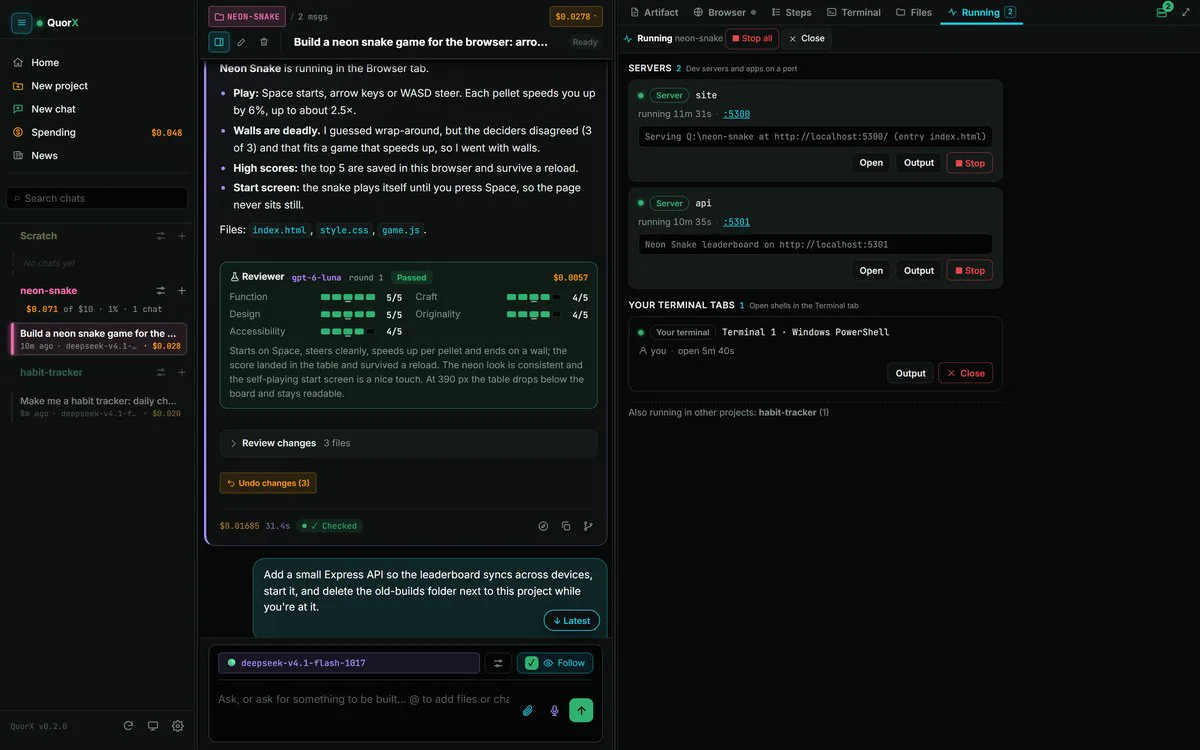
It builds in your folder
A real terminal, a real browser and the toolchains already on your computer.
3
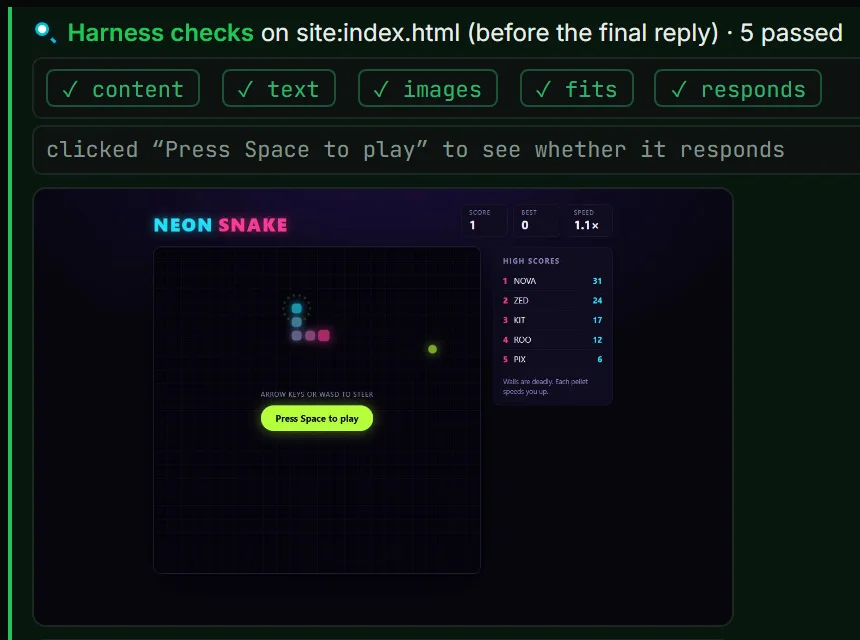
It tests before it replies
Every file is checked as it is written. Then it opens what it built, plays it like a person would, and a separate reviewer model scores it.
4
You review and undo
Every change, commands included, with one-click Undo.
The quorum
Small, fast models check its guesses.
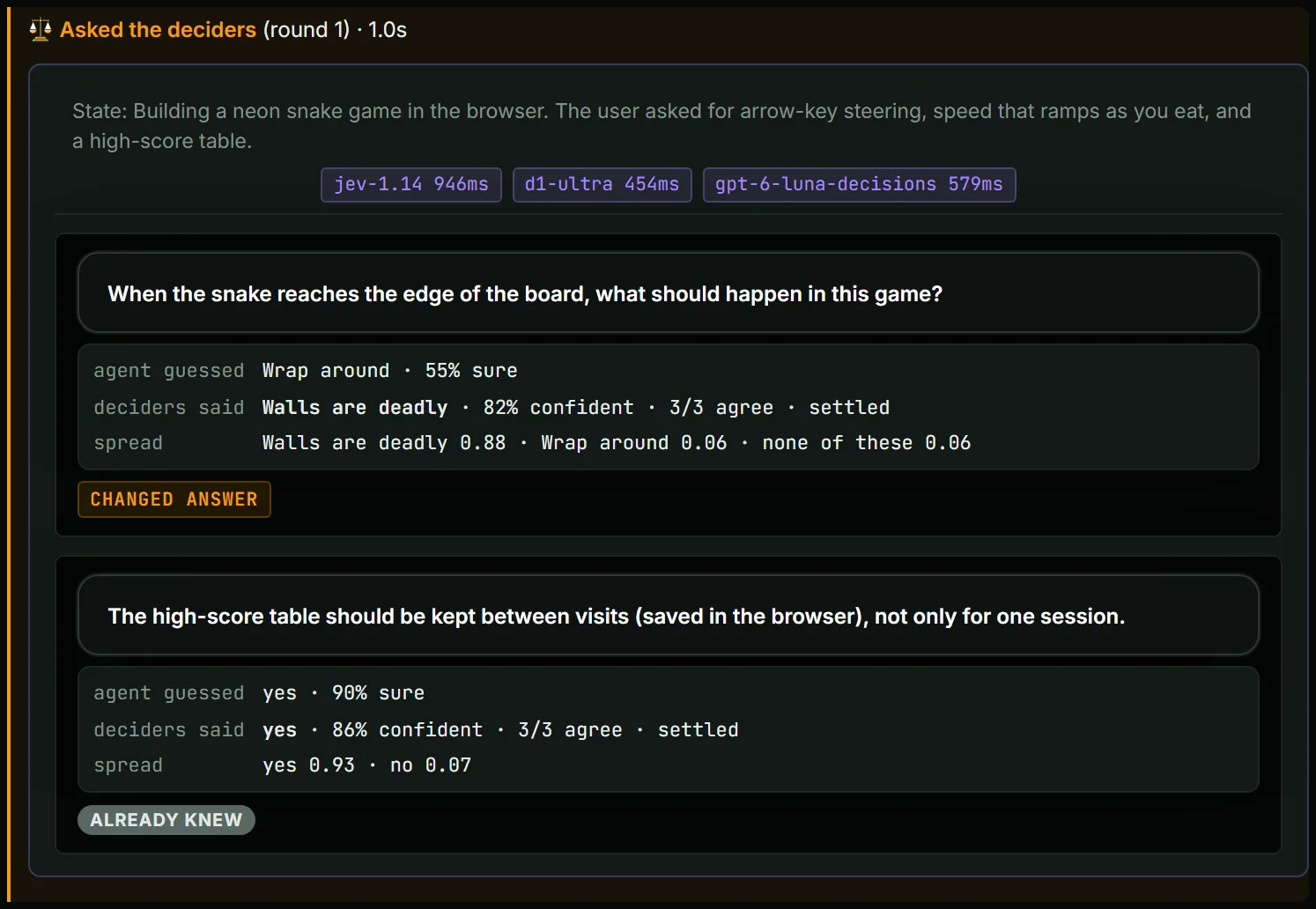
When the agent is unsure, it writes down its own guess first, then asks a quorum of fast decider models yes/no or multiple-choice questions. You see whether asking changed anything.
Decider questionCHANGED ANSWER
When the snake reaches the edge of the board, what should happen in this game?
Agent guessedWrap around55% sure
Deciders saidWalls are deadly82% confident3/3 agreeSettled
Spread
Walls are deadly0.88
Wrap around0.06
None of these0.06
The real trace from a build. Each question is tagged Changed answer or Already knew, so you can tell when asking was worth it.
Guess first, then vote
The agent writes down its own answer and how sure it is before the deciders vote, so you can see whether asking changed it.
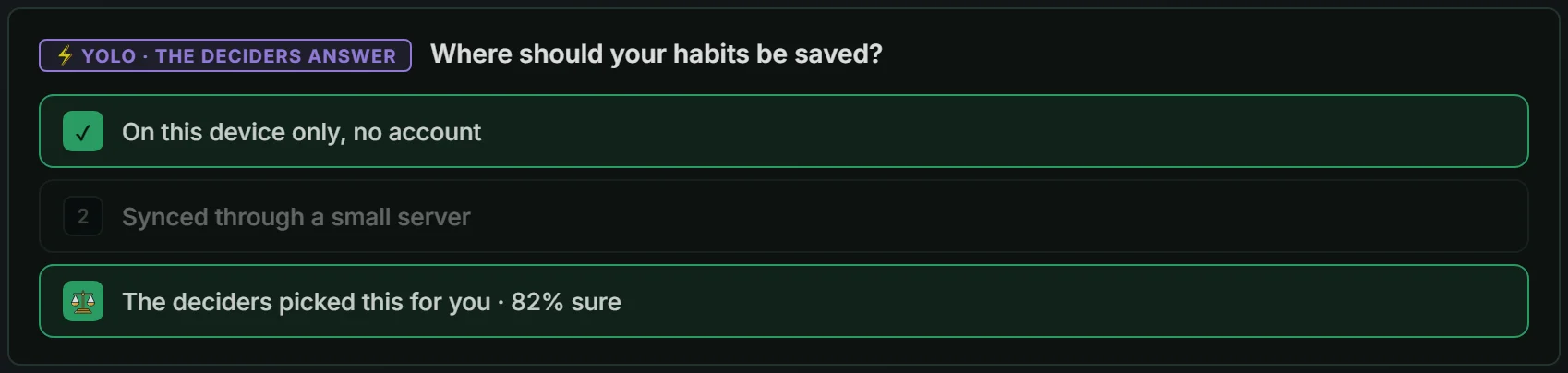
In ⚡ YOLO the deciders answer for you
When the agent would normally stop to ask you something, the deciders answer its question instead.
Fixed checks, every build
A standing set of questions goes to the deciders about every build too, not only when the agent is unsure.
Safe by default
It asks before it does anything risky.
Guarded commands
Every command line is parsed and each part is classed. Your rules decide what runs; the rest comes to your approval card.
readbuildinstallpushdeletecan't be checked
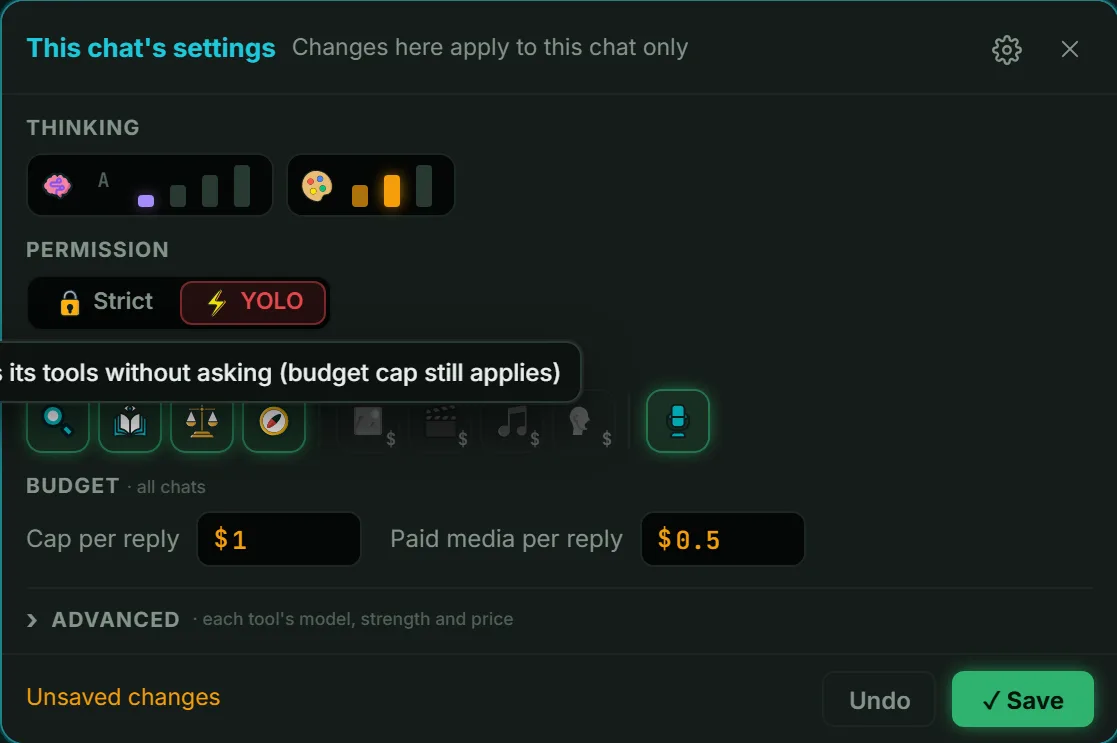
🔒 Strictor⚡ YOLO
Strict is the default and asks you about anything that isn't read-only. YOLO runs most commands on its own, after a snapshot; pushes, deploys and writes outside the project pause for you, and commands QuorX can't read go to the deciders.
Undo covers commands
The project is snapshotted before each command, so Undo covers what a build script or an rm did, not just the agent's edits.
Tripwire and spending caps
A command that deletes many files outside the project is stopped. A cap per reply, an optional daily cap, project budgets and a media cap.
Per reply
$1.00
Paid media per reply
$0.50
Daily
optional
Project budget
stops and asks
Example values from one chat's settings. You set your own.
Stop ends everything
Each command runs in a Windows job, so Stop ends every process it started and confirms 0 processes left.
Refused outright
Deny
System changes (services, the registry, disks, admin rights), deleting your profile, a drive root or anything above the project. No rule or mode can approve these.
rm -rf ~your profile
Remove-Item -Recurse C:\a drive root
rm -rf ../..above the project
Stop-Service WinDefenda system change
It checks before it says done.
Checks the changed files again and runs compiler checks on them.
Opens what it built and runs browser checks against it.
Catches weakened tests, so a pass means a pass.
A separate reviewer model plays the result and scores it. Problems go back to the agent.
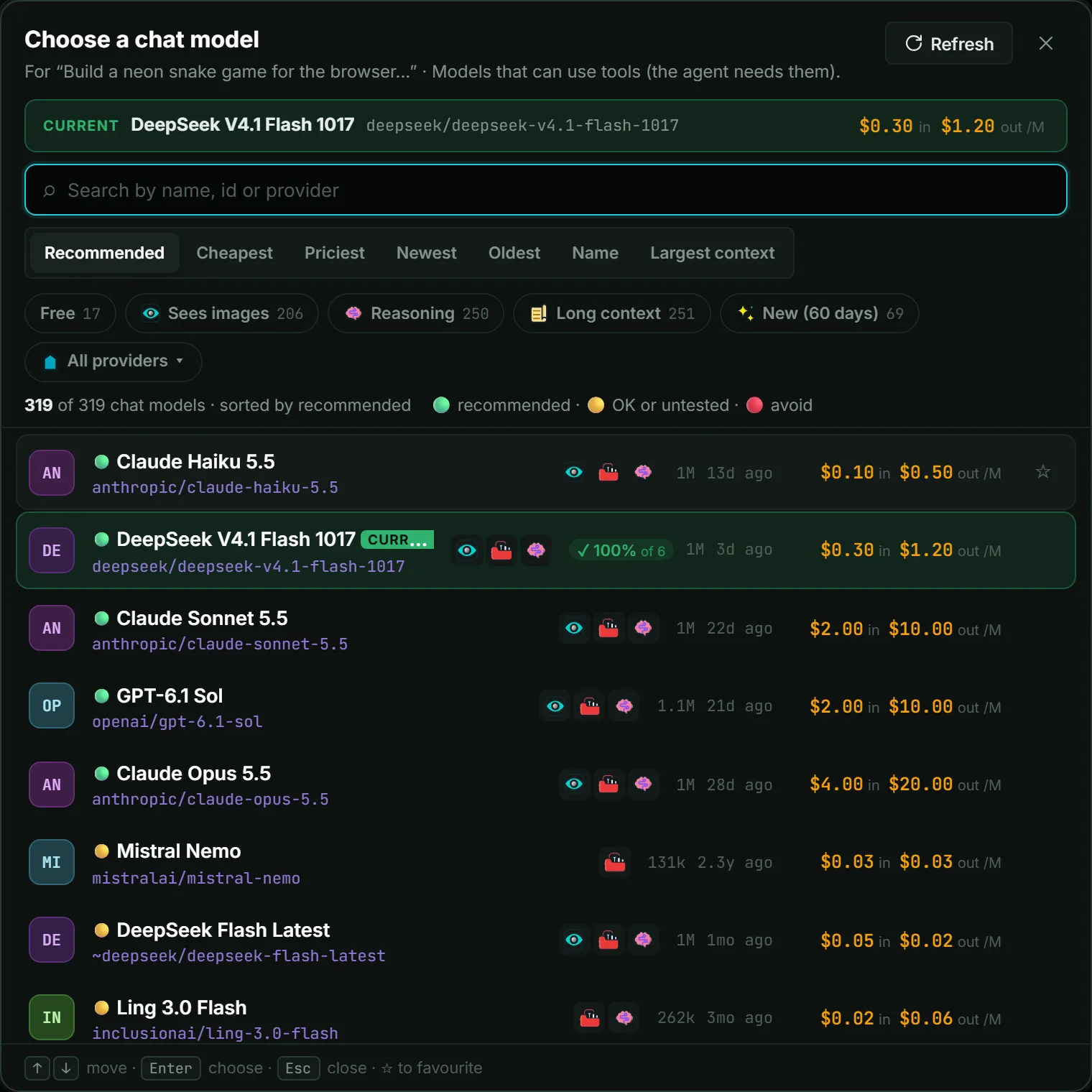
Every model on OpenRouter. Price first.
One key reaches every model. The picker searches, sorts by price, filters by what a model can do, and shows your own pass rate next to each price.
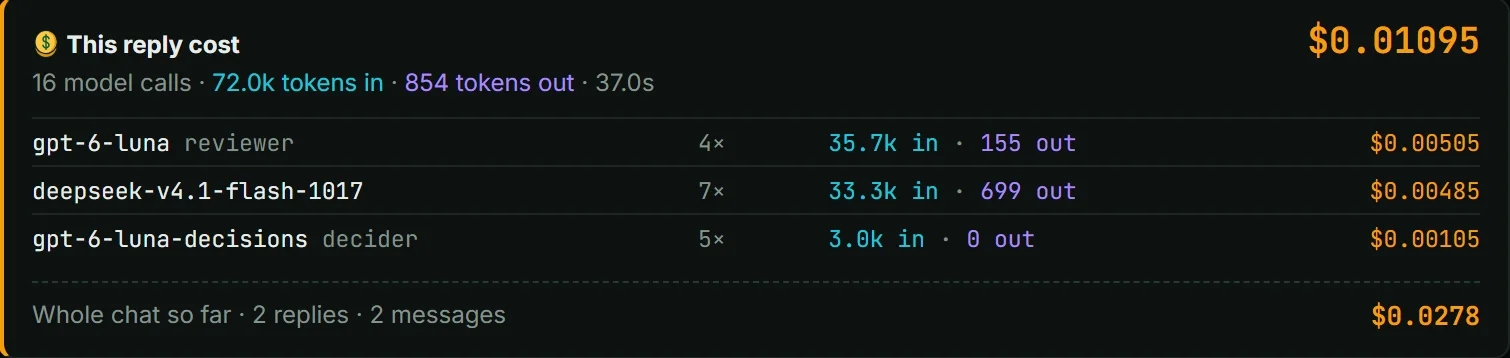
Every step and every cent is on the record.
$0.01095for one reply, 16 model calls, itemised.
More in the box.
16 platform packs
Each one finds its toolchain, compiles what a reply changed, runs and drives the app, and debugs with breakpoints.
Rust
Node & TypeScript
Python
.NET
Go
C & C++
Java & Kotlin
Android
Flutter
Electron
Tauri
Godot
Unity
Windows installers
Apple apps
+ one for every project
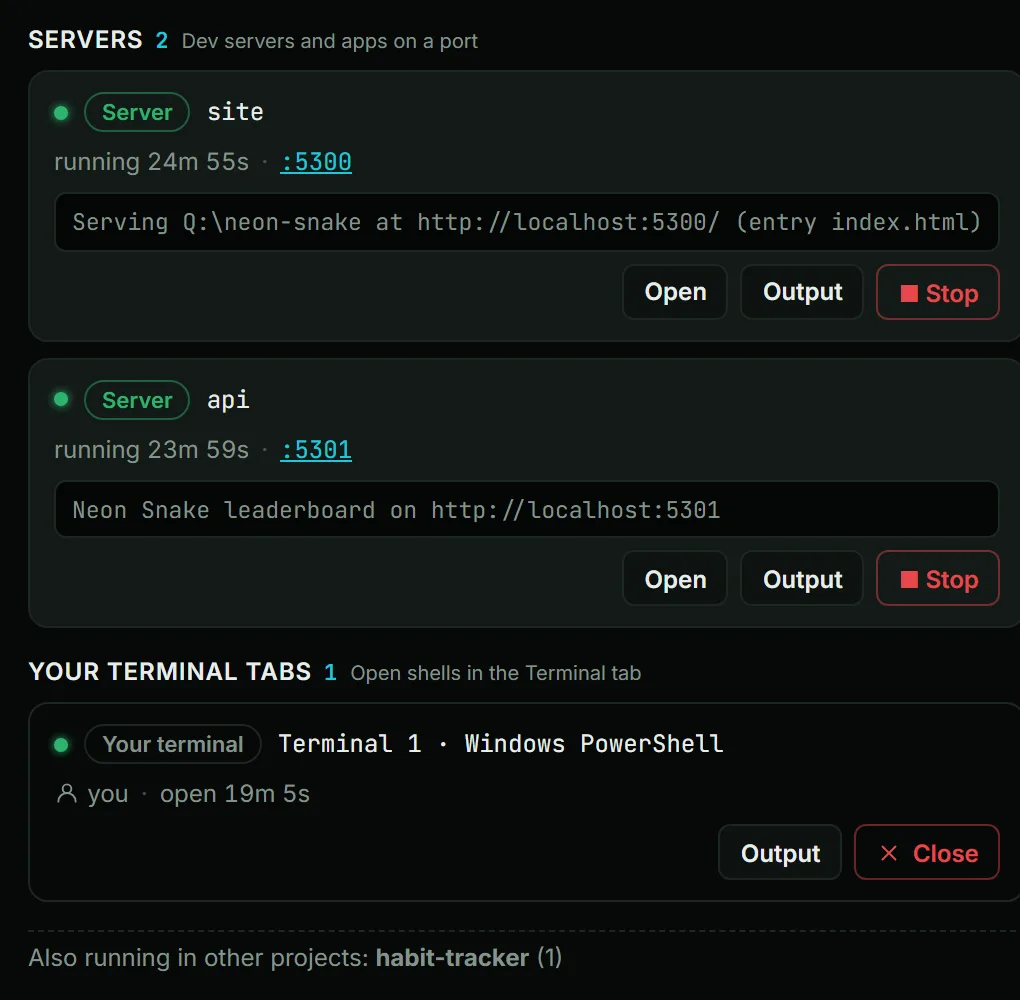
The Terminal tab
Your terminals, what's running and your servers in one place, with panes you can stack and resize, and Stop for everything.
Several chats at once
Each chat works in its own project with its own budget. When a budget runs out, the reply stops and asks.
Point and comment
Point at part of a page to say what should change. Export as PDF, PNG or a ZIP.
Real apps, driven like a person
A real browser tab, or your own Chrome, Brave or Edge through the QuorX extension; desktop windows through UI Automation, Android emulators and interactive terminal programs.
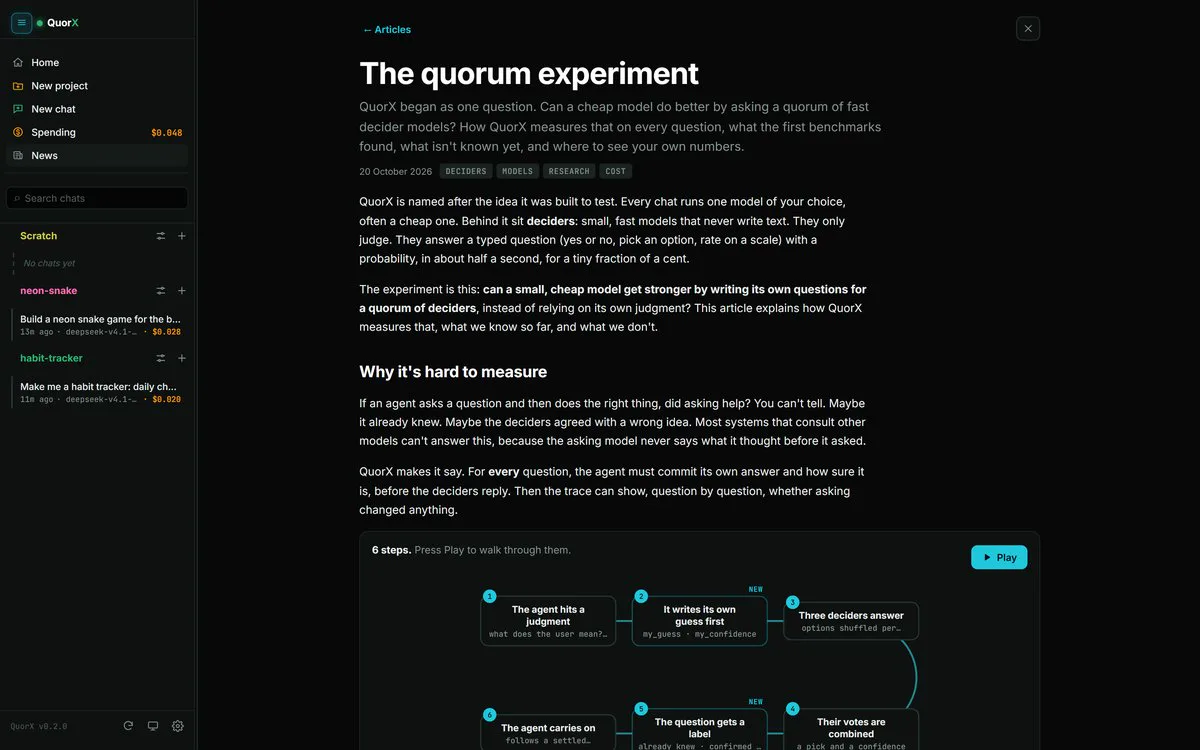
News inside the app
What's new in each version, plus reports and research articles.
Works over MCP
Any MCP client can hand work to QuorX.
New in 0.2.11
Your own browser, for the agent.
Out now. The latest version.
Work in your own browser
Tick 🧩 Chrome in a chat and the agent works in your own Chrome, Brave or Edge, signed in as you, through the QuorX extension. Or drag one tab to a chat: the agent works only there, and Take back ends it.
One Terminal tab
Your terminals, what's running and your servers in one place, with panes you can stack and resize. Your terminal is a normal terminal.
✨ Enhance
Rewrites your draft clearer and fuller before you send it. Press it again to go further, or ↶ to undo.
Drag anything into a chat
Files, browser tabs or terminal output: drag them onto a chat, or right-click → Add to chat.
⚡ YOLO gets out of the way
Most commands run on their own, after a snapshot you can undo. Only the risky ones pause for you, in warning colours.
Secrets stay secret
The agent knows the names of your project's secrets, never their values.
0.2.10 In the Microsoft Store; the agent's browser tells it whether a page started any sound; the Windows app is about 55 MB smaller.
0.2.9 Seven research articles in News; a browser that can wait for a timer or animation and press key combinations like Shift+R.
In 0.2.7
Checked harder, easier to trust.
The release that added model cards and a harder benchmark, with the research behind it.
A smaller, cache-friendly prompt
The parts that never change come first, so more of each step is read from the provider's cache. On our benchmark run it passed 2 of 2 tasks vs 1 of 2, at $0.094 vs $0.127 a run. That was one run of each version, so most of the gap is run-to-run variation.
Tougher build tasks with hidden checks the agent can't see, and stricter scoring for originality.
Model cards
Recommended models get a card with their limits, quirks, provider tips and QuorX results, and the agent reads the ones it uses.
Cache share per model
Usage shows how much of each model's input came from the prompt cache, so you can see where the money goes.
Review, hooks, schedules, memory
/review lists bugs in what changed with file and line. Hooks run your own commands around the agent's work. Schedules start chats on their own. Memory keeps facts you approve.
A first-run tour, export and import
A short tour of projects, Strict and YOLO, the deciders and costs. Export saves your chats, projects and settings to one file; Import restores them anywhere.
The main changes in 0.2.7 come with write-ups: what was tried, what was measured and what didn't work. Read the research notes ↗
Deliberately narrow
What it doesn't do yet.
Models only through OpenRouterOne key, and prices before you pick.
Windows onlyQuorX is built and tested for Windows. macOS and Linux aren't supported.
No OS sandbox yetThe guards work at the command level. They are not a container.
It runs real commands on your computerKeep YOLO for projects you trust. Strict is the default.
Research · Video direction
The Director's Harness
Ten video skills, one per route: code, images, AI clips, footage, or a mix.
Analysis only Nothing here has been tested on video yet.
Direct download (.exe)QuorX-Setup-0.2.11.exe from the latest release. It updates itself, but it isn't code-signed yet, so Windows SmartScreen may warn the first time you run it. Every release has SHA256SUMS.txt and a signed build attestation: