
What's new in 0.2.18: smooth with many heavy chats
QuorX stays light with many heavy chats open. A memory leak is fixed, hidden browser tabs sleep, long chats open without freezing, and an idle minimised window uses no processor. With 8 heavy chats, about 2.1 GB is now 1.1 to 1.2 GB.
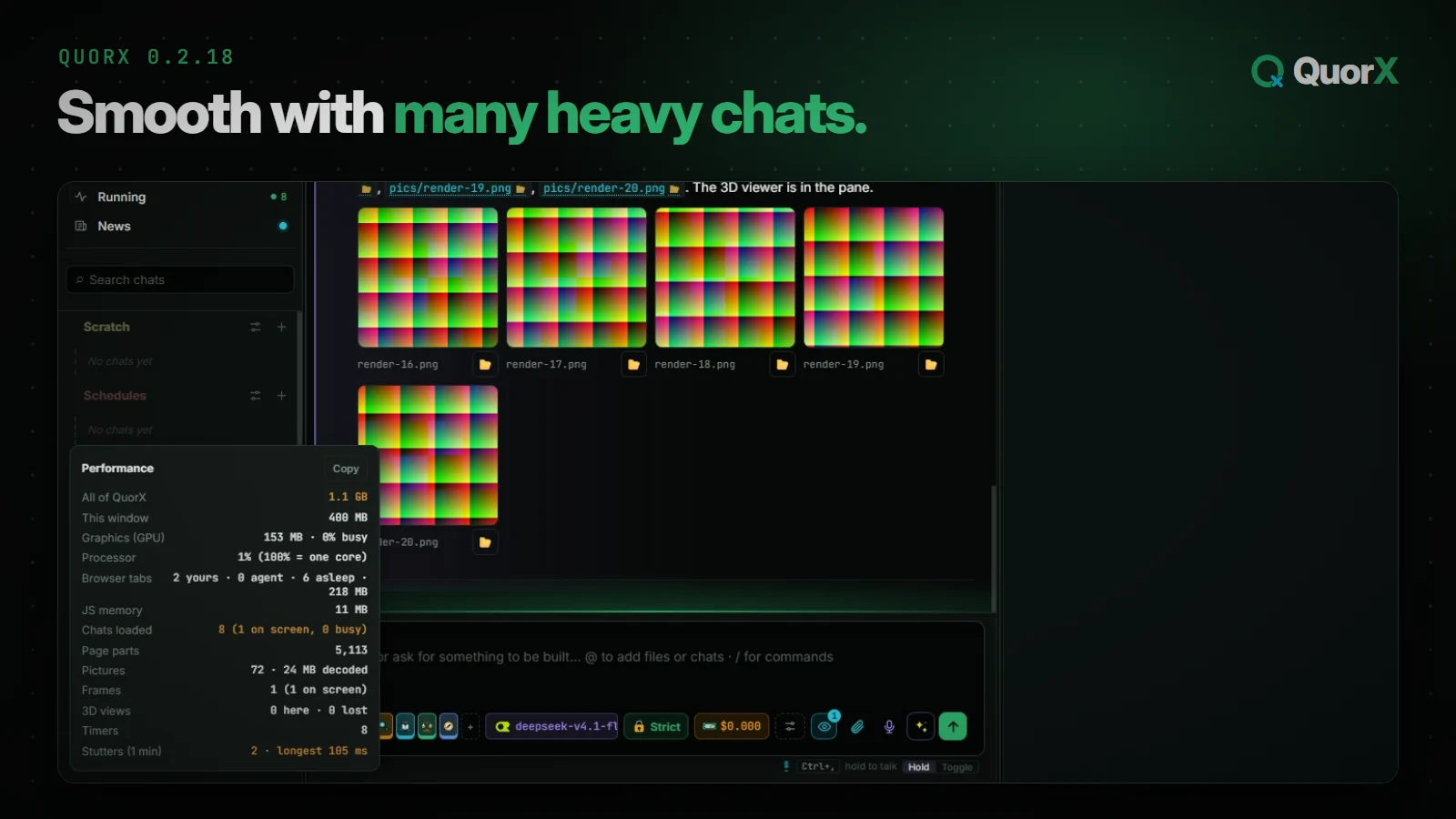
0.2.18 is about staying fast when you work hard. People making pictures and 3D scenes found QuorX slowing down after five or more chats. Each of those chats has pictures, a 3D preview and a browser tab or two. This release measured what stays loaded, and fixed the parts that cost the most.
Your chats, projects, settings and sign-ins carry over as they are. There's nothing to move or set up.
Measured first
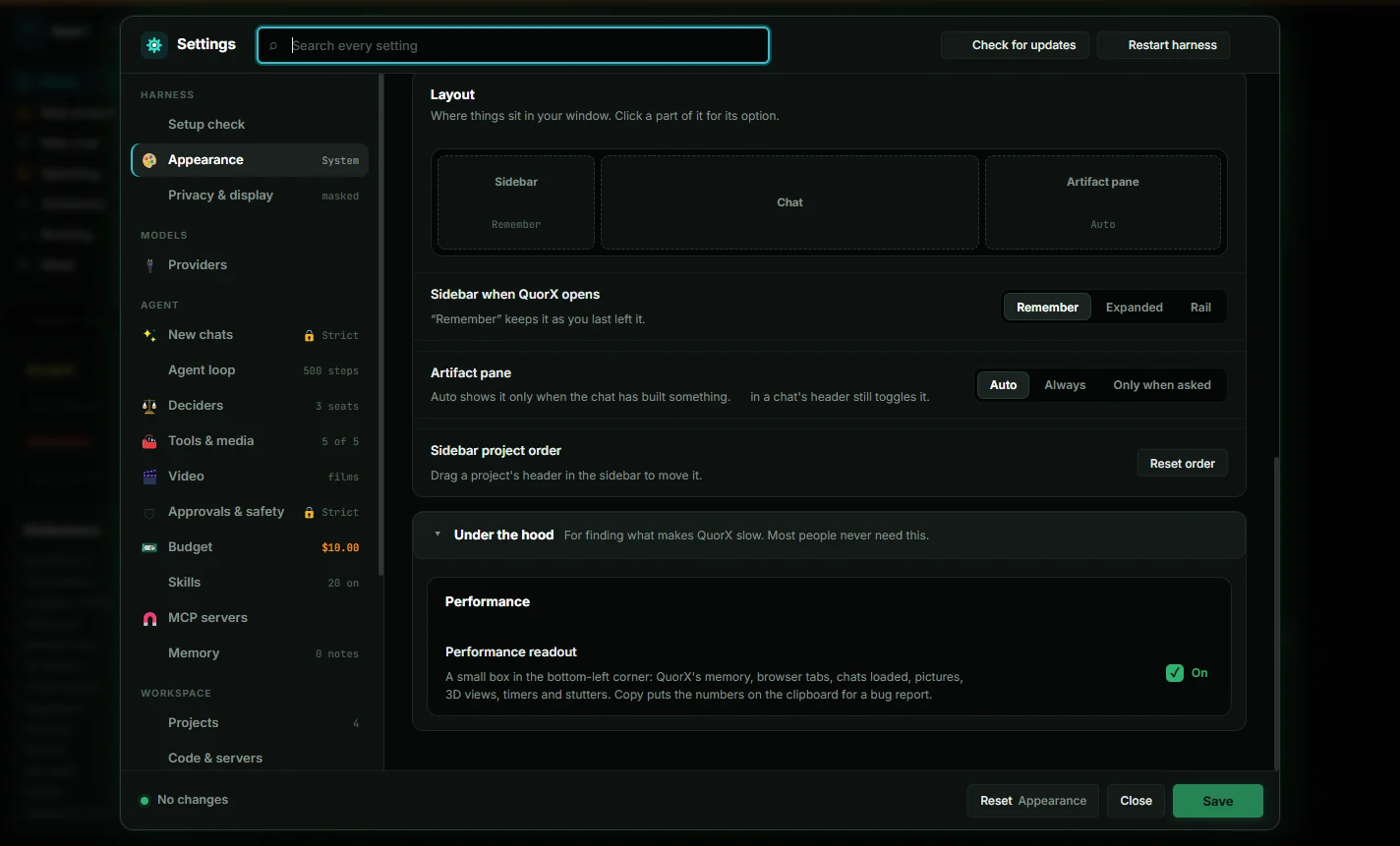
Before anything was fixed, QuorX got a way to measure itself. Turn on **⚙ Settings → Appearance → Under the hood → Performance readout** and a small box in the bottom-left corner shows QuorX's memory, the window, the graphics process, processor use, browser tabs (awake and asleep), chats loaded, page parts, pictures, 3D views, timers and stutters. Copy puts the numbers on the clipboard for a bug report. It's off unless you turn it on.
QuorX's own tests then drove a heavy session through the app: 8 chats in a project, each with about 20 pictures, 25 screenshots and a 3D viewer. That baseline came to 2.1 GB, and it showed where the memory went.
Hidden browser tabs go to sleep
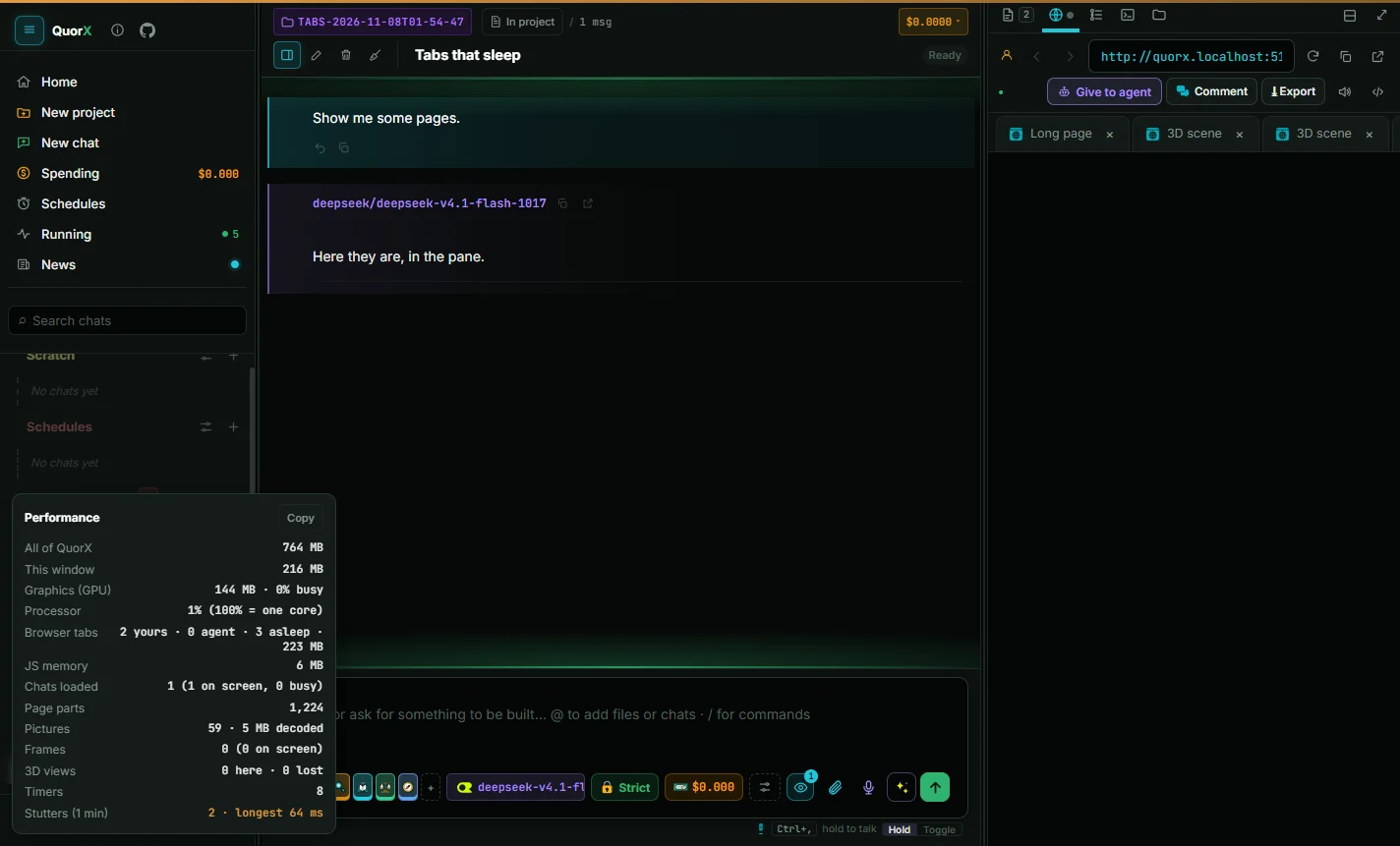
Each browser tab, yours or the agent's, is a full browser page of its own, and hidden ones stayed awake. They cost about 127 MB each, half of all memory at 8 chats.
Now a tab you can't see goes to sleep once it has been hidden for 5 minutes, or sooner when more than two hidden tabs are awake. QuorX remembers its address, scroll position and a still picture of it. When you come back, the picture shows at once while the page loads behind it, and the page wakes where you left it in about a second. Five tabs went from 647 MB to 128 MB.
Some tabs never sleep:
- the tab on screen;
- a tab playing sound;
- a tab with a form you've started filling in;
- a tab the agent is using;
- a tab with DevTools open.
A page that keeps its state only in memory, like a game halfway through a level, starts over when it wakes, the same way a sleeping tab in Chrome does.
Chats you leave no longer stay in memory
The biggest fix is a leak. Each time a chat's message box was drawn, it left two listeners on the page that were never removed, and each one held on to the whole chat. Every chat you had ever opened stayed in memory, and the window grew with every switch. After 6 long chats, 666,710 page parts were alive, with about 5,000 on screen. Now it's 15,252, and the window went from 511 MB to 338 MB.
How it was found, and what the numbers looked like on the way, is in The chats that never left.
Long chats open without freezing
A chat with 208 messages used to freeze the window for 1.8 seconds when you opened it. Now it opens in **130 to 340 ms**. The newest messages draw first, older ones load as you scroll up to them, and messages off screen skip layout.
Idle means idle
With the window minimised and nothing running, QuorX now uses 0% of the processor. Tooltip checks, countdown clocks, tab placement and the readout itself pause while the window is hidden.
What was already fine
Measuring also showed two things that didn't need fixing, so they weren't changed:
- Hidden 3D previews draw nothing. A heavy 3D preview drew 121 frames a second on screen and 0 with the pane hidden. Moving to another chat or pane tab removes it.
- Big pictures are cheap. Pictures at 2048 × 2048 cost only about 30 MB more than at 1024.
All together
Also in 0.2.18
- Pictures, clips, sounds and music a tool makes show in the chat under their own step as soon as they land.
- Project settings can delete everything in the agent's folder, to the Recycle Bin, after you confirm.
- Model chips show the logo of where a model runs.
- Copy on code blocks works everywhere, including live thinking and document pages.
For contributors
The bridge between QuorX's page and its desktop app is now written down and tested, in docs/desktop-bridge.md, and new features stay off Electron-only code. The work is tracked in issue #268.
Get it
0.2.18 is out as the installer and from source. An installed QuorX updates itself; the Microsoft Store copy gets it with a later Store release. Every change is in What's new, and the download is on the home page.