
What's new in 0.2.19: fits every model
QuorX builds each request to fit the model and provider you picked, recovers when a call slips, shows tool calls while they're still being written, and adds a Continue button to a reply you stopped.
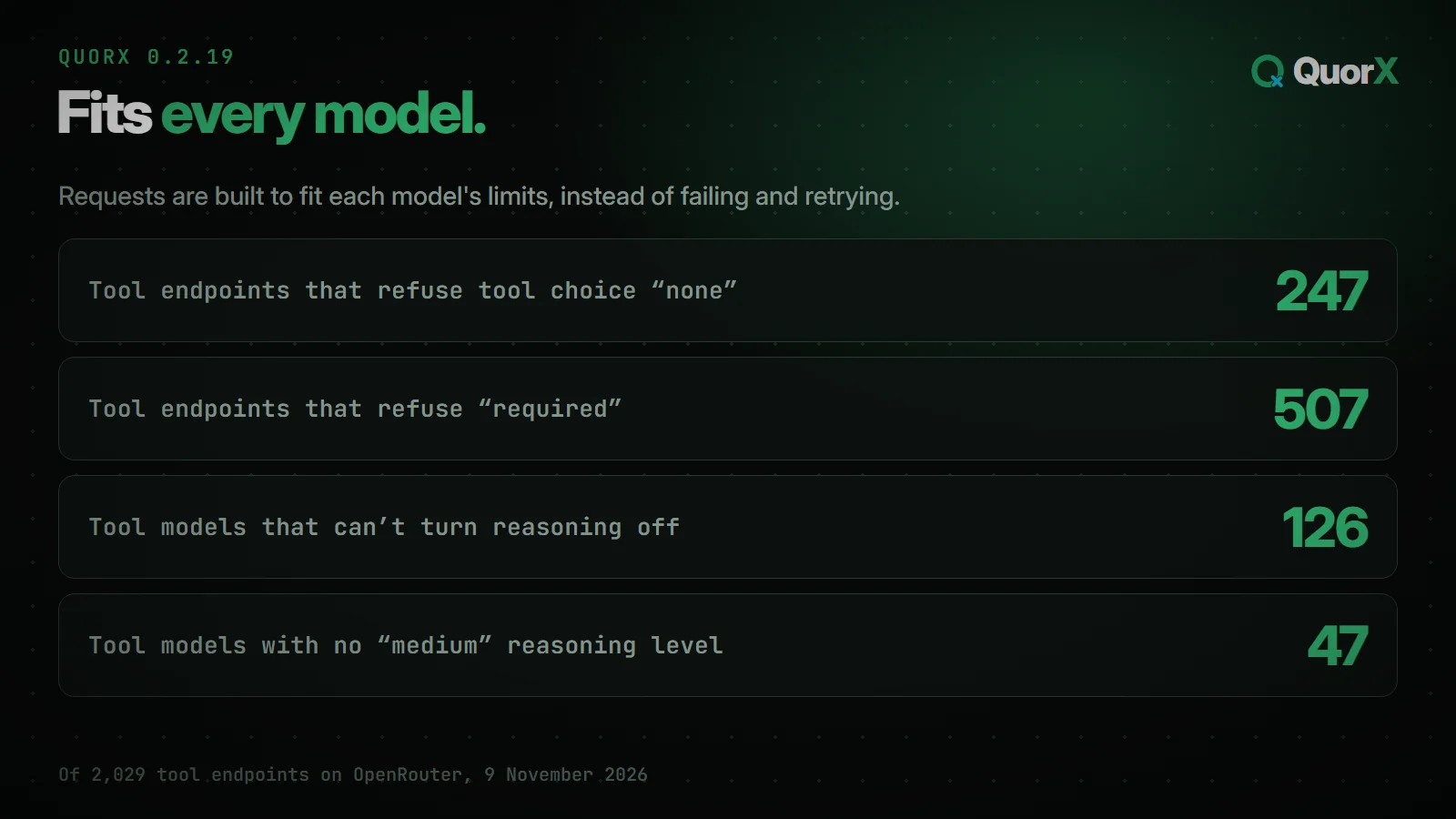
0.2.19 is about the model you picked just working. Models and the providers that serve them each accept slightly different requests. One takes a setting that another refuses, so a request that works on one model can fail on the next. This release reads those limits and builds each request to fit. It also recovers when a call goes wrong partway through, instead of ending the reply.
You can also now see a tool call while it's still being written, and carry on a reply you stopped.
Your chats, projects, settings and keys carry over as they are. There's nothing to move or set up.
Requests built to fit
On 9 November, OpenRouter's public model list had 2,029 provider endpoints that take tools. Many of them have limits a request has to respect:
QuorX used to send the same kind of request everywhere, then fail and try again when a provider refused it. Now it reads each model's limits first and builds the request to fit:
- Reasoning that can't be turned off stays on, even with Thinking off.
- Reasoning levels are only ones the model accepts, so a model with no "medium" level isn't sent one.
- Tool settings use only the ones each provider takes.
For example, Gemini 3.8 Flash with Thinking off used to be refused with "reasoning is mandatory". It now answers the first time.
See a tool call while it's being written
When the agent writes a big file, you used to see nothing until the whole call arrived. Now the tool card appears while the call is still being written. It names the file and shows how much is done.
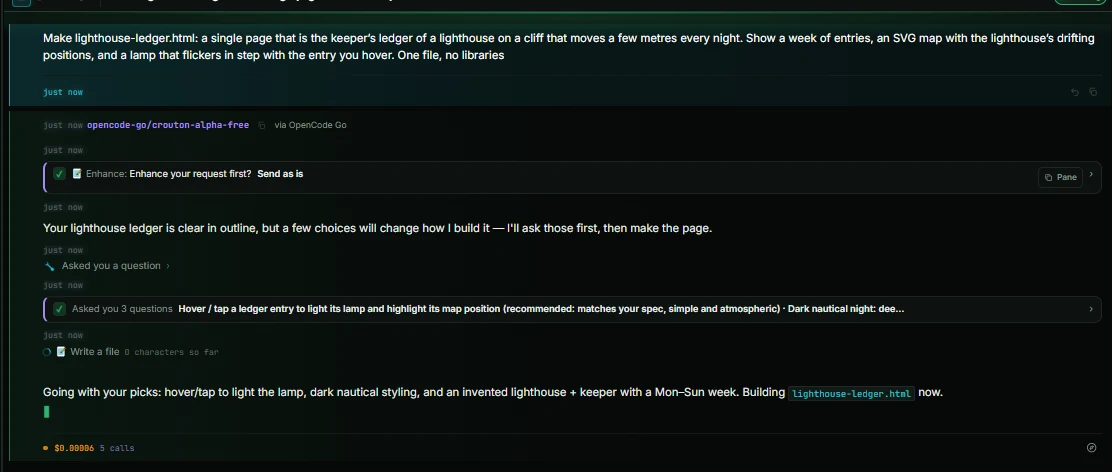
Some providers send a call's details in one piece. On those, the card shows as soon as the call starts and the count fills in when it lands, as in the picture above.
This works with every provider: OpenRouter models, OpenCode Go, direct APIs such as OpenAI, Anthropic and Google, Command Code and Ollama. It also works with OpenCode, Claude Code and Grok running on your own computer.
Stop, then carry on
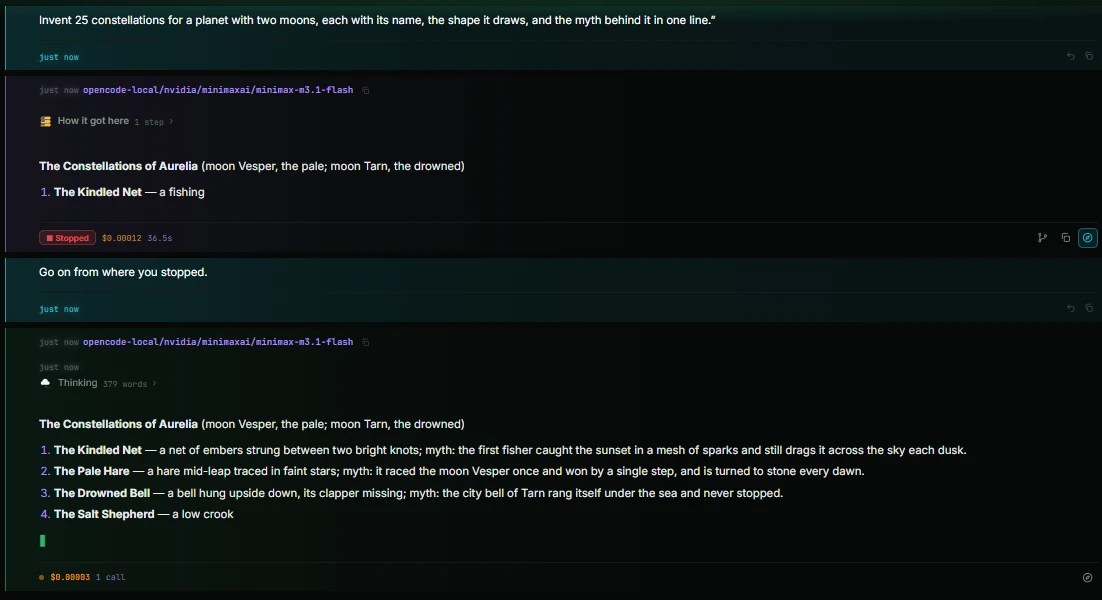
- A ▶ Continue button shows on a reply you stopped. It carries on from where the reply stopped.
- "Go on" goes on. After you stop a reply, your next message includes the text you saw. Asking it to go on continues the reply instead of starting over.
- Stopping between tool calls is safe. It used to make the next message fail on strict providers. Not any more.
When a call slips
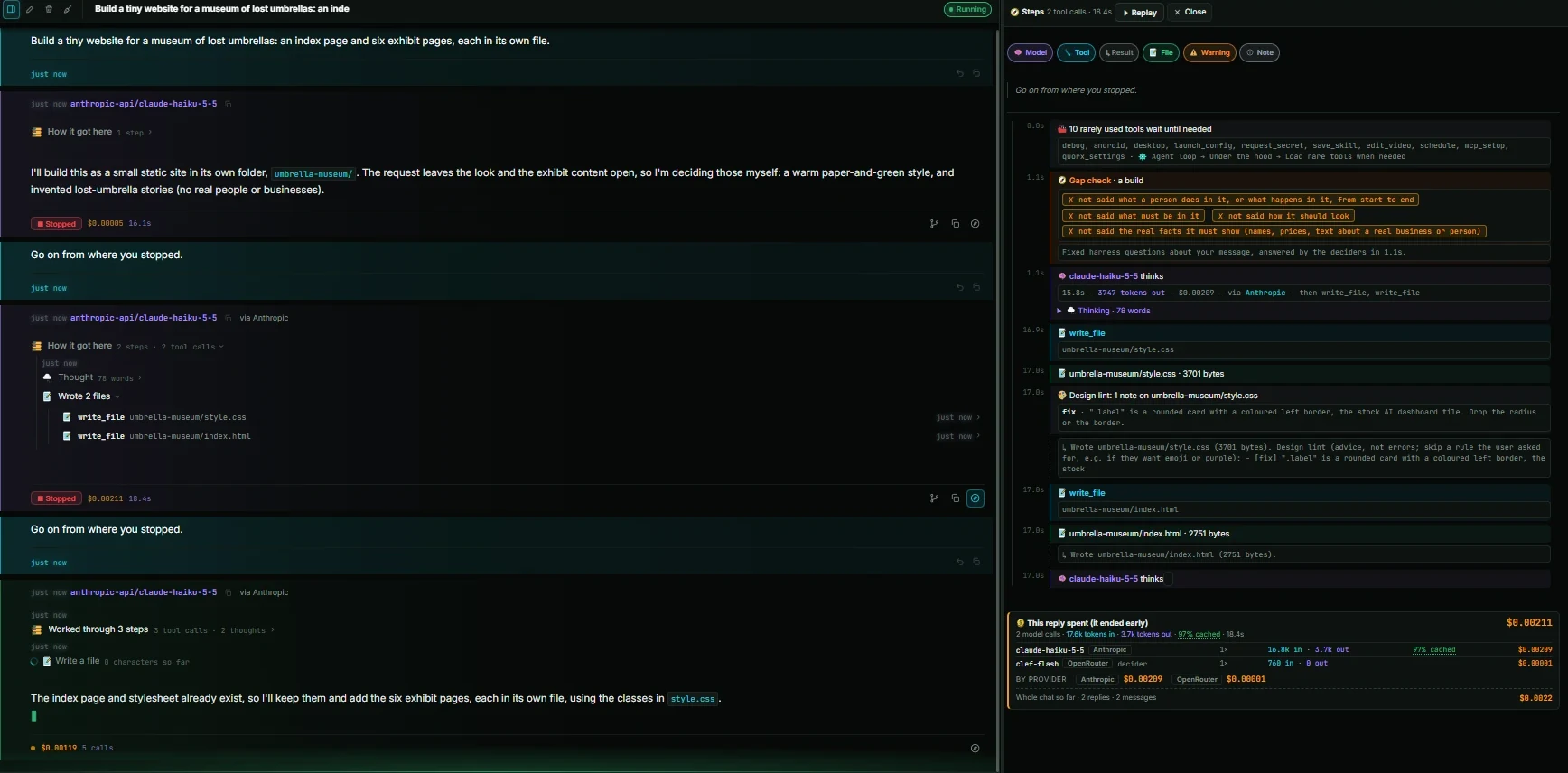
Long agent runs hit the same few problems. Each one used to end the reply. Now QuorX handles it and carries on:
| What happens | What 0.2.19 does |
|---|---|
| The conversation is too long for the model | Trims it and tries again |
| The provider is rate limiting | Waits as long as the provider asks, and the reply says how long, so it doesn't look stuck |
| A tool call has a small slip | Repairs it |
| A tool call doesn't fit the tool | Sends it back to the agent with each wrong field named |
| A tool result is very large | Keeps its start and end in the conversation, and saves all of it for the agent to read |
| The tools change mid-reply, such as an MCP server dropping out | Tells the agent which tools it has now |
Built while testing it
0.2.19 was tested by building real things with many models and providers:
- a lighthouse keeper's ledger page for Greyrock Point Light, where the cliff moves each night;
- 30 invented words for feelings;
- constellations for a planet with two moons;
- a site for a museum of lost umbrellas;
- that 40,000-character rulebook for a sport played on frozen canals.
Everything in 0.2.19
- Tool cards appear while a call is still being written, naming the file and how much is done, with every provider.
- A ▶ Continue button on a reply you stopped carries on from where it stopped.
- After you stop a reply, the next message includes the text you saw, so "go on" continues instead of starting over.
- Stopping a reply between tool calls no longer makes the next message fail on strict providers.
- Requests fit each model and its providers: reasoning that can't be turned off, the levels it accepts, the tool settings each takes.
- A conversation too long for the model is trimmed and tried again instead of ending the reply.
- When a provider is rate limiting, QuorX waits as long as it asks, and the reply says how long instead of looking stuck.
- Tool calls with small slips are repaired, and ones that don't fit the tool go back with each wrong field named.
- A very large tool result keeps its start and end in the conversation; the whole of it is saved for the agent to read.
- The agent is told when its tools change mid-reply, such as an MCP server dropping out.
Get it
0.2.19 is out as the installer and from source. An installed QuorX updates itself; the Microsoft Store copy gets it with a later Store release. Every change is in What's new, and the download is on the home page.