
A calmer, faster QuorX
A tour of what 0.2.15 changes around the chat: a Running list for everything QuorX has going, a side pane that splits into stacked tabs, shorter Project settings, a right-click project menu, a compact message box, and files that show inline.
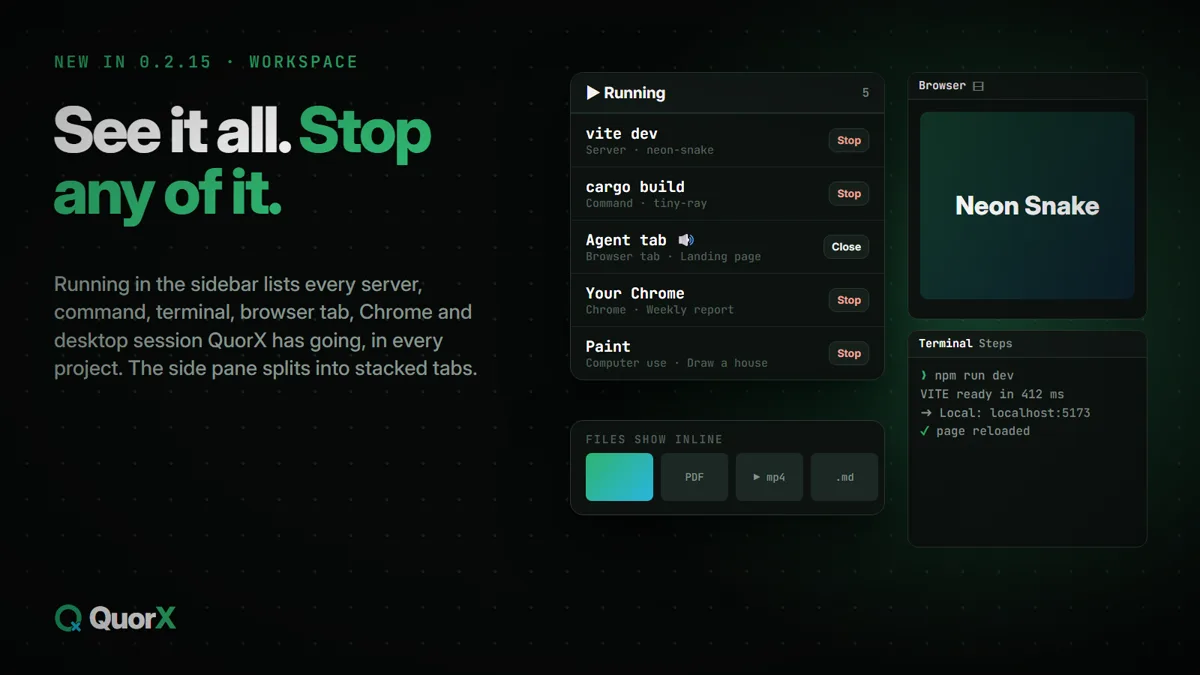
0.2.15 is a big release for features (MCP servers, your own keys, one Permissions window), but much of it is about the space you work in: less to look for, less in the way, and faster on long runs. Here's the tour.
Running: everything QuorX has going
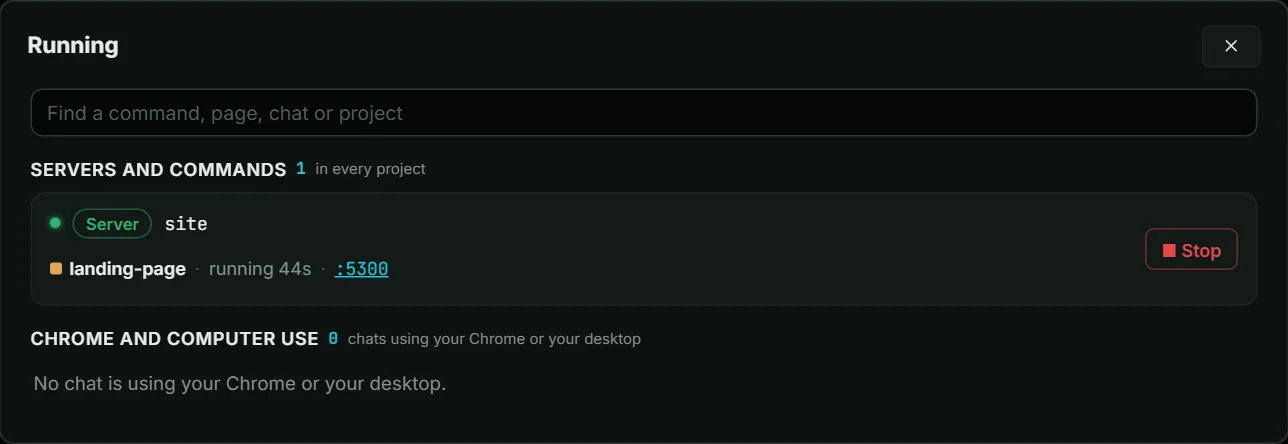
Running in the sidebar lists everything QuorX runs right now, in every project:
| Group | What's in it |
|---|---|
| Servers | Dev servers and site previews |
| Commands | Builds and scripts, including ones that moved to the background |
| Terminals | The agent's terminals and yours |
| Browser tabs | Your tabs and each chat's agent tab in the desktop app, with their sound |
| Chrome | Chats driving your own Chrome, or a tab you lent them |
| Computer use | Chats using apps on your desktop |
Each row names its chat or project and jumps there, and each has its own Stop or Close. The sidebar row counts them, so you can tell at a glance what's using the machine.
Two or three tabs at once in the side pane
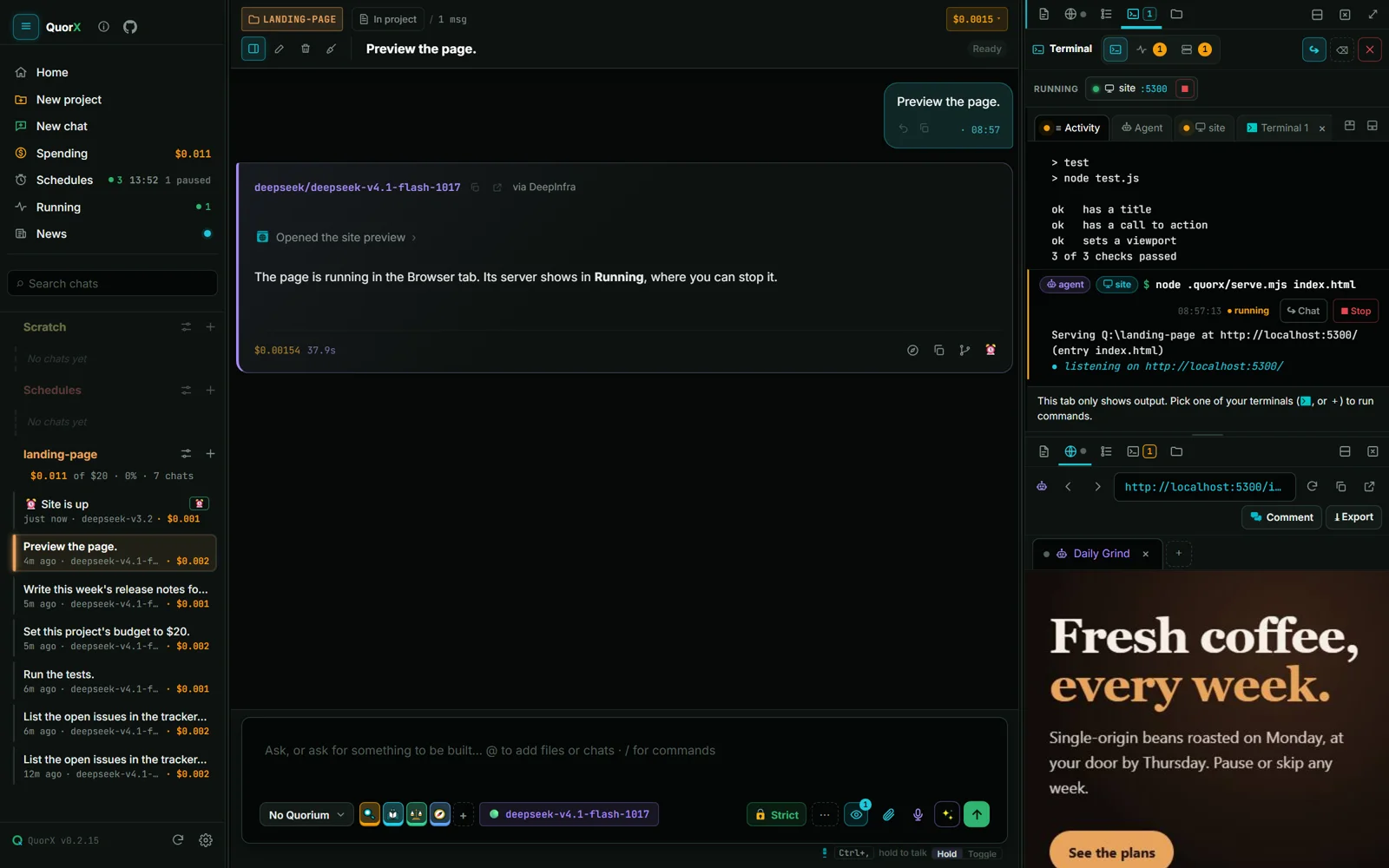
The side pane now splits into up to three areas stacked top to bottom, like a split terminal: Artifacts over the Browser, Steps over the Terminal, Files next to a server's output. Drag the bar between them to resize.
- Split with the ⊟ button, by dragging a tab to the top or bottom half of an area, or by right-clicking a tab.
- Each area keeps its own tab, address bar, terminal view and scroll.
- The layout is remembered per chat. On a phone-sized window, only the area you used last shows.
Projects: shorter settings, a right-click menu
Project settings has a short main window. Design system, Hooks and Permissions each open in a window of their own, with room for a gallery, a preview or a long list.
Right-click a project in the sidebar for its quick actions: new chat, rename, pin, open the folder, archive and delete.
Project costs say why Spent can be more than the chats add up to: deleted or rewound chats, or replies stopped early.
A compact message box
The text you type gets the full width, with one row of controls under it. As the window narrows, the row folds into fewer buttons instead of wrapping onto a second line.
Files show in the chat
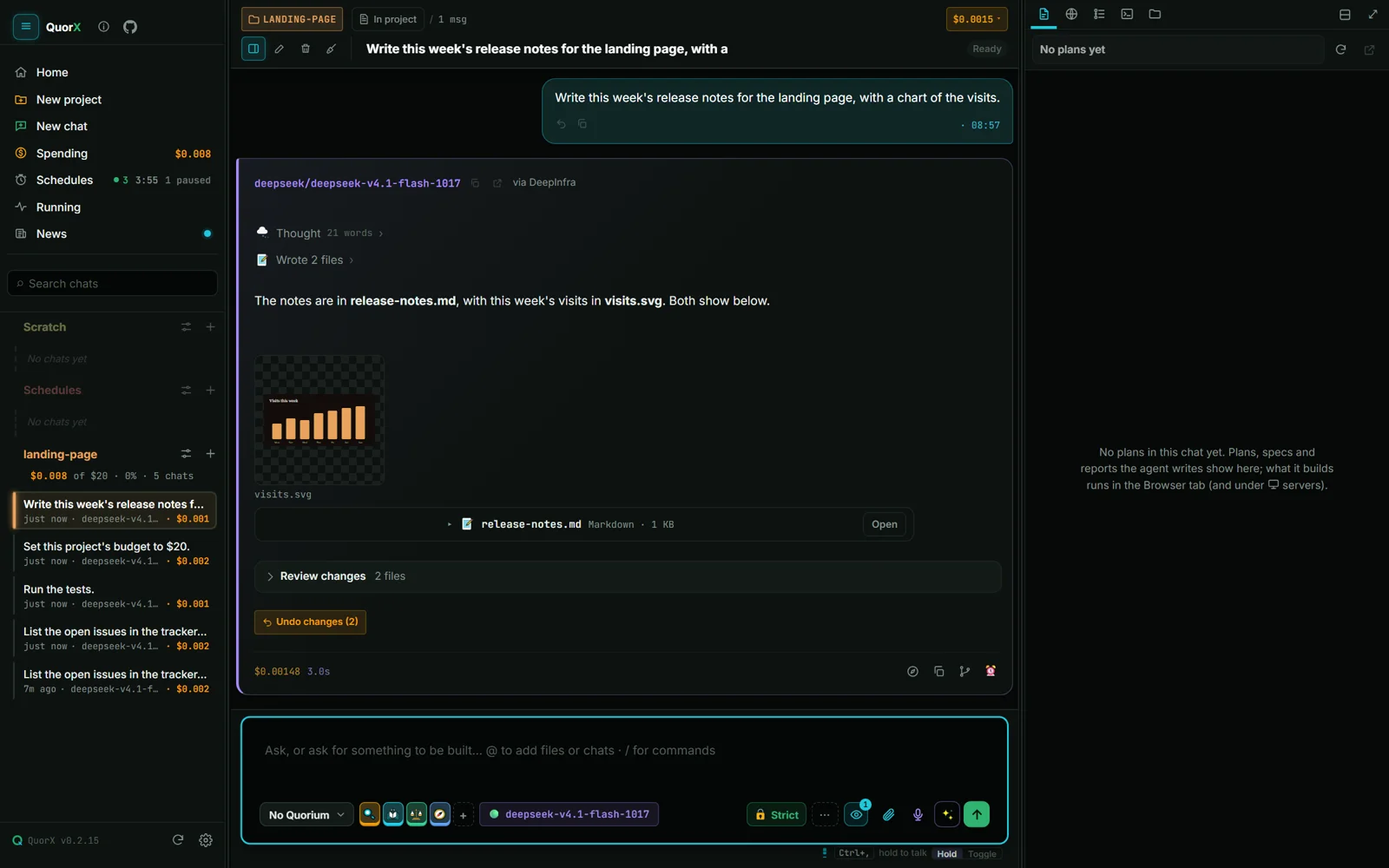
Pictures, videos, PDFs and Markdown files show inline under the message that wrote, made, named or attached them:
- pictures as thumbnails (click for a large view);
- videos in a player;
- PDFs in the viewer;
- Markdown rendered, or raw if you prefer.
Nothing is copied into the chat. The files load from the project as they scroll into view, so a long chat stays light.
The Browser tab: sound and links
- 🔊 by the address bar sets one volume for every tab, and mutes every tab, only the agent's tabs (so its tests stay quiet) or one tab. A tab making sound shows a speaker you can click to mute it. Windows' own volume isn't touched.
- A click on a link in a chat opens it in the Browser tab. Ctrl+click opens your own browser.
- Menus and popovers over the Browser tab are never hidden behind the page.
Smaller things that add up
- Steps stays fast on replies with thousands of steps, and sections you opened stay open as new steps arrive.
- Notifications are short. Pick All, Needs me or Off right in the What QuorX may use panel.
- Save keeps Settings open, and the theme is picked in Settings rather than with a sidebar button.
- Sending to an @ chat shows your message at once, sends it once, and the model knows what "this" means.