
What's new in 0.2.16: a chat that reads in order
The chat now reads top to bottom in the order things happened, with no bubbles. One budget per chat, one yes per program, files beside the chat, and an agent loop that guards your edits and loads rare tools only when it needs them.
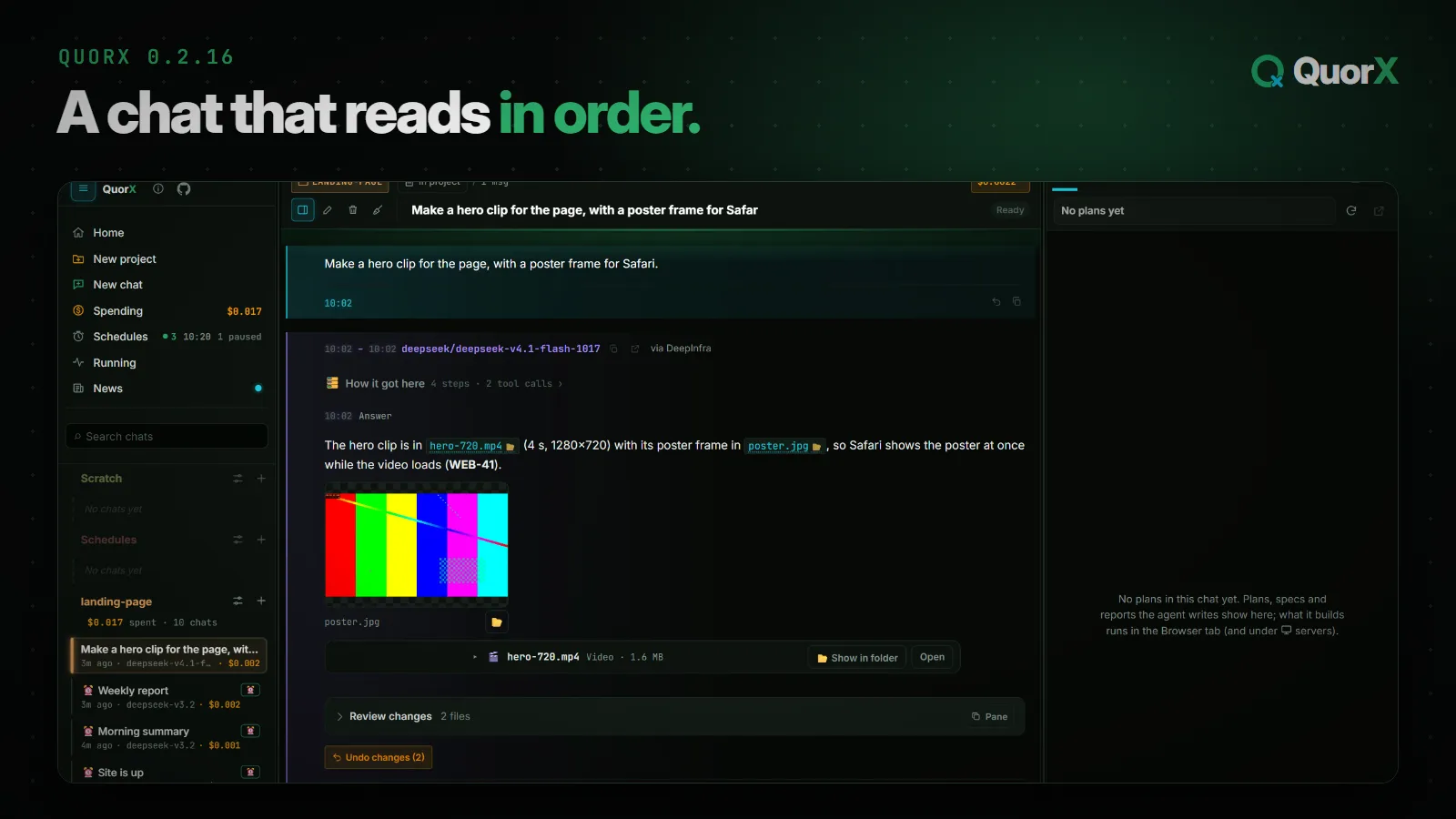
0.2.16 is about reading a chat. Until now a reply was one fixed block: the work on top, the answer under it, and anything that happened after the answer (a re-check, the reviewer, a note you sent) squeezed in above it. Now the chat reads like a log: top to bottom, in the order it happened, with a time on every message.
The chat, in order
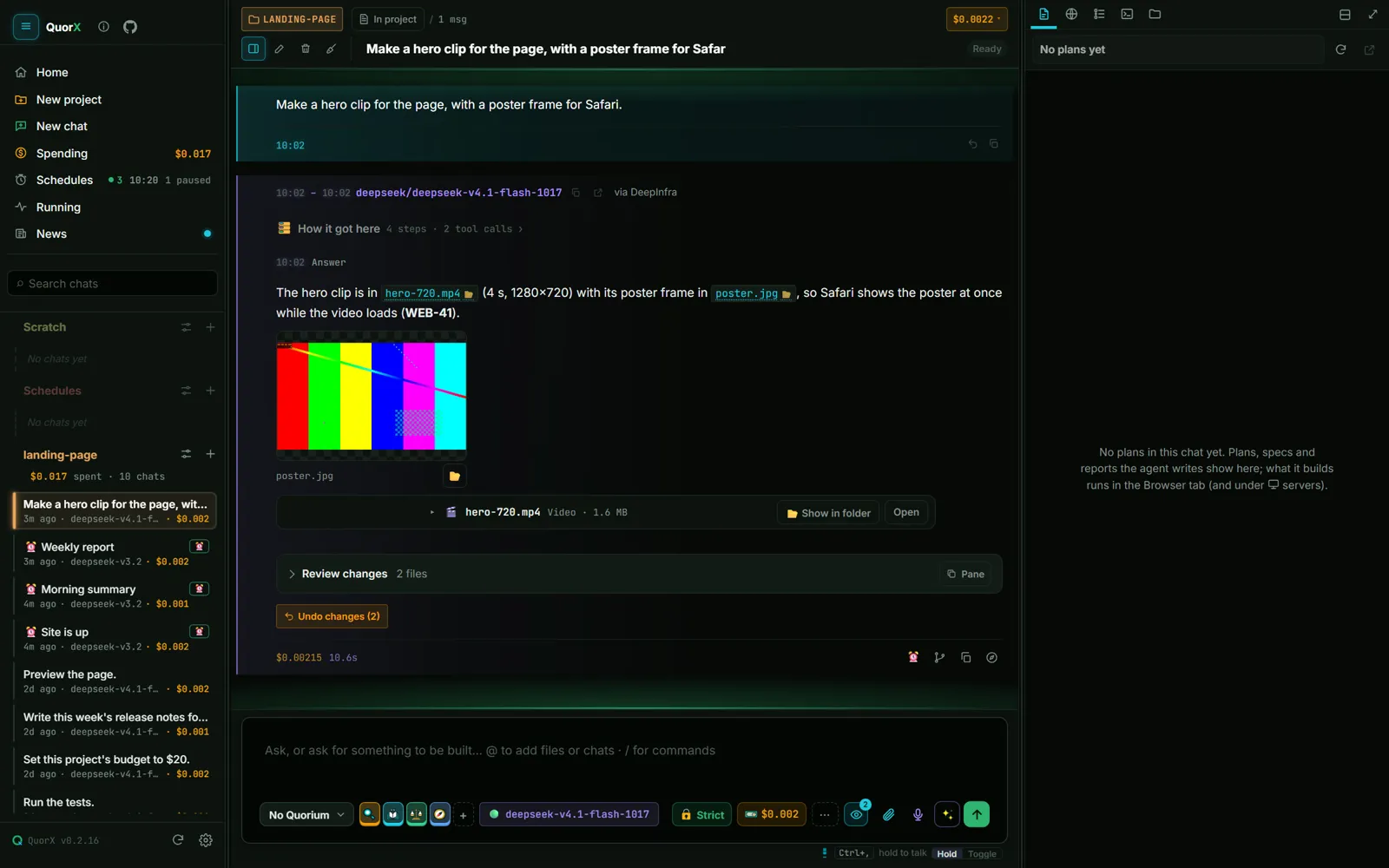
- No bubbles. Every message is a full-width row with a glowing edge: yours teal on the right, the agent's violet on the left. The agent's edge turns green, amber or red with its state, so you can tell at a glance whether it's working, waiting for you or stopped.
- Times everywhere. Each reply shows when it started and ended ("10:02 – 10:02"), the answer shows when it was written, and step times sit on their own line, only when the minute changes.
- The answer first. A finished reply folds its work into How it got here. Open it to see every step; leave it shut and the answer is what you read.
- Work after the answer goes under it. A re-check, the reviewer or a note you sent shows below, in order.
- One row, one layout. Stats on the left, buttons on the right, always in the same order.
One yes per program
Approving a command used to cover that exact line. In 0.2.16, a yes covers the program.
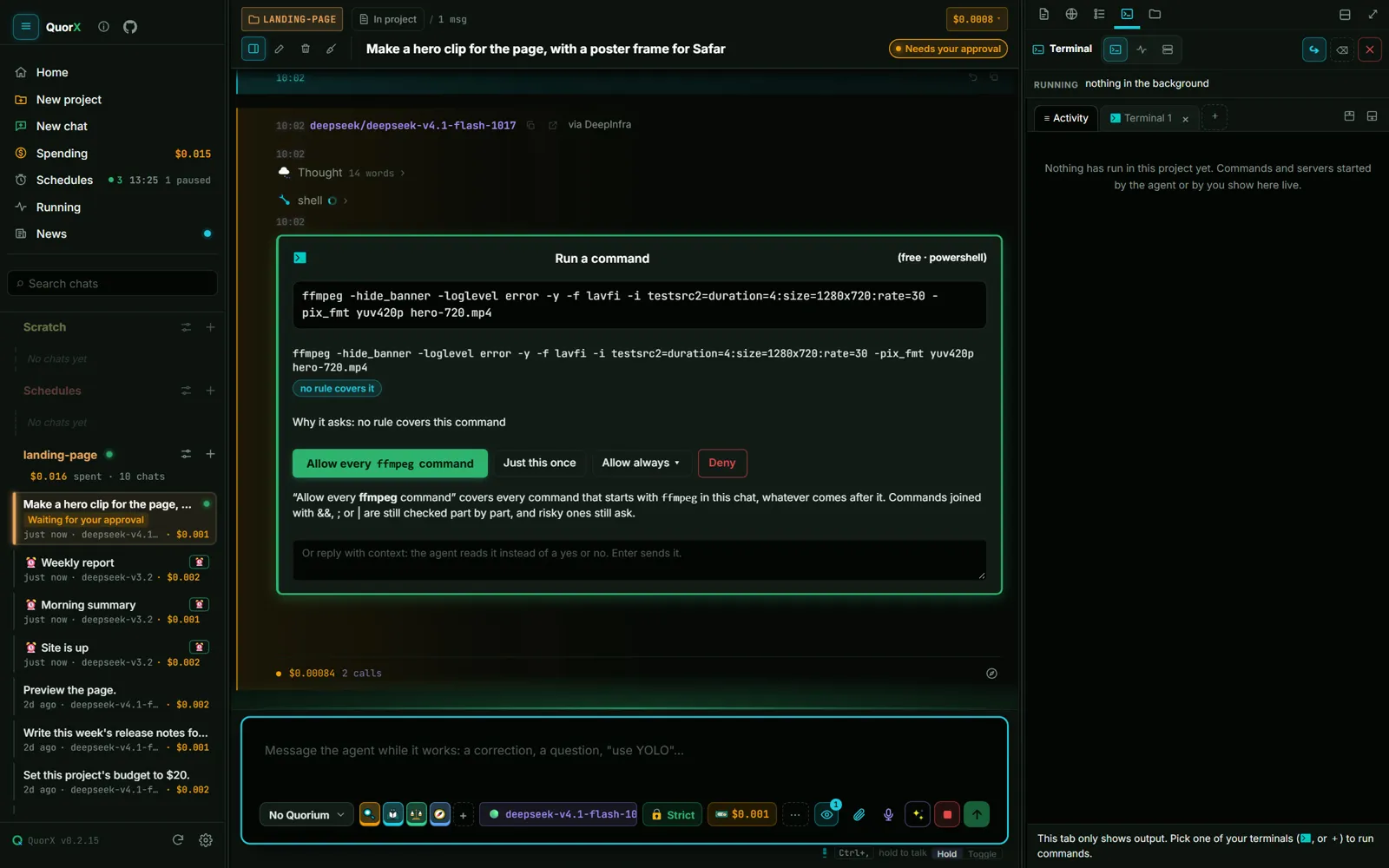
Say yes to one ffmpeg command and every later ffmpeg command in that chat runs without a card, whatever its arguments. Just this once still runs only the one line, and Allow always ▾ saves the rule for the project or everywhere. Commands joined with &&, ; or | are still checked part by part, and risky ones still ask.
- 1ffmpeg … hero-720.mp4A card: Allow every ffmpeg command.
- 2ffmpeg … poster.jpgRuns: the ffmpeg rule covers it.
Saved as the rule ffmpeg * for this chat, matched by whole word.
Always allow is now on every command card, except two: reading key files, and deleting or moving files outside the project.
One budget per chat
The reply, media and daily caps and the project budgets are gone. A chat has one budget, shown in the message box, and that's the one number to watch. /goal is now the one way to ask for a plan, and the prompt enhancer asks before it rewrites your message.
Files beside the chat
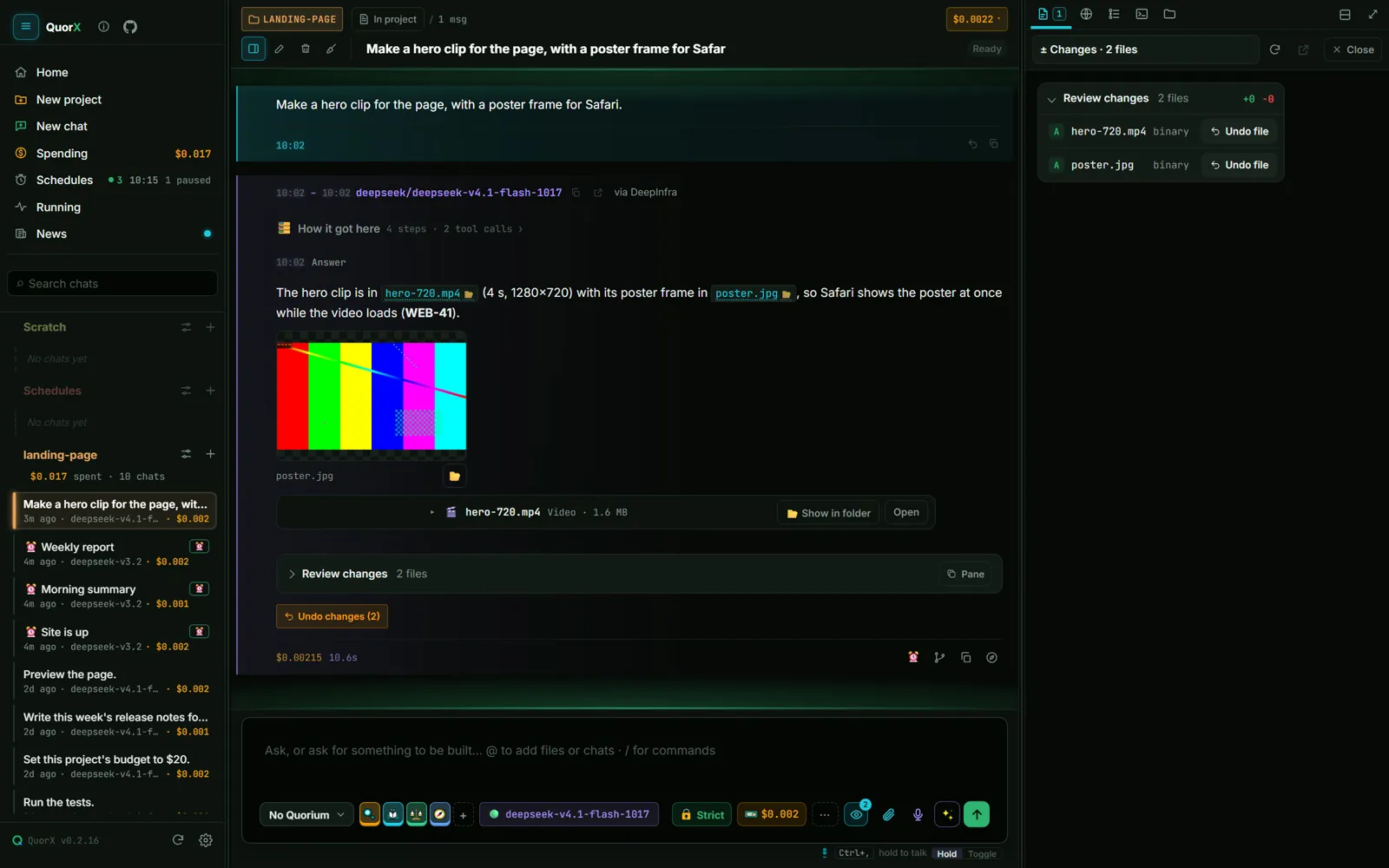
Files, reviewer rounds, the live plan, Review changes, long answers, a command's full output and code review findings open in the side pane's Artifact tab, under "From the chat". Compare splits the pane to show two side by side. Pictures and videos in a chat have Show in folder, videos in project files can be scrubbed, and the file viewer has Show in folder next to Copy path.
A smarter agent loop
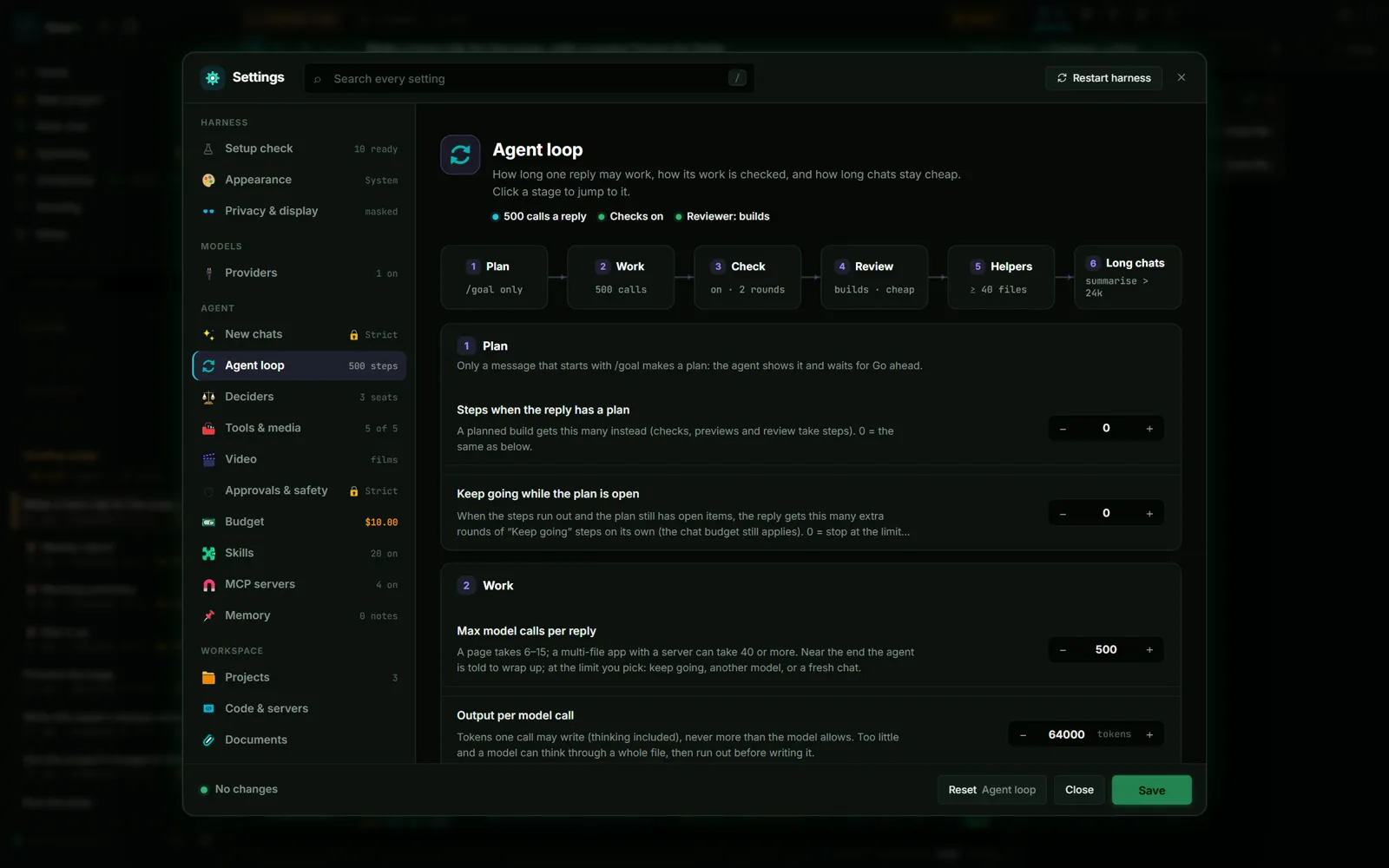
Most of this release's work is under the hood, in ⚙ Settings → Agent loop and Memory:
| Upgrade | What it does |
|---|---|
| Protect files that changed | If you change a file the agent read, it reads it again before editing it, so it never writes over your work. |
| Background-job notices | A job that ends while the agent works is reported with its exit code and last lines, so it stops checking. |
| Other tools' notes | AGENTS.md, CLAUDE.md, GEMINI.md, .cursorrules and Copilot instructions are read with AGENT.md. |
| Tools when needed | Rare tools (Android, the debugger, video editing…) load only when asked for, so each step sends less. |
| Hooks around anything | Before a write, around any tool, and at the start and end of a reply. A failing end hook sends the reply back. |
| Helper roles | Explore, Test and Draft, each with its own model and steps. Edit them, or add your own. |
| Typed memory | Notes have a type, a why, details read only when relevant, and a scope: one project or all. |
| Unchecked work | A reply that did work says what wasn't checked: a job still running, checks turned off, a reviewer that didn't run. |
The agent can read and change every one of these settings with you from a chat, and Reset puts them back.
Also in 0.2.16
- Two built-in skills, motion design and HyperFrames films, for videos with exact easing and timing.
- Browser tabs belong to their project, so a chat never shows another project's site.
- Every server in the Servers panel can be edited and deleted.
- Closing a terminal no longer leaves an empty Terminal window behind.
- 💬 Comment mode in the desktop app uses your real browser tab, so search sites don't show a bot check.
- Approval cards left open by a restart close instead of doing nothing.
Get it
0.2.16 is out as the installer and from source. An installed QuorX updates itself; the Microsoft Store copy gets it with a later Store release. All 32 changes are in What's new, and the download is on the home page.