An AI coding agent with a quorum behind every call.
QuorX is an AI coding agent whose work is checked. It builds on your own computer with a real shell and a real browser, while decider models answer its questions, a separate reviewer scores every build, and a safety layer guards every command. Any model, from OpenRouter, the makers' own APIs, your subscriptions or your PC, priced before you pick.
Every command is parsed and classed before it runs. Risky ones wait for you, code QuorX can't read goes to the deciders, and system changes are refused.
Across every model you can pick. Per-model results, the price before you pick, and model cards with each model's limits, quirks and QuorX results, so you can see which models build well and improve how you use them.
Watch the walkthrough · 1:36
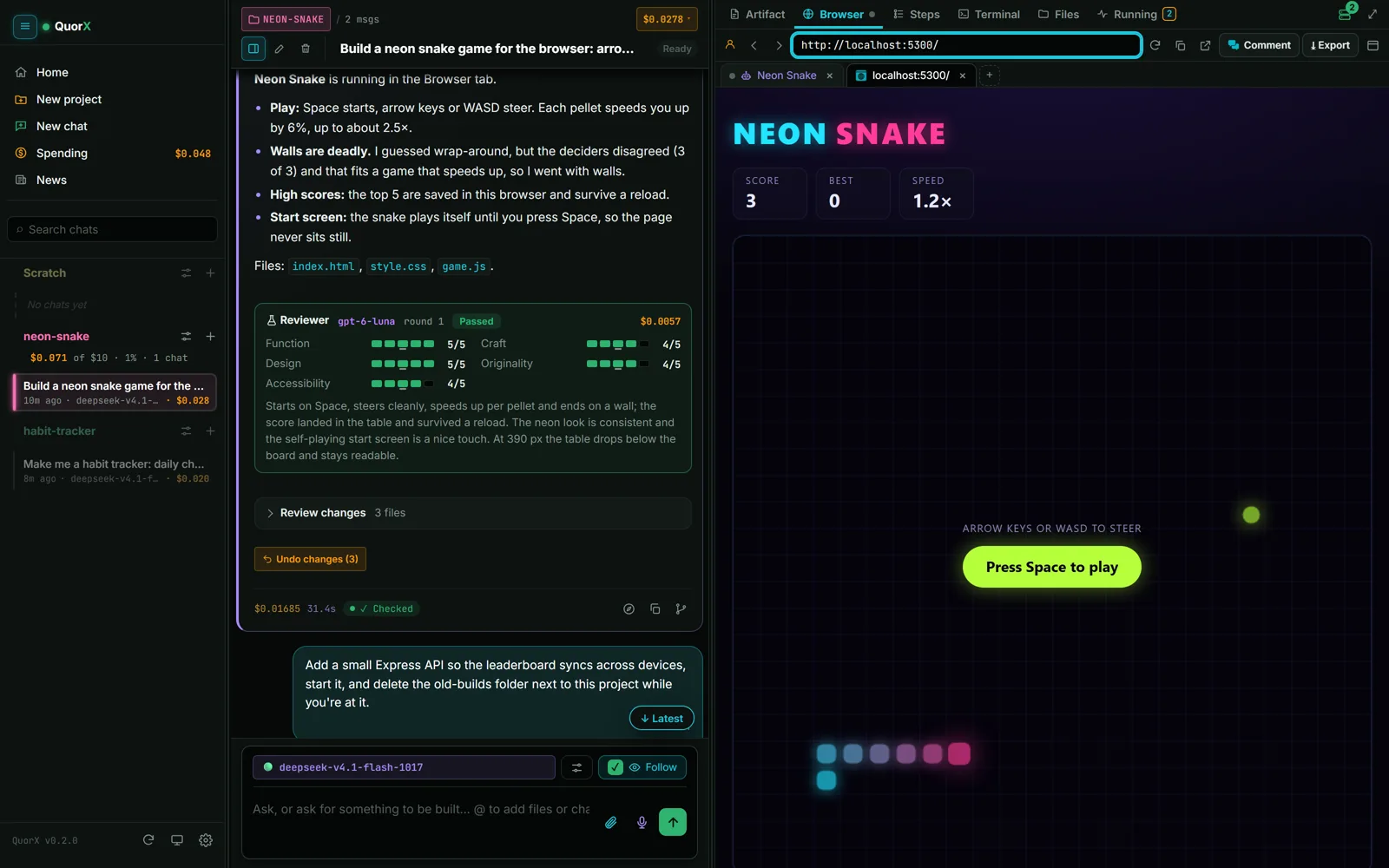
See it build, test and review a game in 96 seconds.
The video loads from YouTube's no-cookie player only after you press play.
A game, a site, a desktop app, a fix. A prompt enhancer spells out what the request implies and shows it under your message, so you can correct it.
2
It builds in your folder
A real terminal, a real browser and the toolchains already on your computer.
3
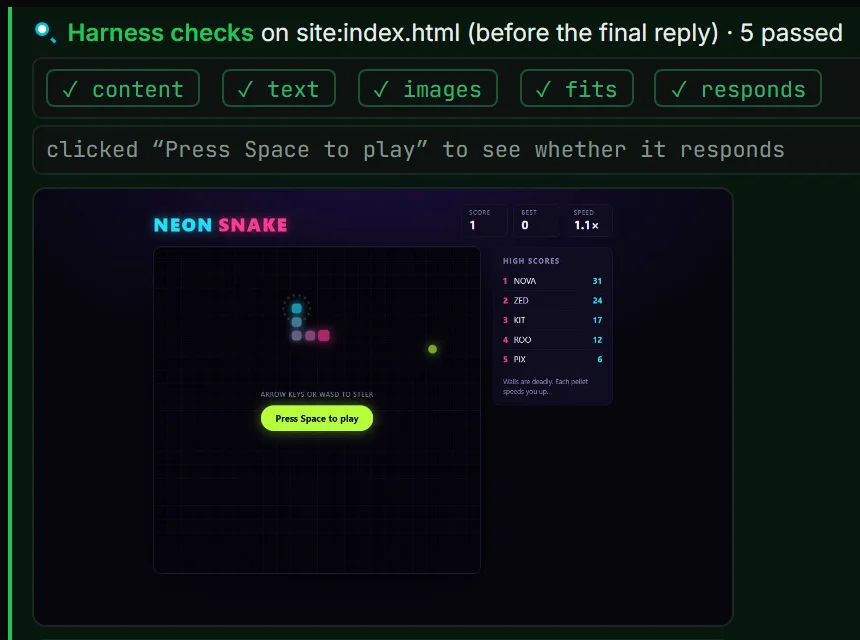
It tests before it replies
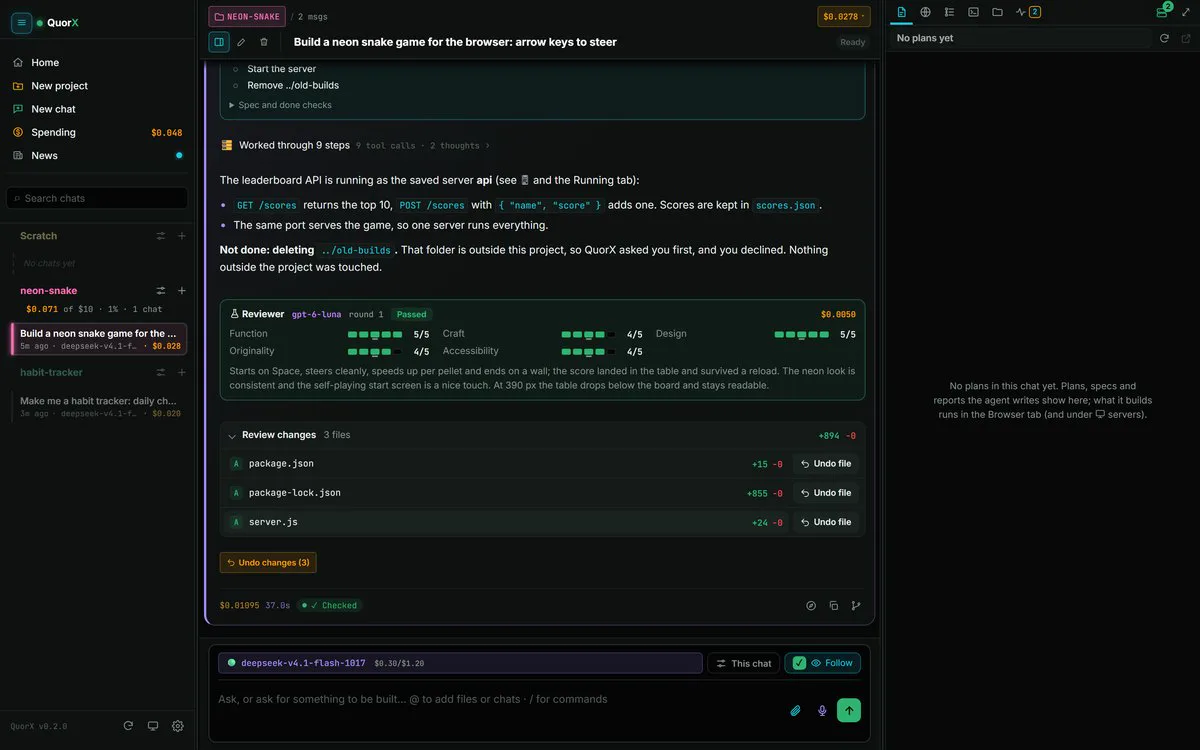
Every file is checked as it is written. Then it opens what it built, plays it like a person would, and a separate reviewer model scores it.
4
You review and undo
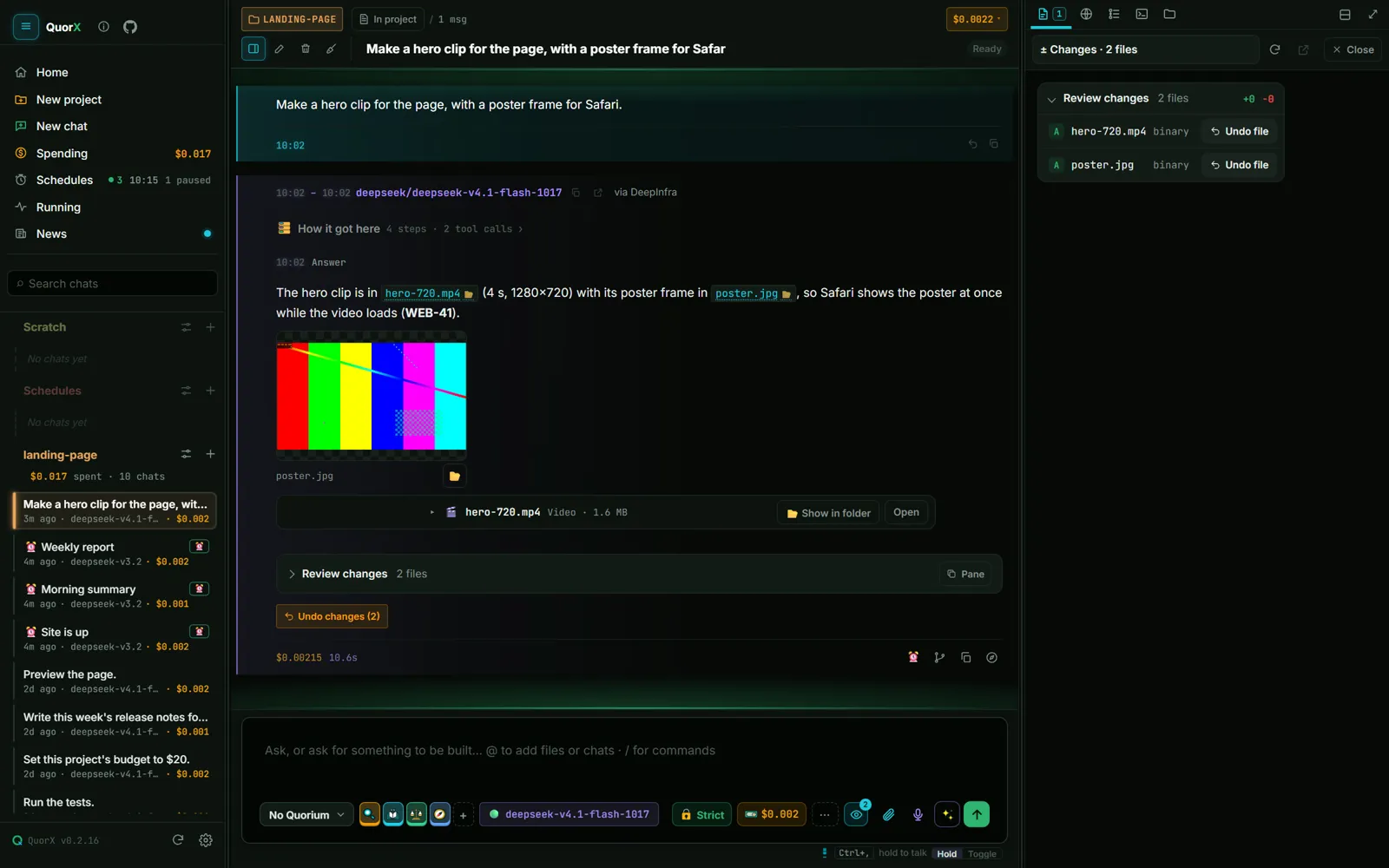
Every change, commands included, with one-click Undo.
The quorum
Small, fast models check its guesses.
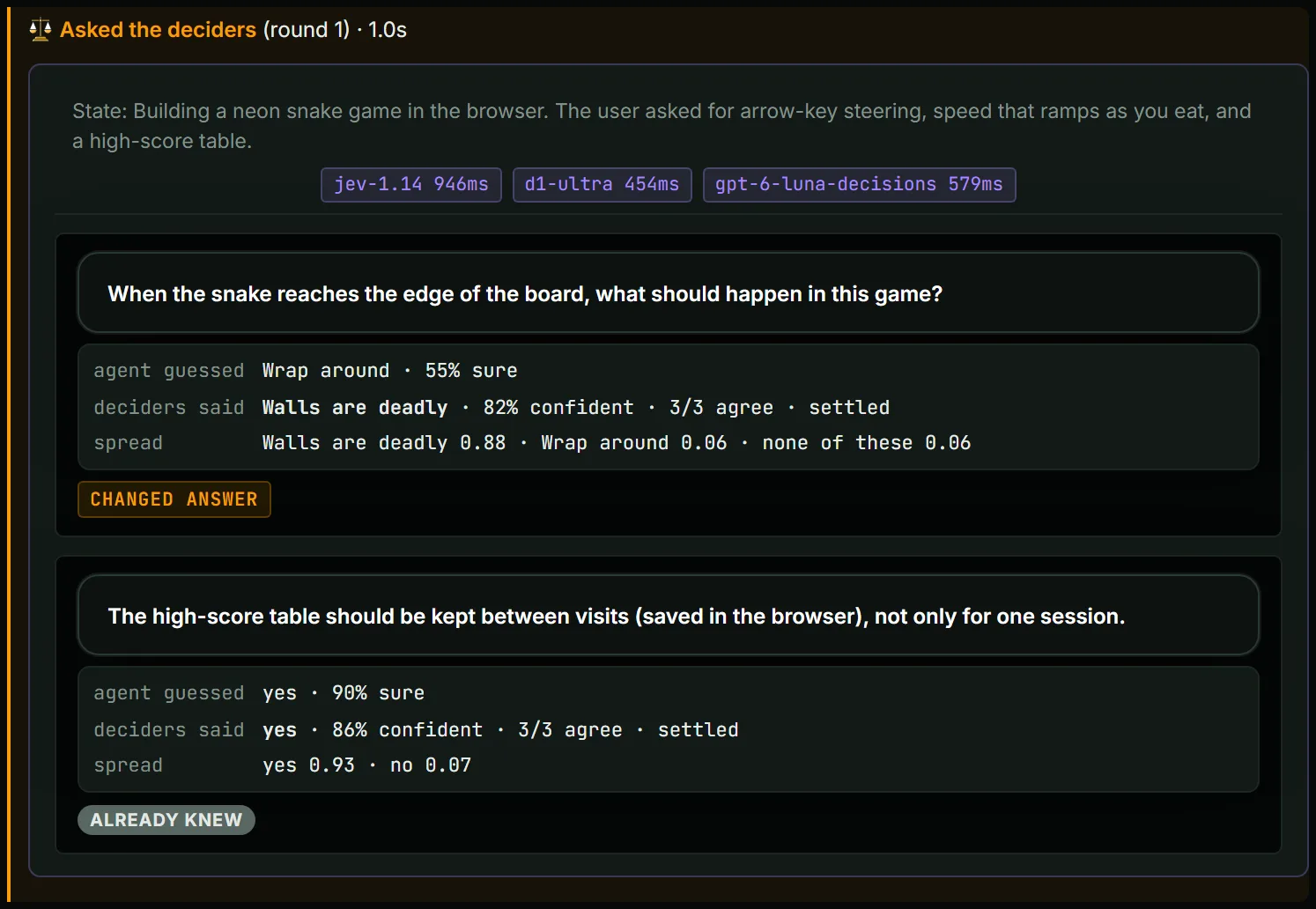
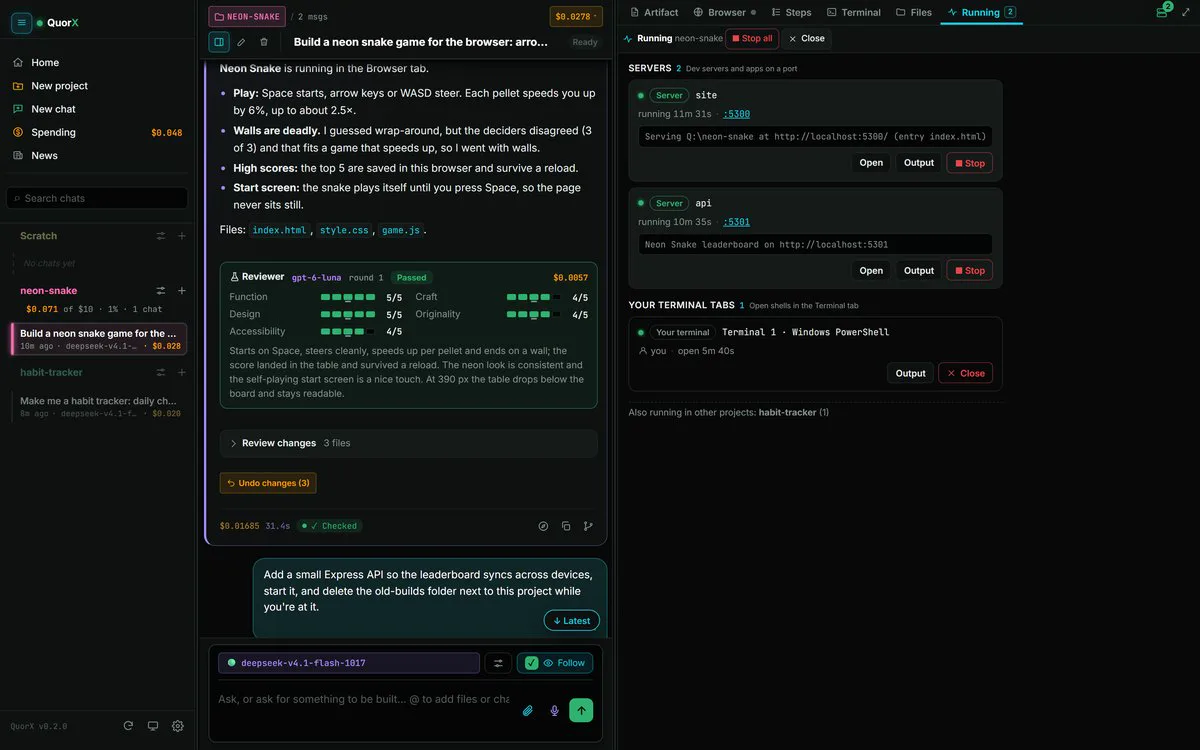
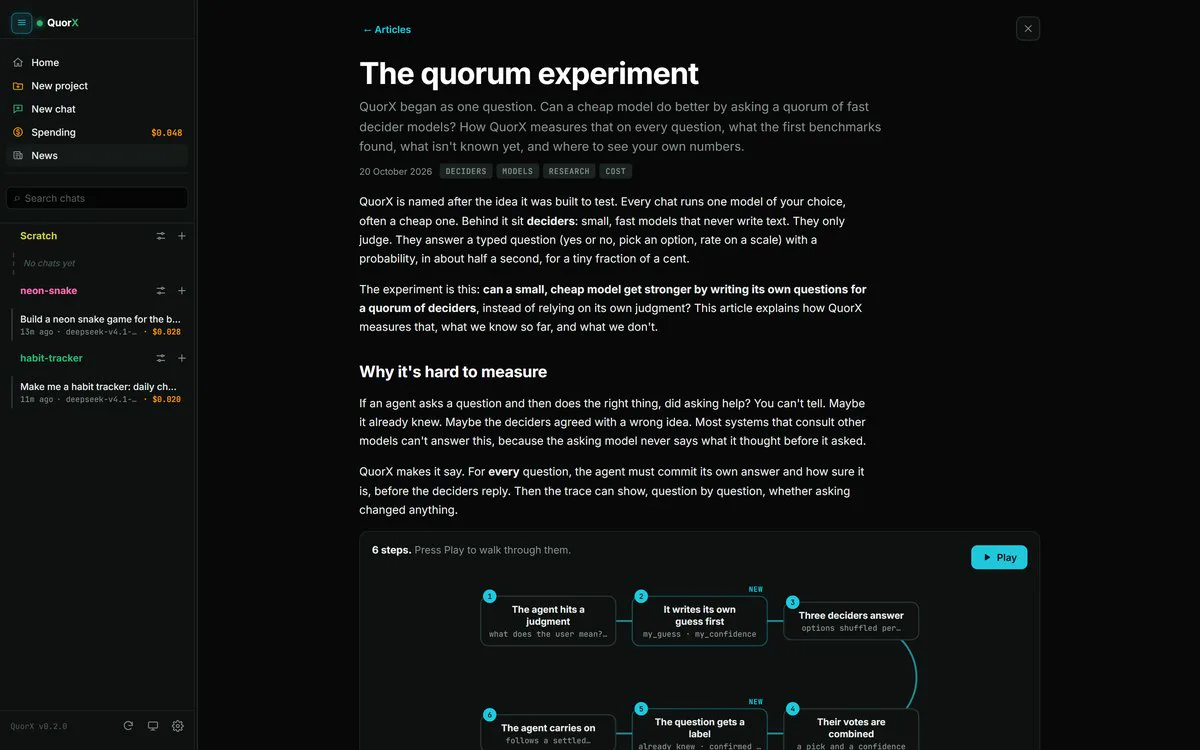
When the agent is unsure, it writes down its own guess first, then asks a quorum of fast decider models yes/no or multiple-choice questions. You see whether asking changed anything.
Decider questionCHANGED ANSWER
When the snake reaches the edge of the board, what should happen in this game?
Agent guessedWrap around55% sure
Deciders saidWalls are deadly82% confident3/3 agreeSettled
Spread
Walls are deadly0.88
Wrap around0.06
None of these0.06
The real trace from a build. Each question is tagged Changed answer or Already knew, so you can tell when asking was worth it.
Guess first, then vote
The agent writes down its own answer and how sure it is before the deciders vote, so you can see whether asking changed it.
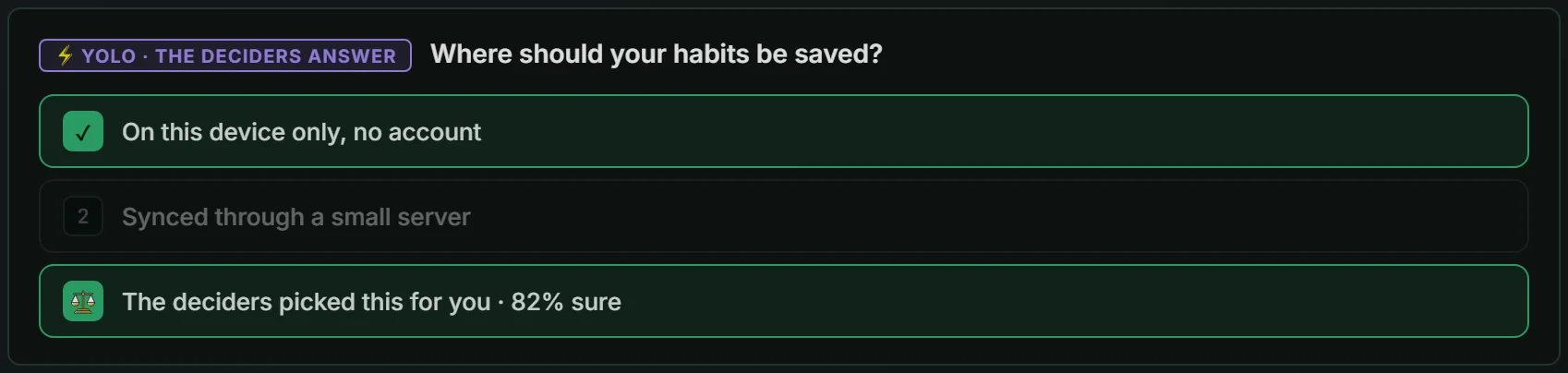
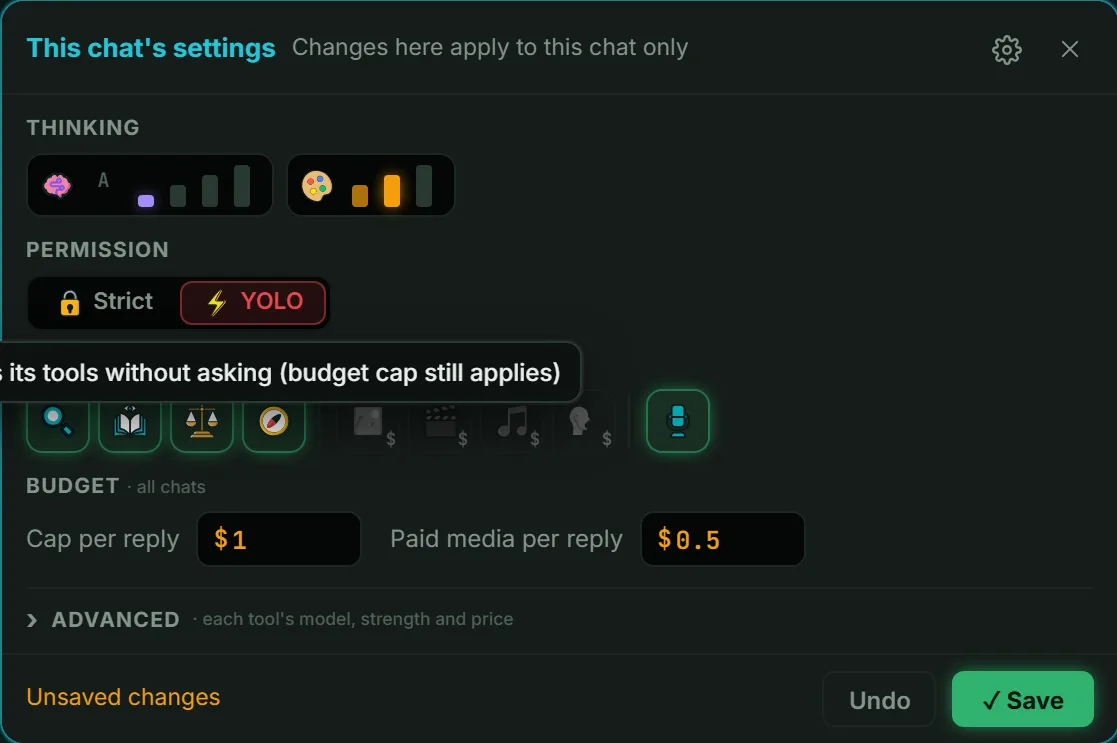
In ⚡ YOLO the deciders answer for you
When the agent would normally stop to ask you something, the deciders answer its question instead.
Fixed checks, every build
A standing set of questions goes to the deciders about every build too, not only when the agent is unsure.
Safe by default
It asks before it does anything risky.
Guarded commands
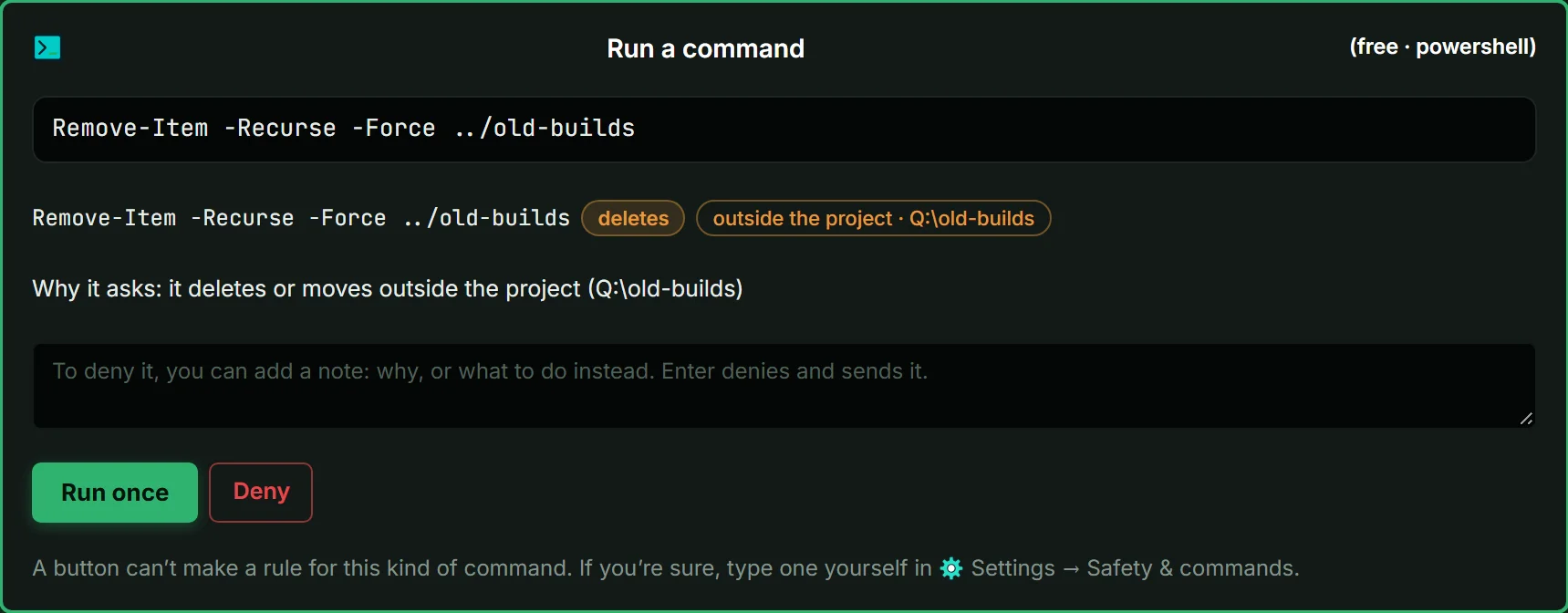
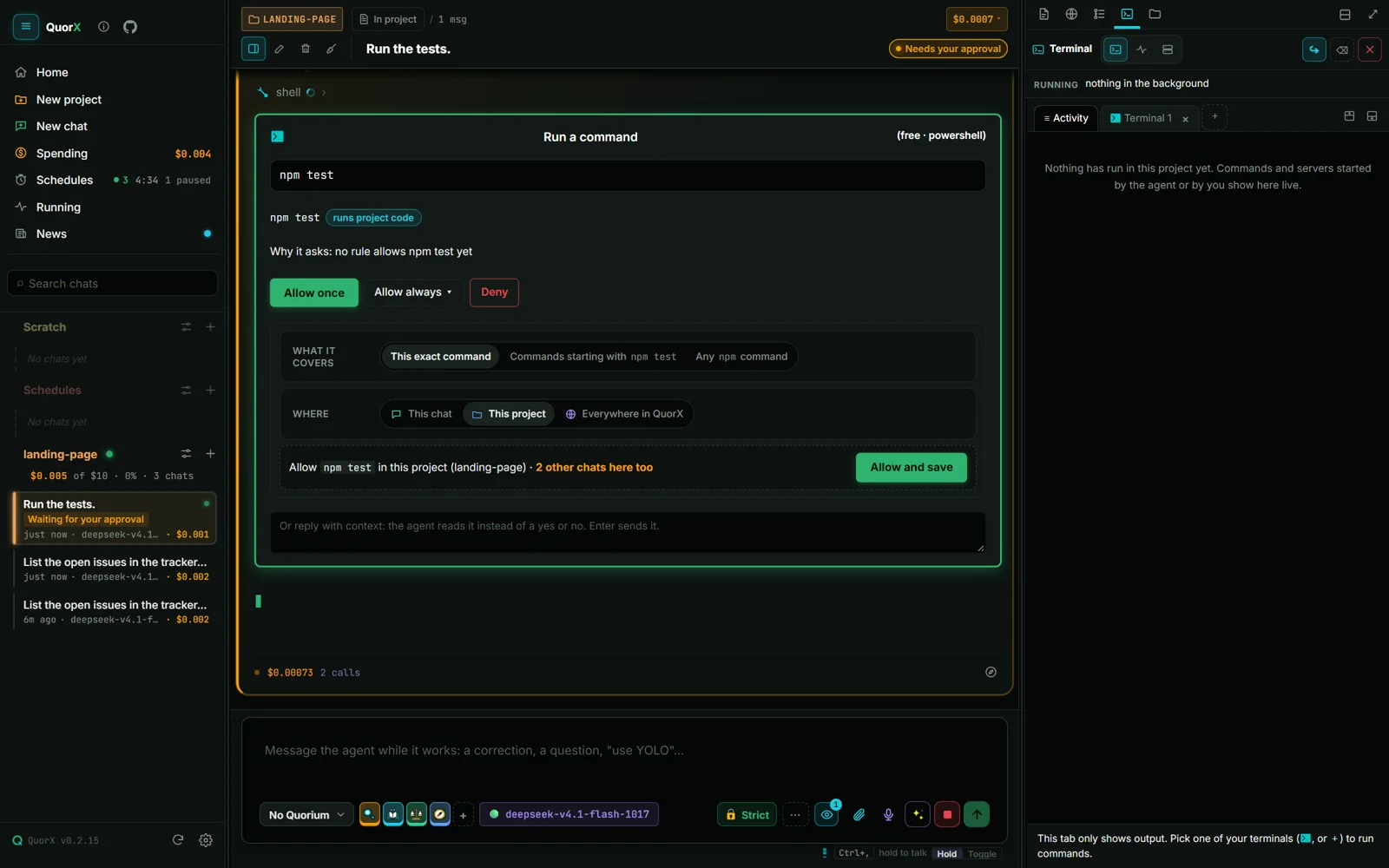
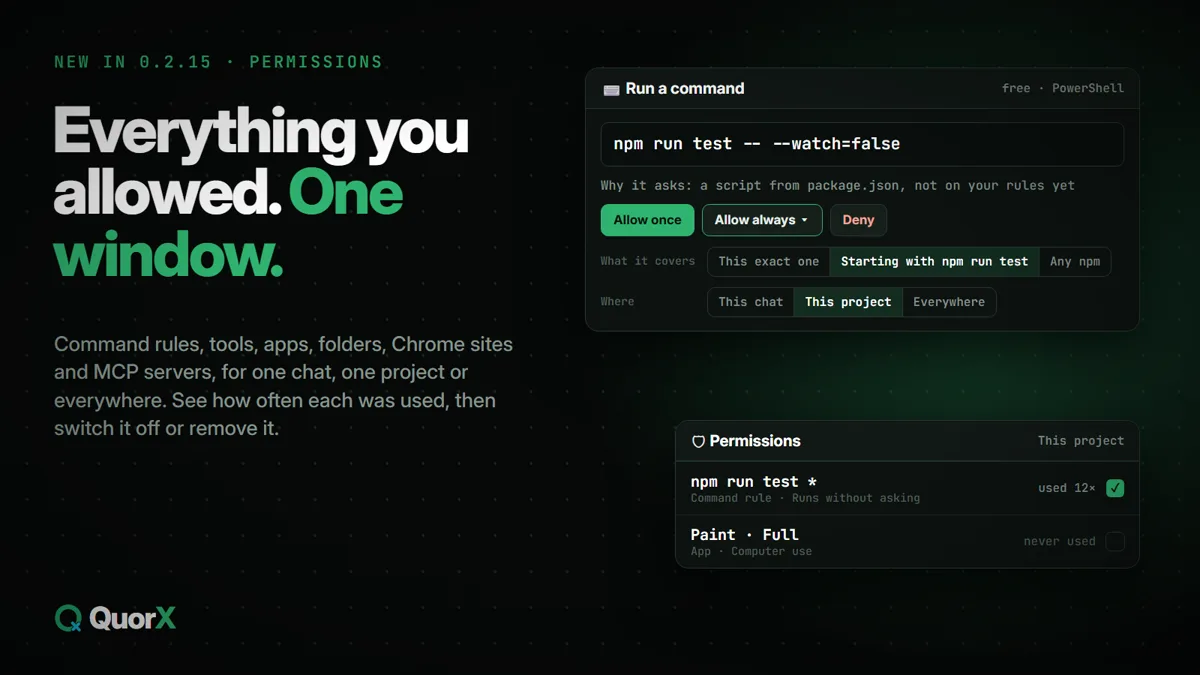
Every command line is parsed and each part is classed. Your rules decide what runs; the rest comes to your approval card. Starting a server gets the same check.
readbuildinstallpushdeletecan't be checked
🔒 Strictor⚡ YOLO
Strict is the default and asks you about anything that isn't read-only. YOLO runs most commands on its own, after a snapshot; pushes, deploys and writes outside the project pause for you, and commands QuorX can't read go to the deciders.
Undo covers commands
The project is snapshotted before each command, so Undo covers what a build script or an rm did, not just the agent's edits, even when commands ran at the same time.
Tripwire and spending caps
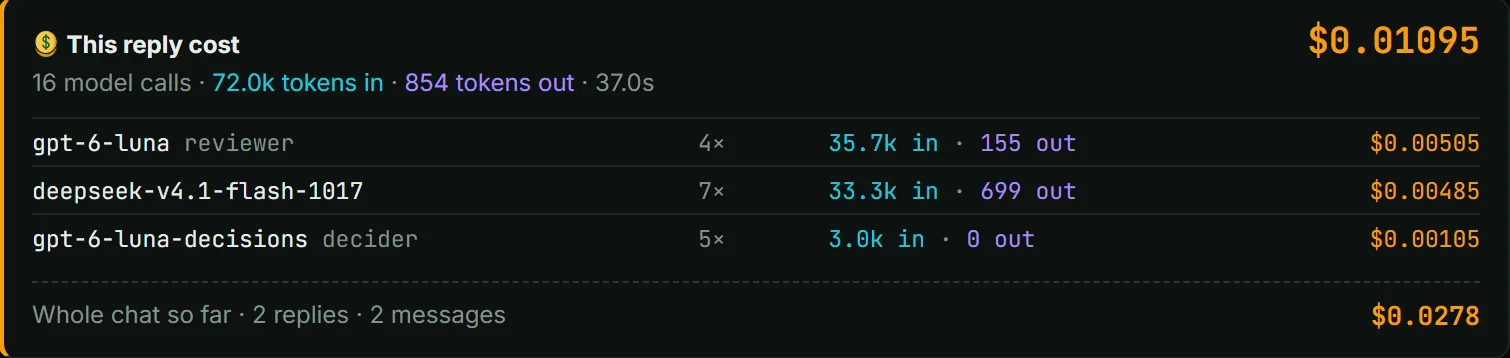
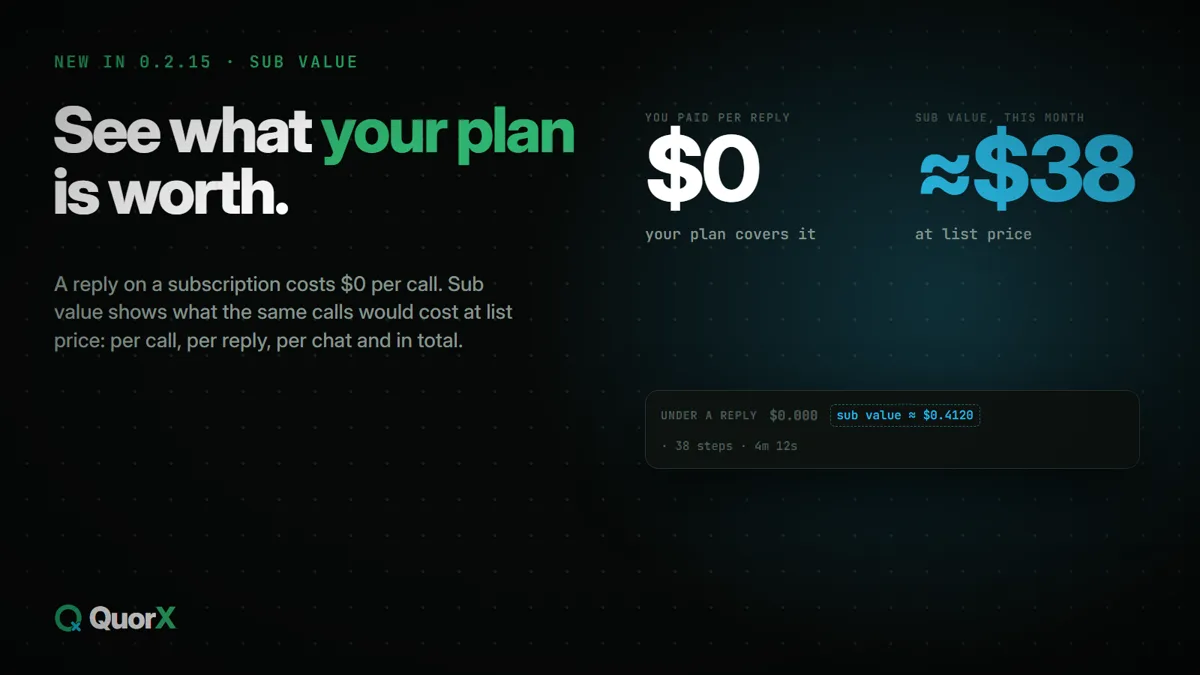
A command that deletes many files outside the project is stopped. A cap per reply, an optional daily cap, project budgets and a media cap. Stopped and failed calls count too, so caps match what OpenRouter bills.
Per reply
$1.00
Paid media per reply
$0.50
Daily
optional
Project budget
stops and asks
Example values from one chat's settings. You set your own.
Stop ends everything
Each command runs in a Windows job, so Stop ends every process it started and confirms 0 processes left. Pressed before a command starts, Stop means it never runs.
Refused outright
Deny
System changes (services, the registry, disks, admin rights), deleting your profile, a drive root or anything above the project. No rule or mode can approve these.
rm -rf ~your profile
Remove-Item -Recurse C:\a drive root
rm -rf ../..above the project
Stop-Service WinDefenda system change
It checks before it says done.
Checks the changed files again and runs compiler checks on them.
Opens what it built and runs browser checks against it.
Catches weakened tests, so a pass means a pass.
A separate reviewer model plays the result and scores it. Problems go back to the agent.
Any model, wherever you pay. Price first.
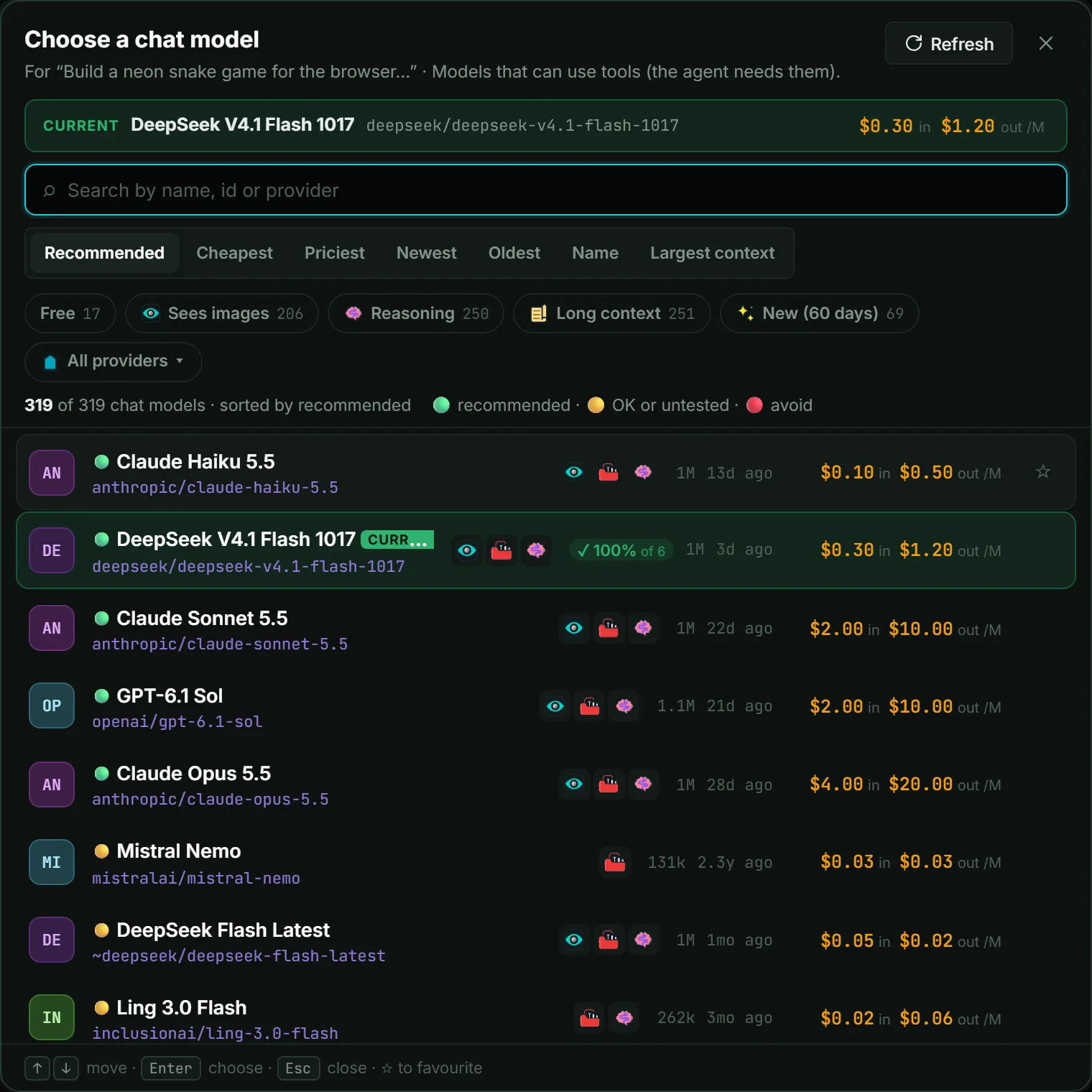
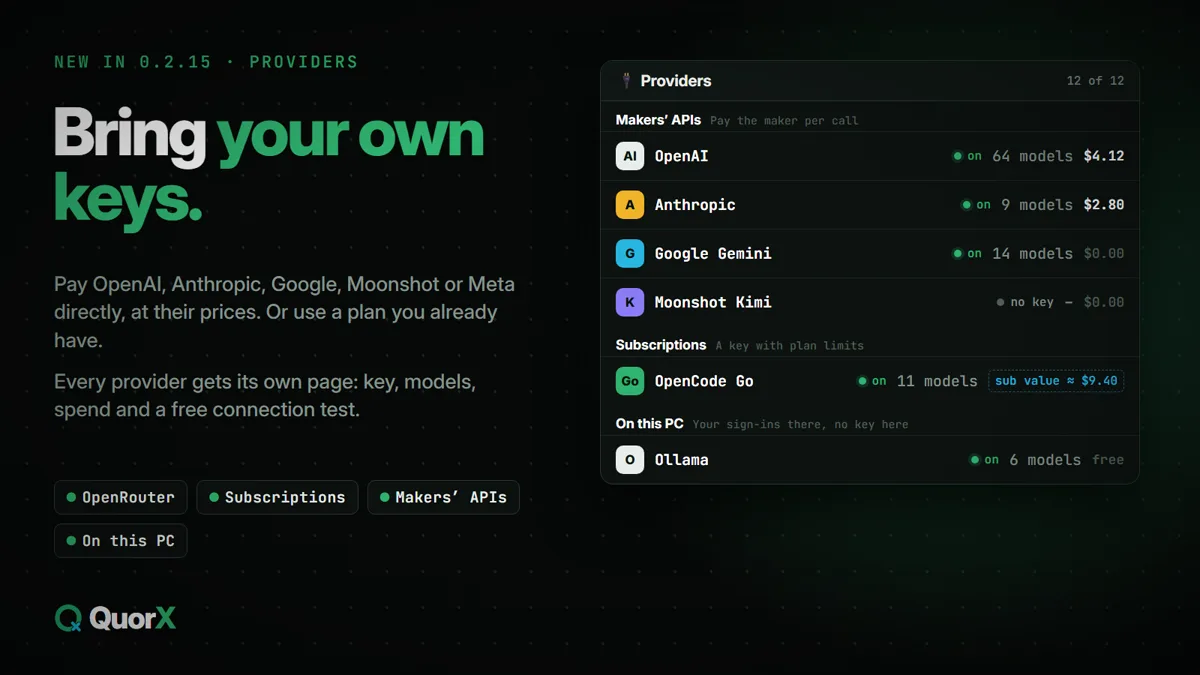
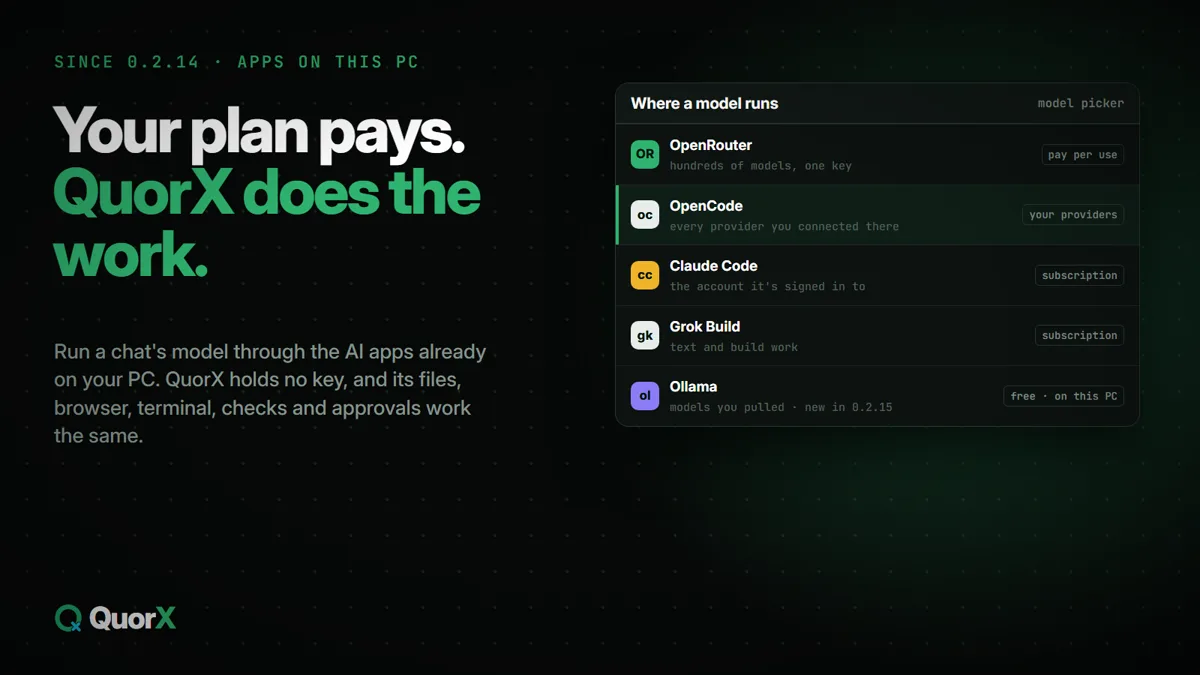
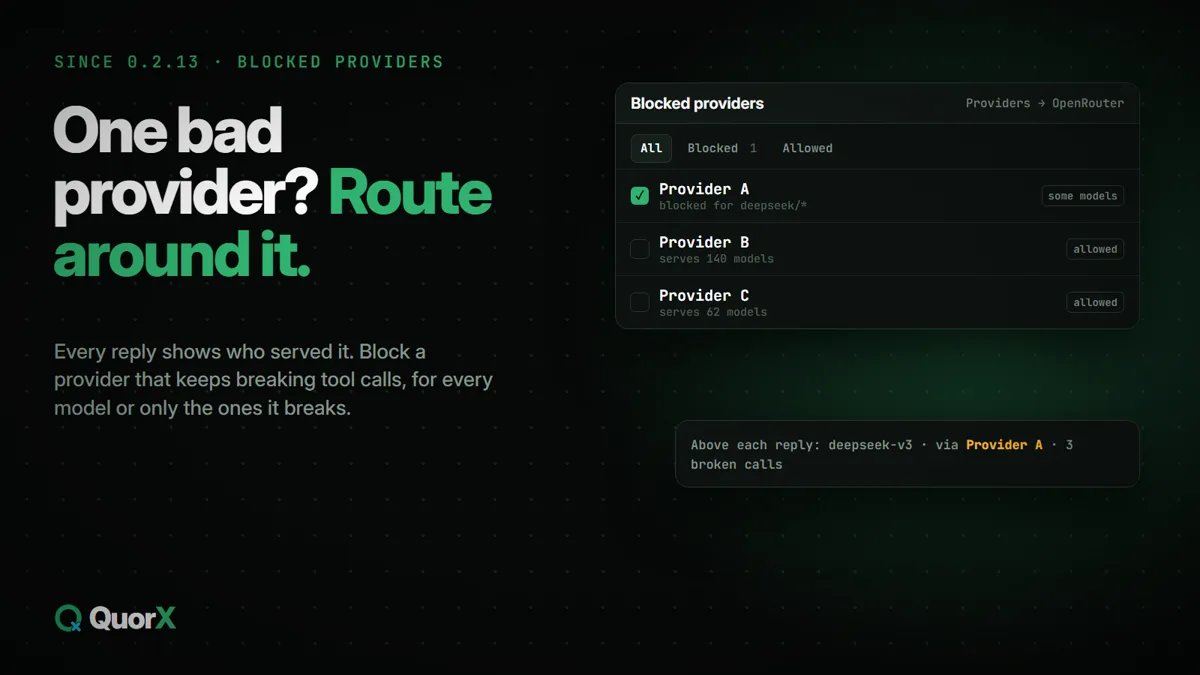
Hundreds of models through one OpenRouter key, the makers' own APIs with your key, the plans you already have, or Ollama and the AI apps on your PC. The picker starts with where a model runs, then searches, sorts by price, filters by what a model can do, and shows your own pass rate next to each price.
OpenRouterHundreds of models, prices side by side. Runs the deciders and paid media.
The makers' own APIsyour key, their prices
OpenAIGPT models, cached tokens billed as OpenAI does.
AnthropicClaude with thinking and prompt caching, natively.
Google GeminiGemini on your key; free-tier keys work too.
Moonshot KimiKimi, with its reasoning kept between steps.
MetaMeta's models on its developer API.
Subscriptionsa key with plan limits
OpenCode GoIts models at no cost per call, up to the plan's limits.
Command CodeGPT, DeepSeek, Kimi, GLM, Qwen and Claude on your credits.
Apps on this PCyour sign-ins there, no key here
OllamaThe models you pulled, for nothing, and its cloud models.
OpenCodeEvery provider you connected there.
Claude CodeThe plan or key it's signed in with.
Grok BuildGrok's models, for writing and building.
Same tools, approvals, Undo and Stop on every one. Mix them: one model for the chat, another for the reviewer, a third for the helpers.
More in the box.
16 platform packs
Each one finds its toolchain, compiles what a reply changed, runs and drives the app, and debugs with breakpoints.
Rust
Node & TypeScript
Python
.NET
Go
C & C++
Java & Kotlin
Android
Flutter
Electron
Tauri
Godot
Unity
Windows installers
Apple apps
+ one for every project
The Terminal tab
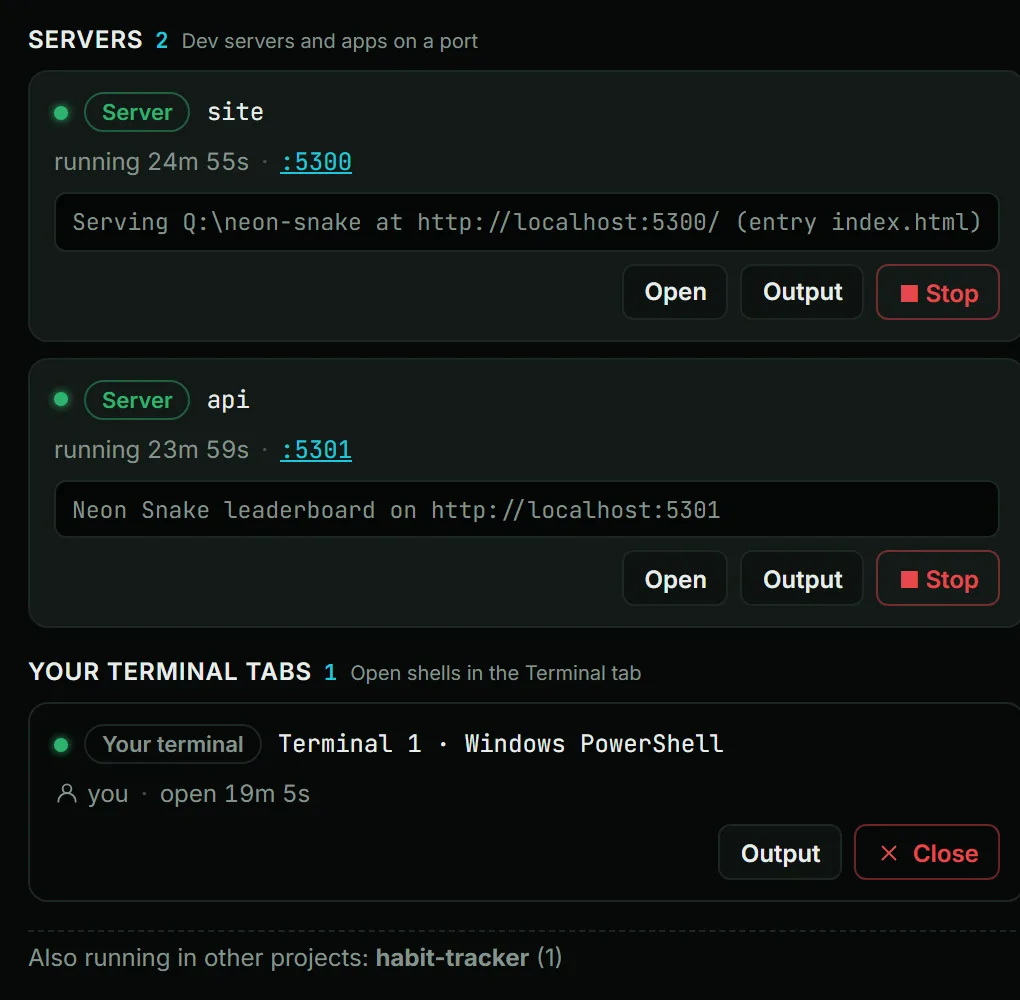
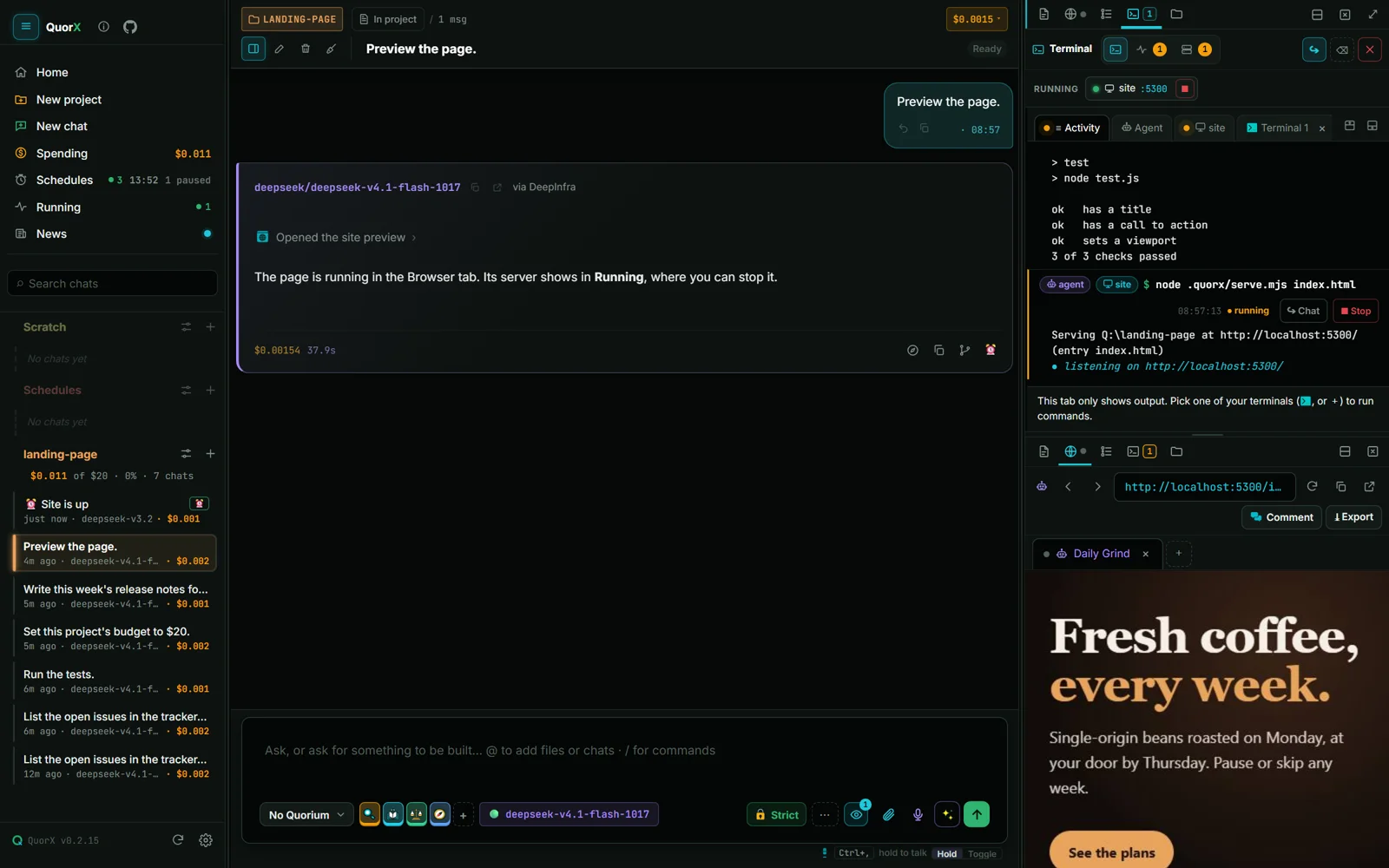
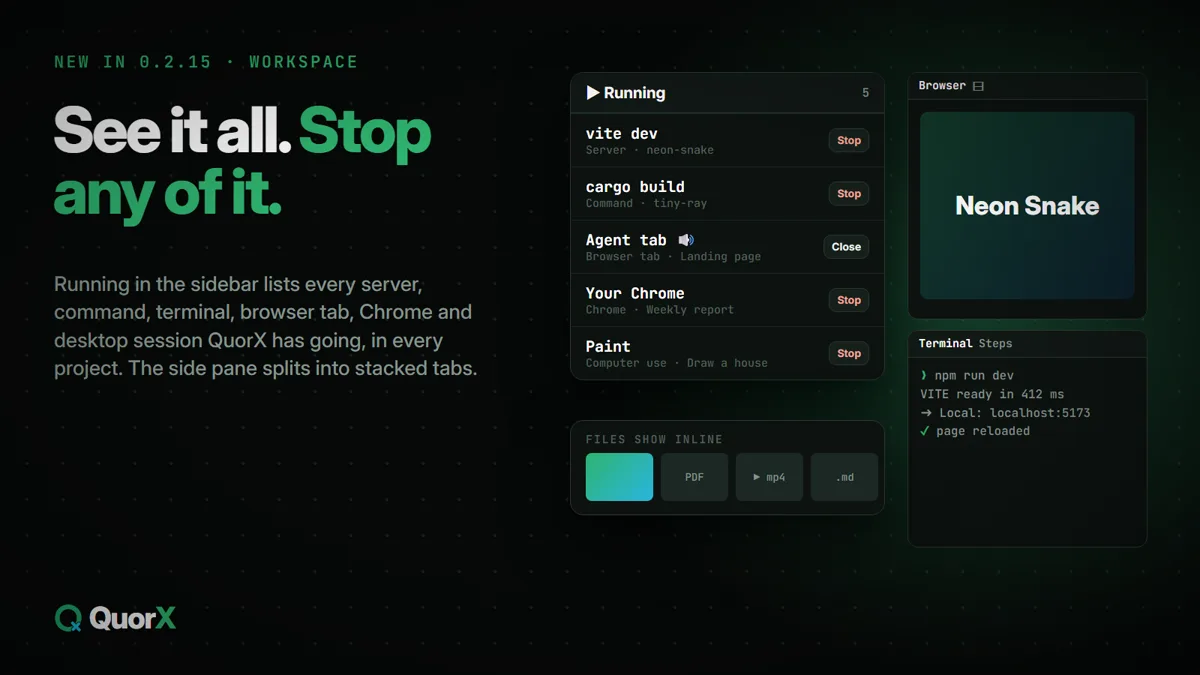
Your terminals, what's running and your servers in one place, with panes you can stack and resize, and Stop for everything.
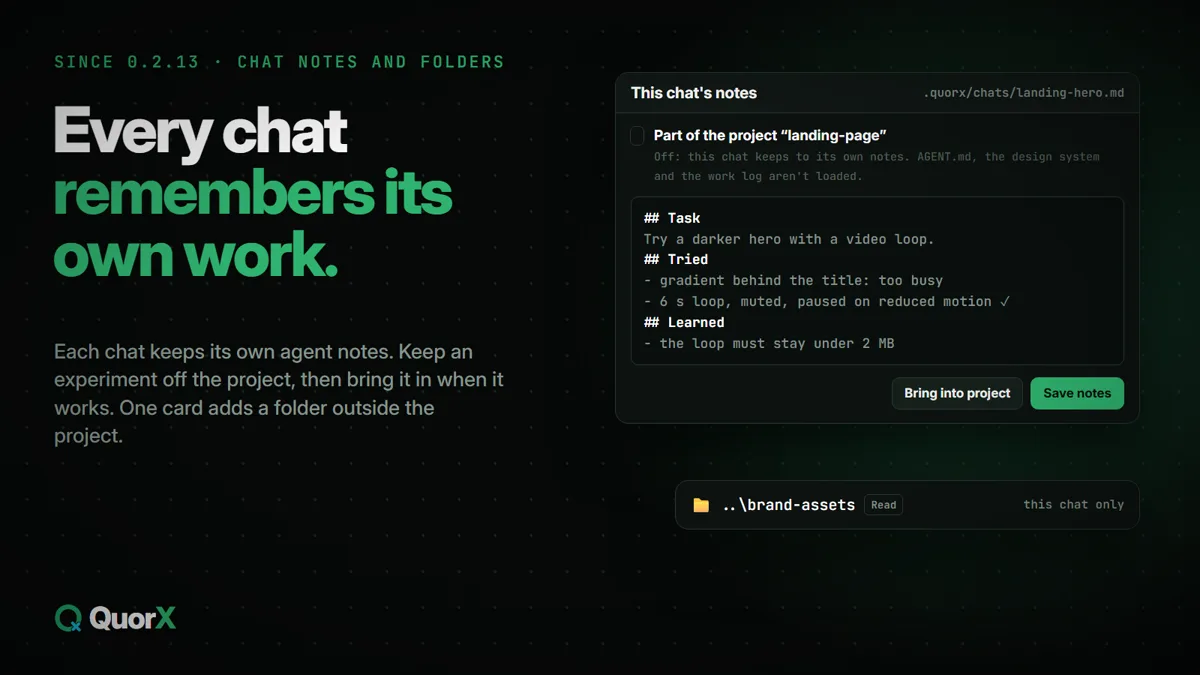
Several chats at once
Each chat works in its own project with its own budget. When a budget runs out, the reply stops and asks.
Point and comment
Point at part of a page to say what should change. Export as PDF, PNG or a ZIP.
Real apps, driven like a person
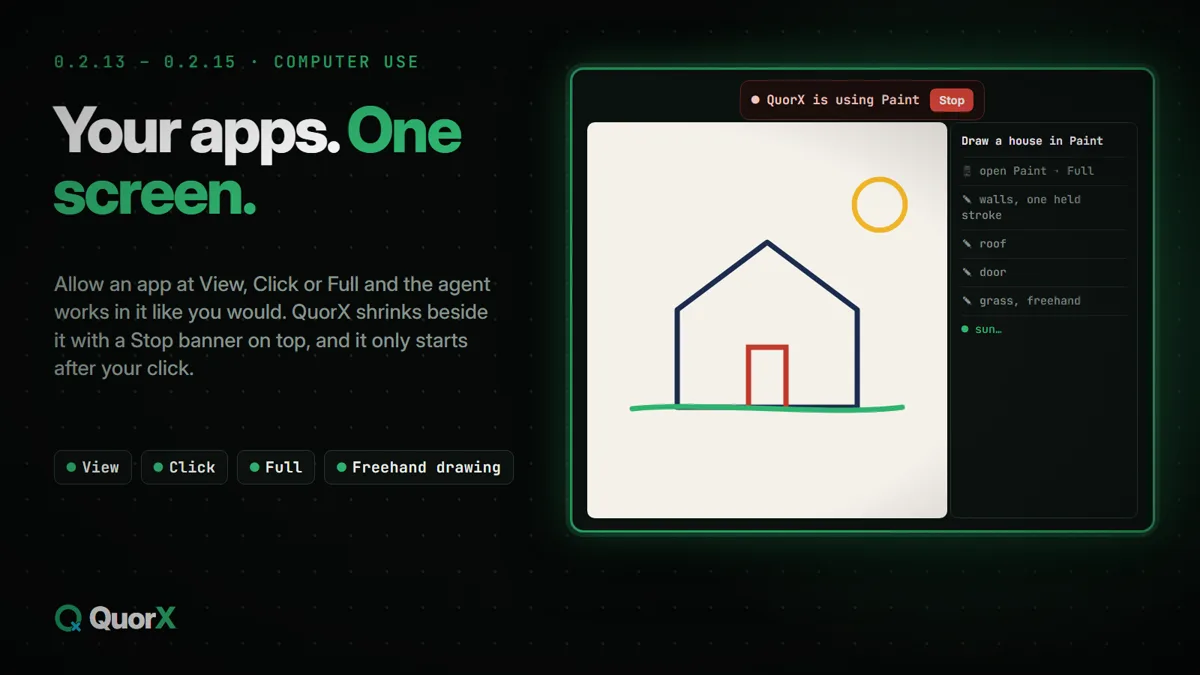
A real browser tab, or your own Chrome, Brave or Edge through the QuorX extension; the desktop apps you allow, at View, Click or Full; Android emulators and interactive terminal programs.
News inside the app
What's new in each version, plus reports and research articles. New pieces arrive between versions.
MCP both ways, and your skills
The agent uses any MCP server's tools, and any MCP client can hand work to QuorX. Write or import your own skills, for every project or just one.
What's new, release by release
Eight releases, 174 changes.
0.2.19 is out now as the installer and from source; the Microsoft Store copy updates itself with a later Store release. Pick a release to see what it added, with a guide for each big feature. All articles →
0.2.19Fits every model: requests built to fit, recovery when a call slips, and a Continue button
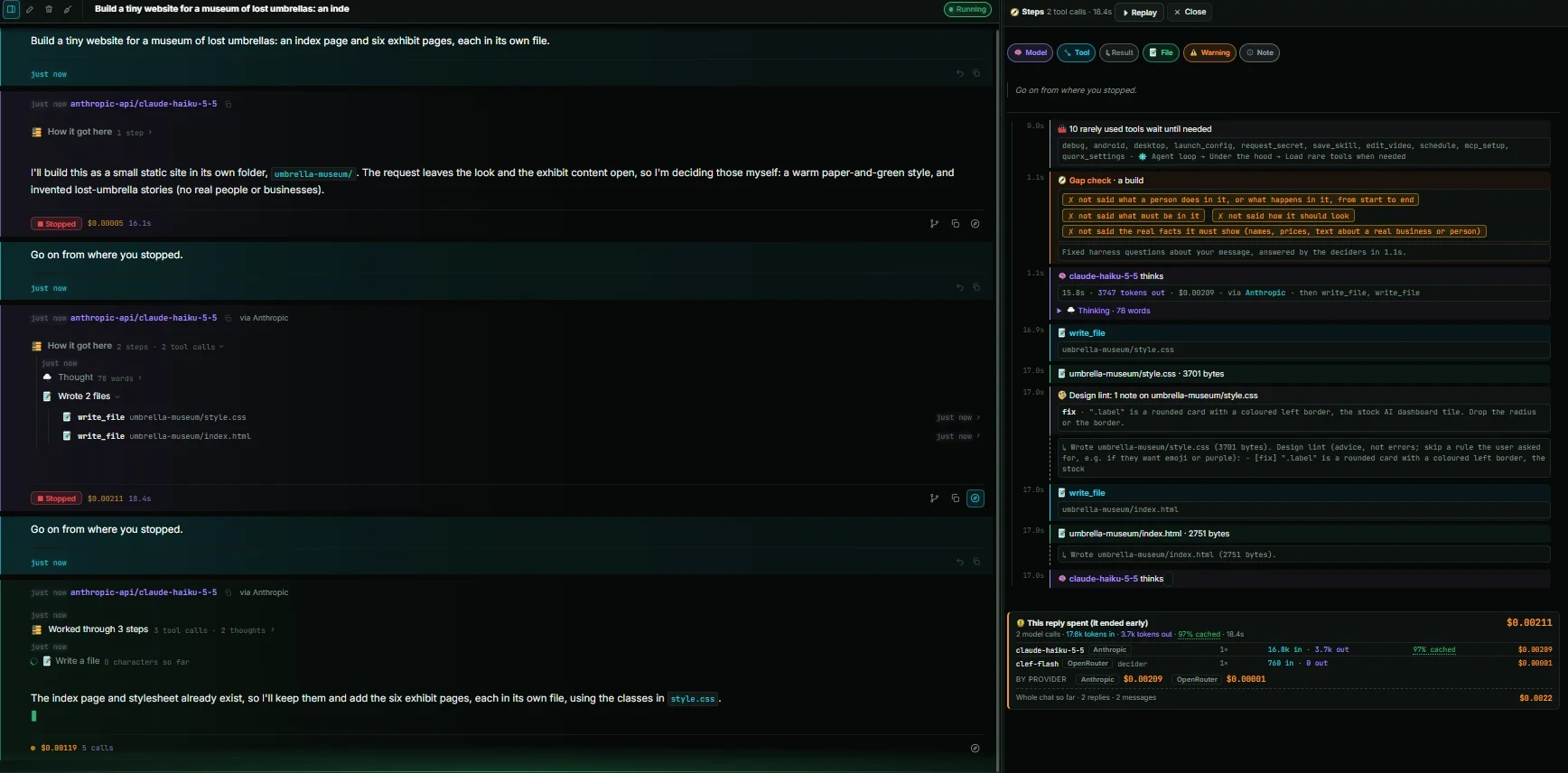
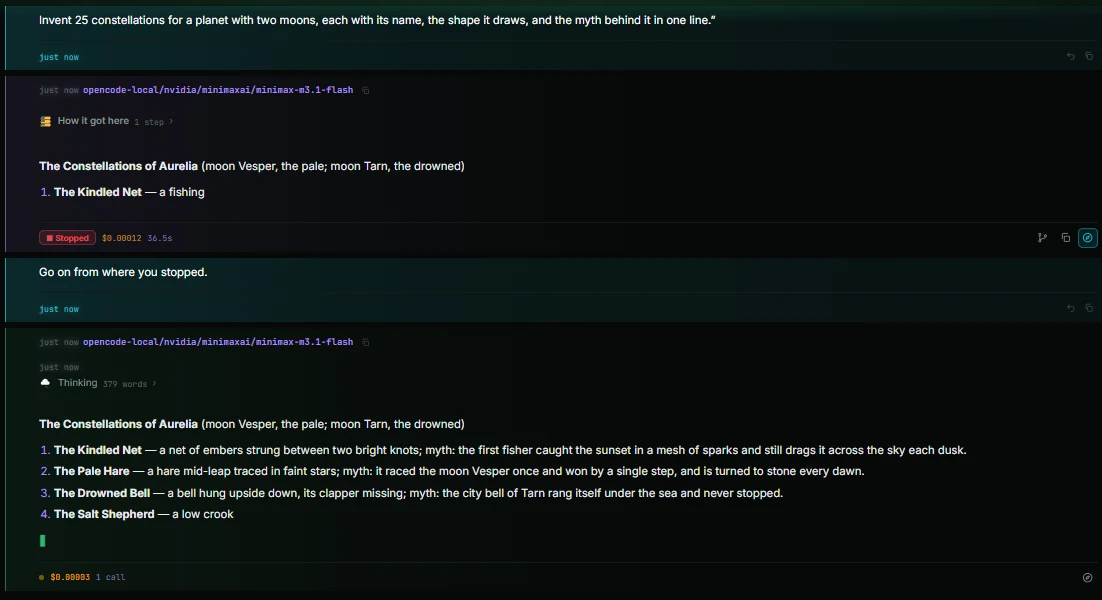
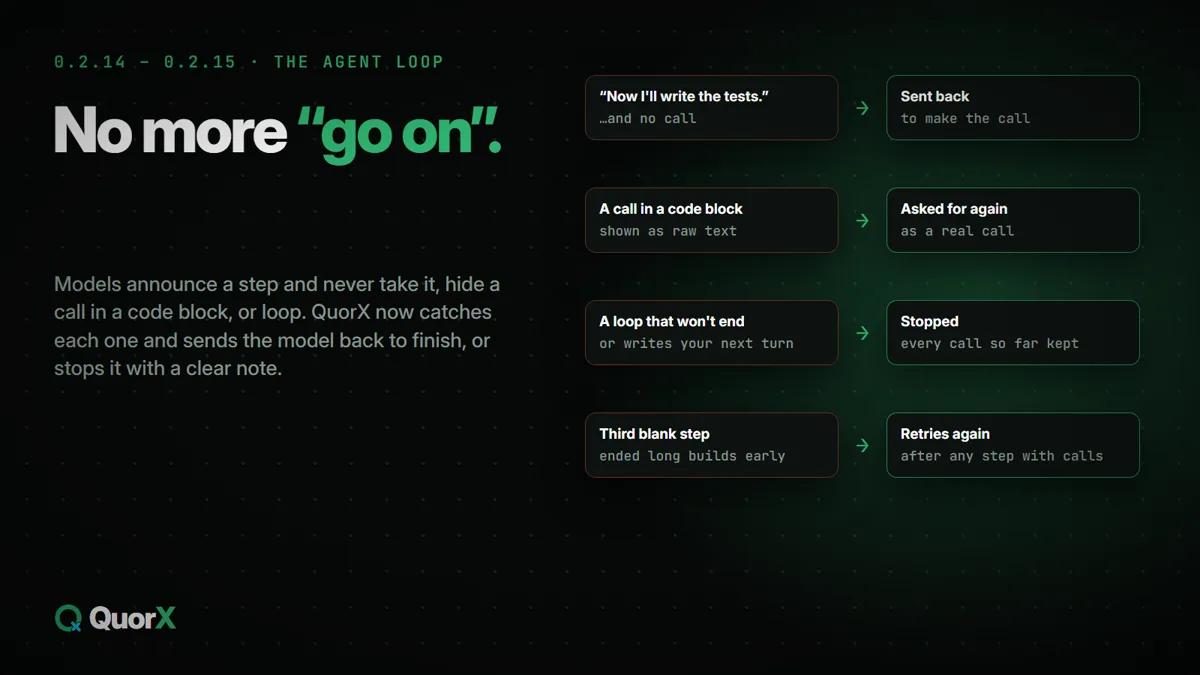
Stop, then carry on. Stopped twice, continued twice: it keeps the index page and stylesheet it already wrote and goes on to the exhibit pages."Go on" goes on. The next message includes what you saw, so the same planet, moons and names carry on.Tool calls as they're written. The card shows while the call is still coming in, with every provider.
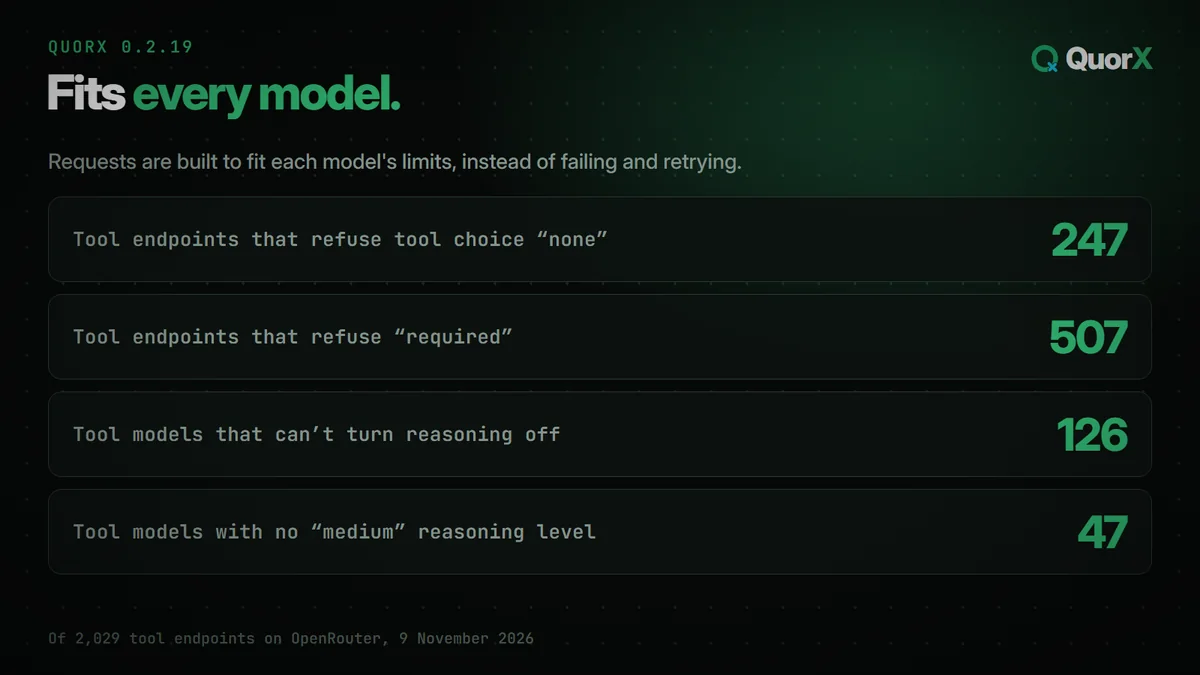
QuorX reads each model's limits and builds the request to fit, instead of failing and retrying: reasoning that can't be turned off, the levels it accepts, the tool settings each provider takes. On OpenRouter, 507 of 2,029 tool endpoints refuse "required".
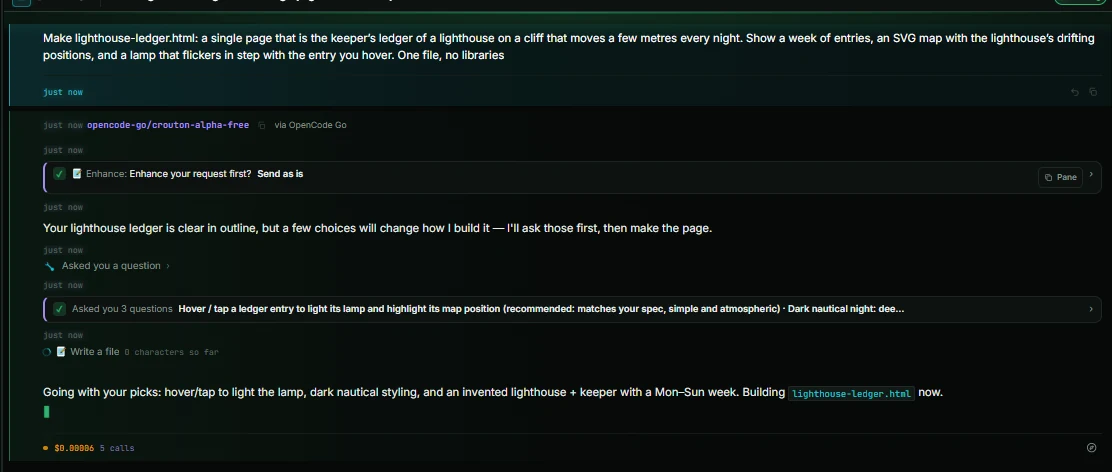
A tool card appears while the call is still being written, naming the file and how much is done. It works with every provider, from OpenRouter and the makers' APIs to Ollama and the agents on your PC.
▶ Continue a stopped reply
A Continue button carries on from where you stopped it, and "go on" continues instead of starting over.
🩹 Recovery when a call slips
Small slips in a tool call are repaired, and ones that don't fit go back with each wrong field named.
⏳ Clear about rate limits
QuorX waits as long as the provider asks, and the reply says how long instead of looking stuck.
📚 Long chats and big results
A conversation too long for the model is trimmed and tried again. A huge tool result keeps its start and end, with the rest saved for the agent to read.
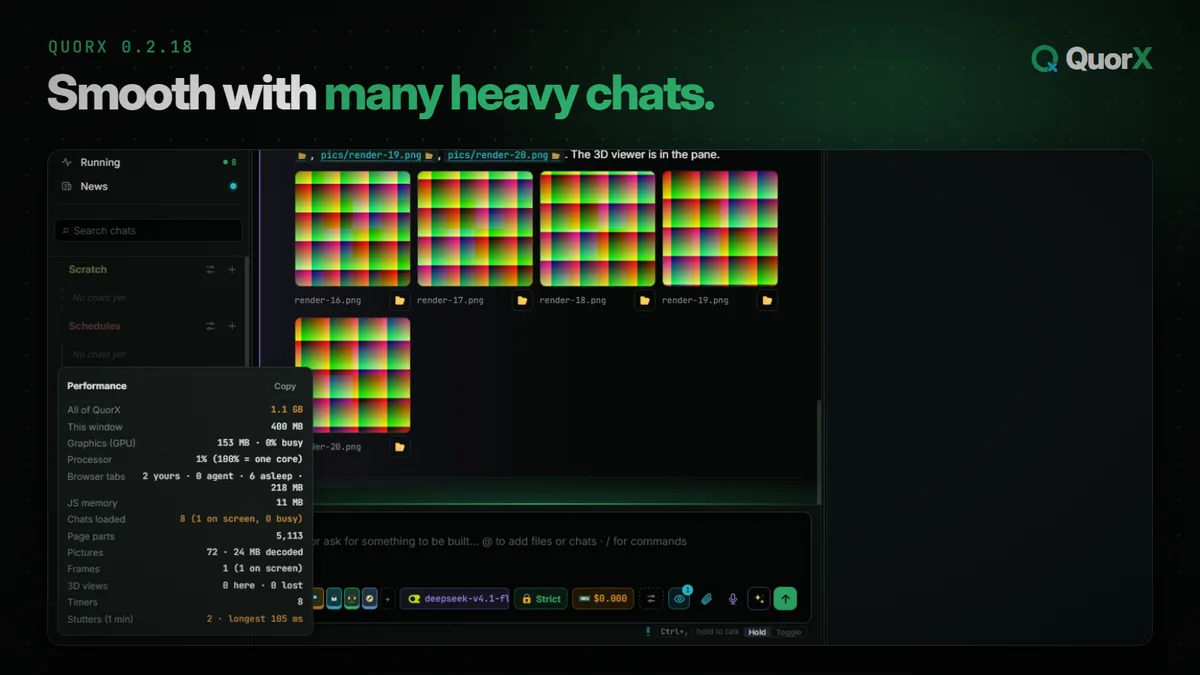
0.2.18Smooth with many heavy chats: sleeping tabs, fast long chats, and a memory leak fixed
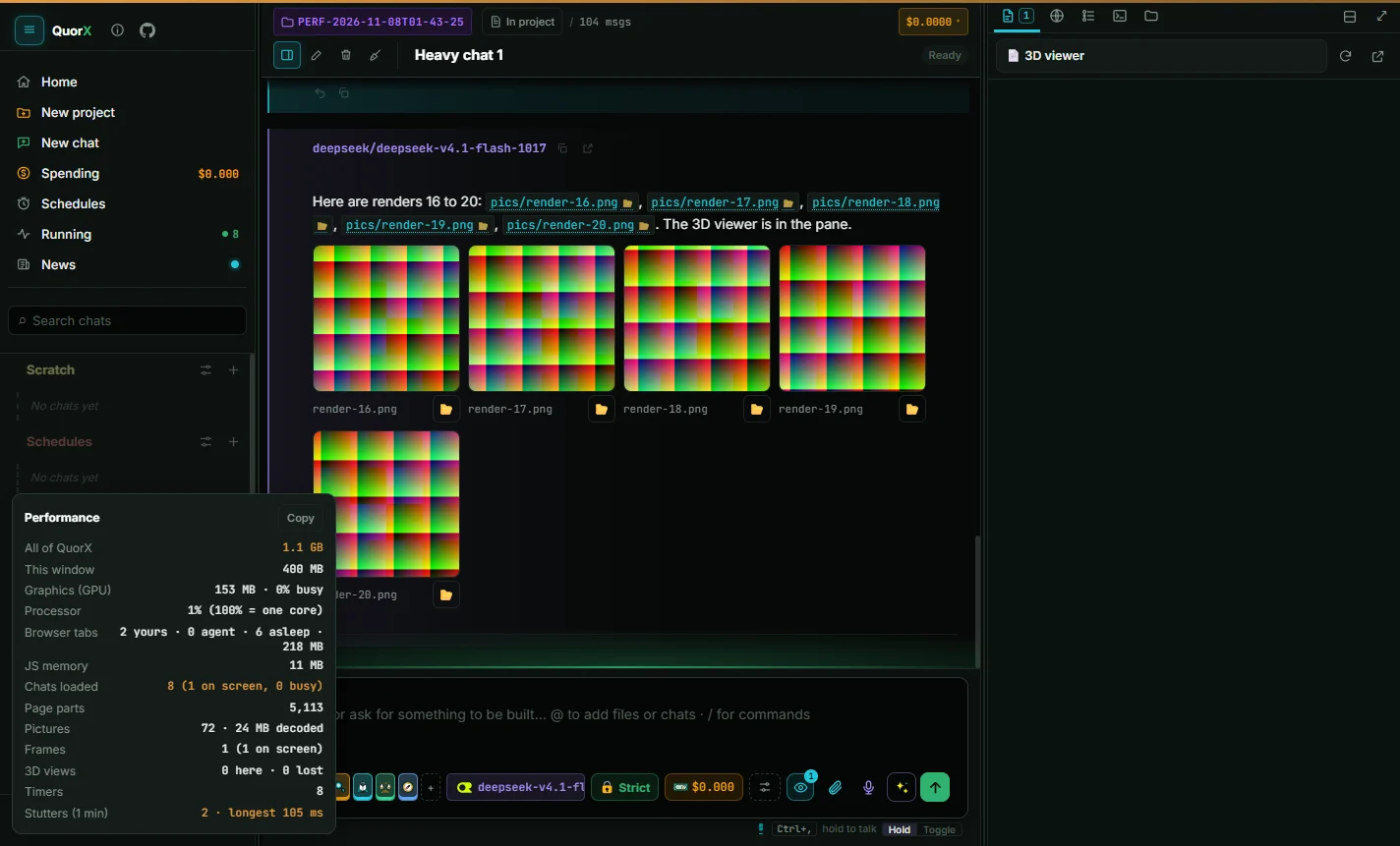
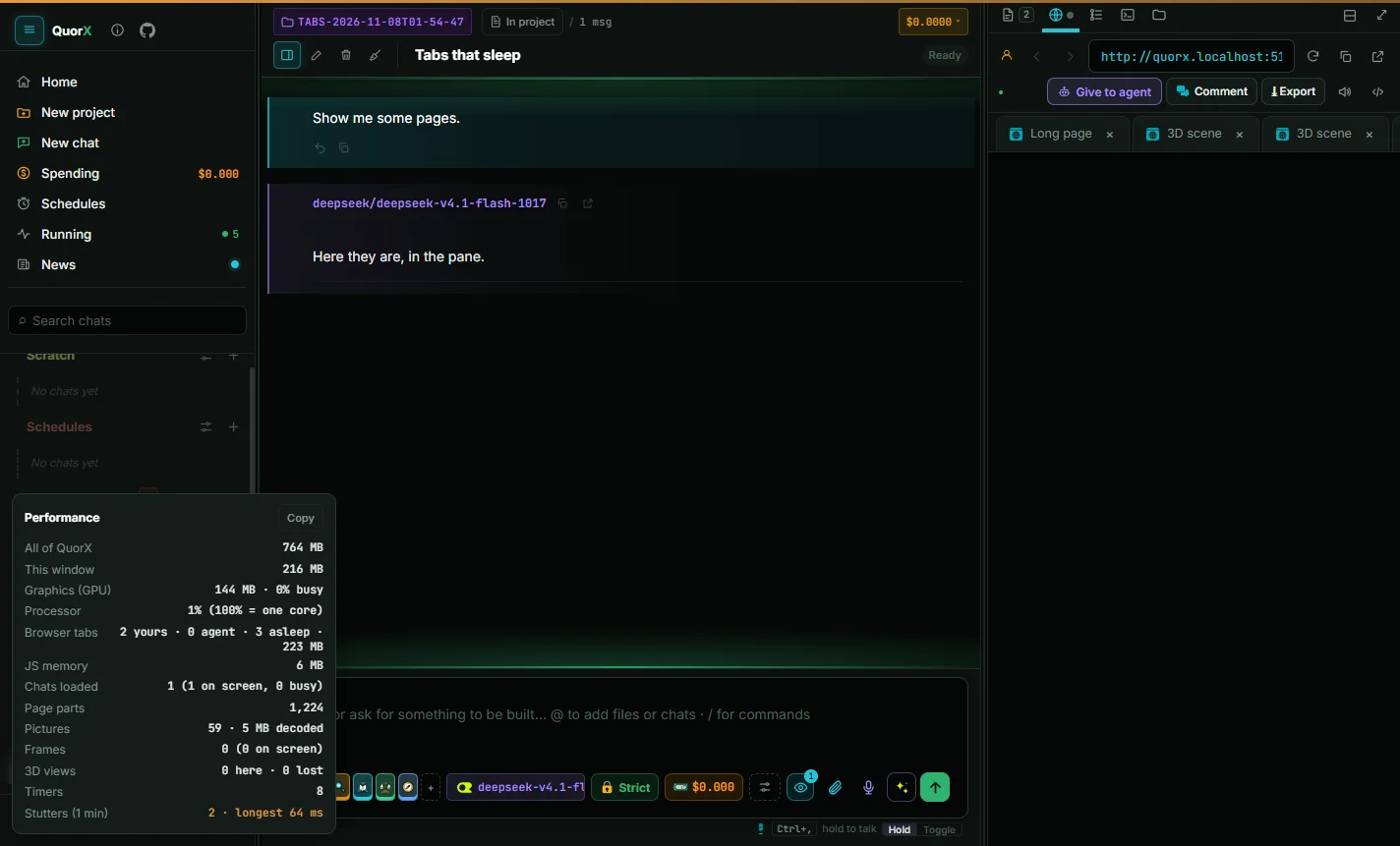
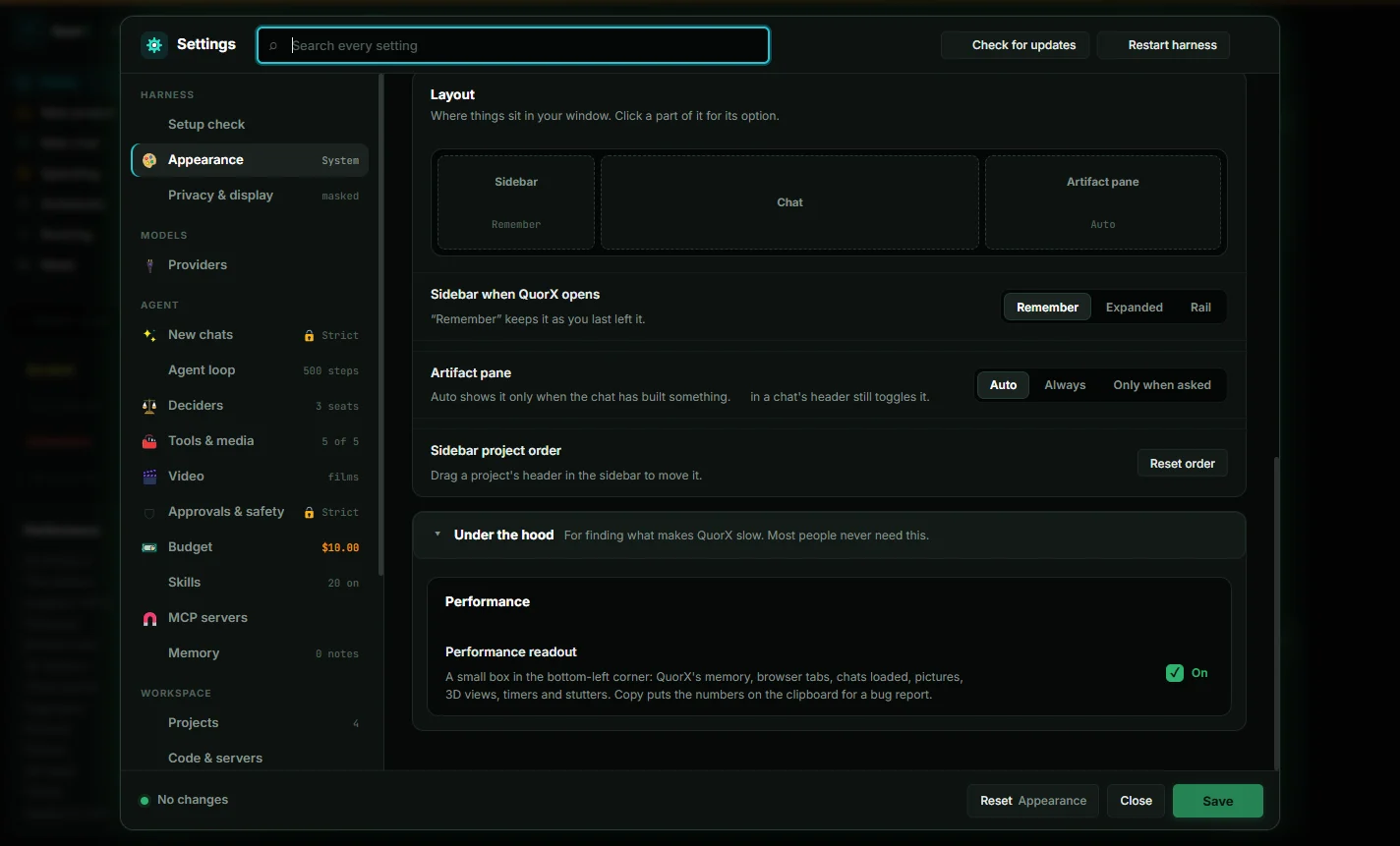
8 heavy chats in 1.1 GB. About 2.1 GB before: chats you leave are let go and hidden tabs sleep.Hidden tabs sleep. 5 tabs: 647 MB → 128 MB. They wake where you left them in about a second.See what QuorX uses. A performance readout under Settings → Appearance → Under the hood.
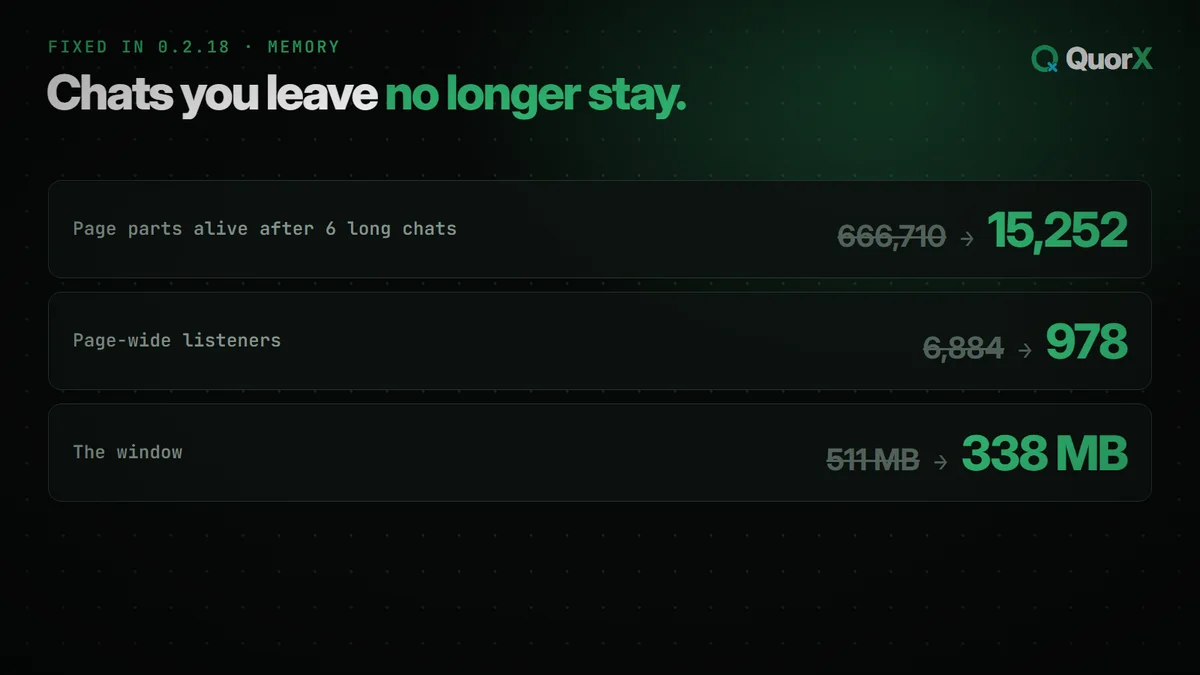
A leak kept every chat you had ever opened in memory. After 6 long chats, 666,710 page parts were alive with about 5,000 on screen. Now it's 15,252, and the window went from 511 MB to 338 MB.
A tab you can't see sleeps after 5 minutes and wakes at the same scroll in about a second. Each one cost about 127 MB. Tabs with sound, a half-filled form, the agent at work or DevTools stay awake.
A 208-message chat froze the window for 1.8 s. Now it opens in 130 to 340 ms: the newest messages first, older ones as you scroll up.
🌙 Idle means idle
Minimised with nothing running, QuorX uses 0% of the processor.
📊 A performance readout
Memory, browser tabs, processor and stutters in a small box, with Copy for a bug report. Off unless you turn it on.
🖼 Media under its step
Pictures, clips, sounds and music a tool makes show under their own step as they land. Also: empty the agent's folder to the Recycle Bin, and model chips show where a model runs.
0.2.17The Node security fix, smoother YOLO builds, and chat status colours
The desktop app runs on Electron 44.10.2, which brings the October 2026 Node security fix.
🎬 Smoother YOLO builds
Renders, ffmpeg steps and project scripts are checked for harm only, so a video's last steps no longer get skipped. A command you approved runs again without another vote.
🚦 Chat status colours
Sidebar chats show their state in their own colours: working, waiting for you, using Chrome or the desktop, finished or stopped.
🎙 Media choices
The agent can pick a voice and speed, and a size, quality, seed or sound for pictures, clips and music.
👾 Pixel effects for games
244 animated pixel art effects, and canvas games fill any screen with a full-screen button.
🔌 Refuseless
A new provider under Makers' APIs, with its balance in Settings.
0.2.16A chat that reads in time order, one budget per chat, and a smarter agent loop
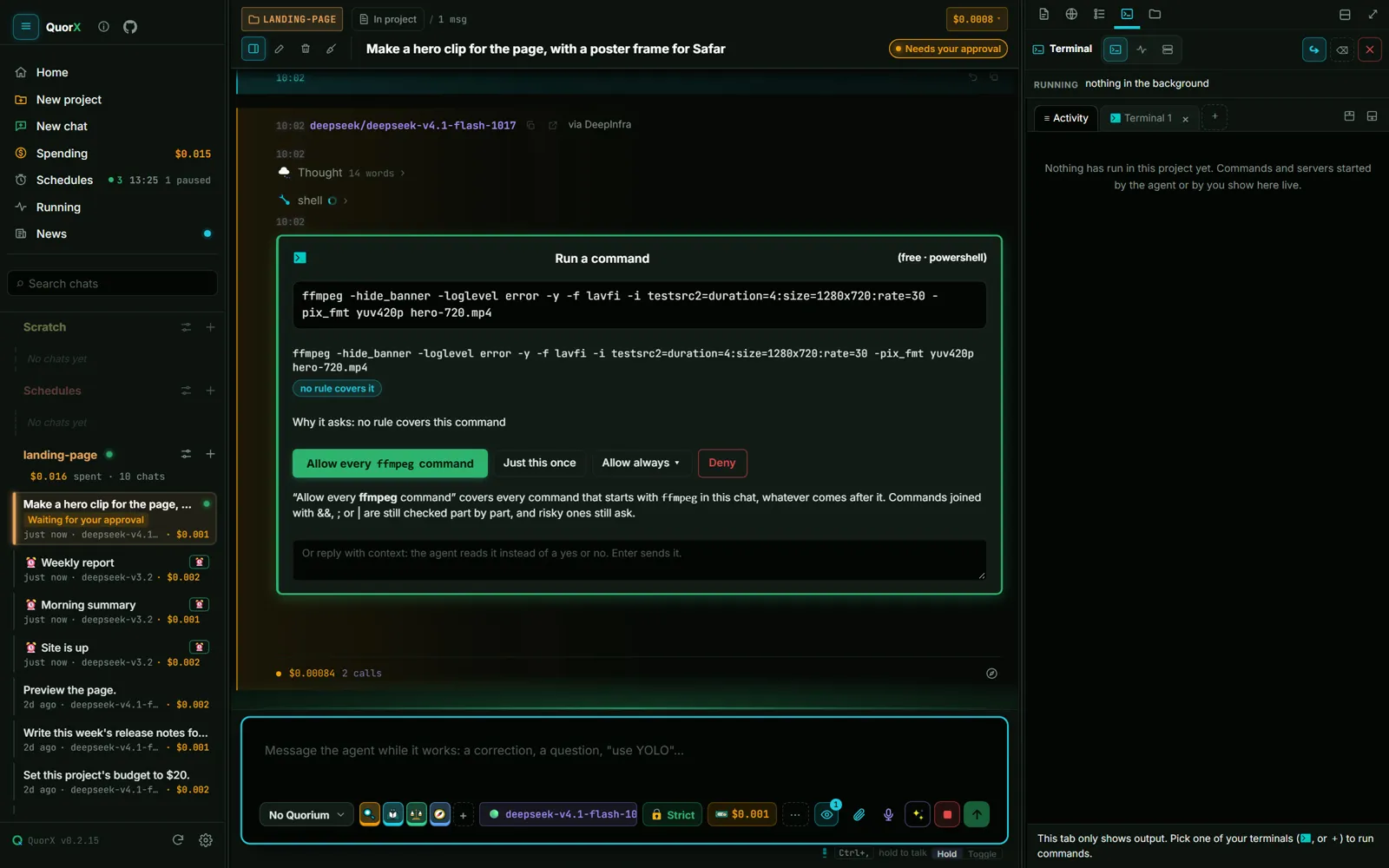
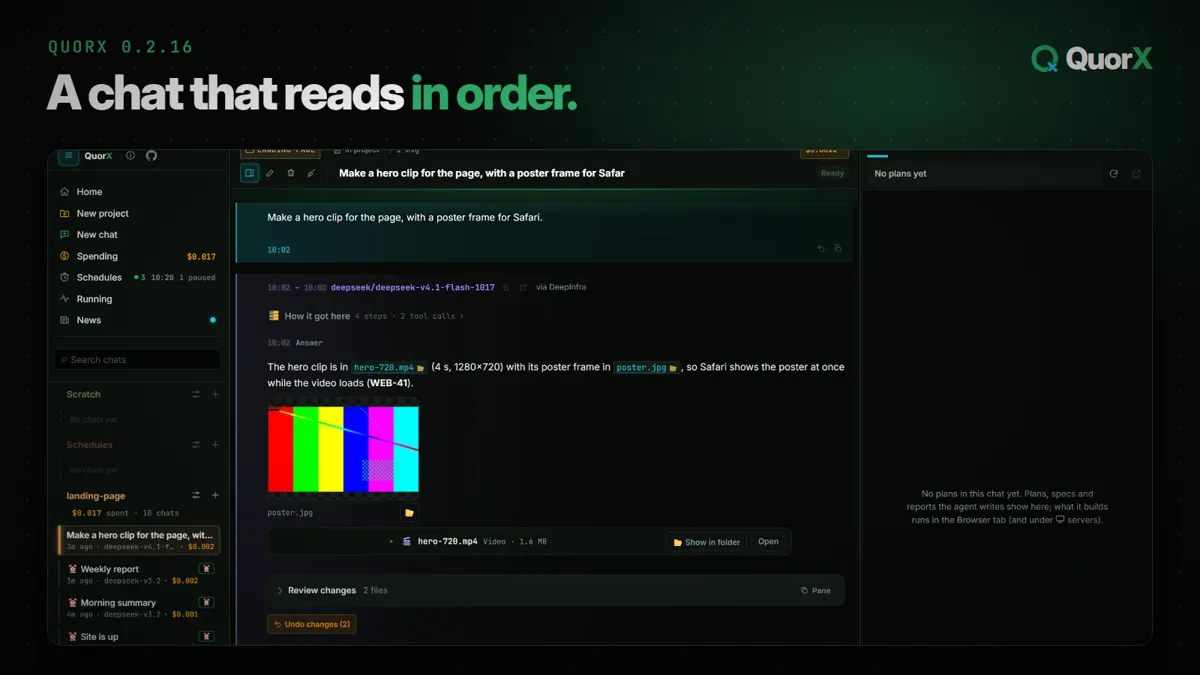
A chat that reads in order. No bubbles: full-width rows with a glowing edge, a time on every message, and the answer first.One yes per program. Allow ffmpeg once and every ffmpeg command in the chat runs.Files beside the chat. Review changes, the plan and long answers open in the side pane.A smarter agent loop. Edit guard, job notices, hooks, helper roles and typed memory.
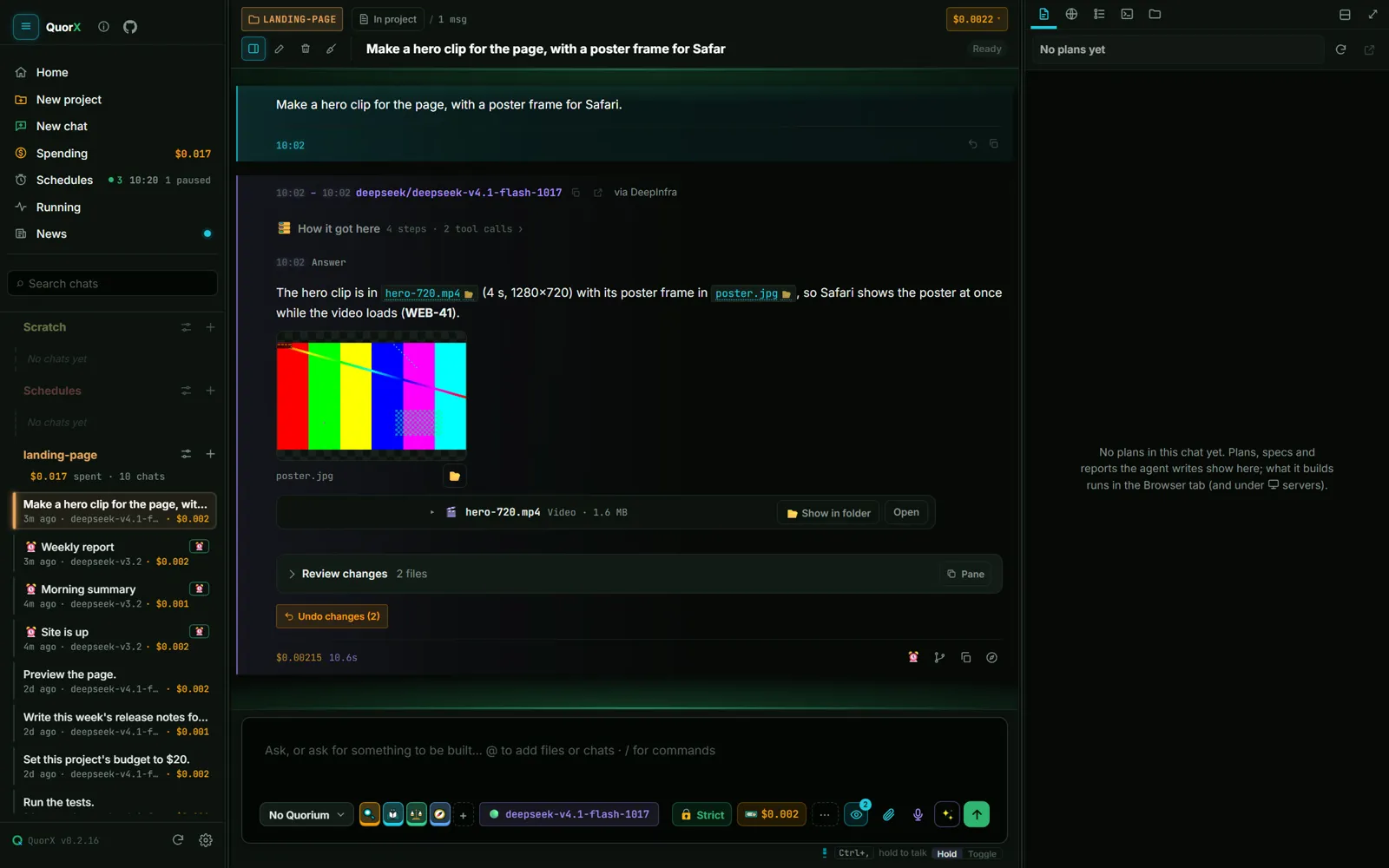
Top to bottom, in the order things happened, with a time on every message. No bubbles: full-width rows with a glowing edge, yours teal, the agent's violet, turning green, amber or red with its state. A finished reply folds its work into How it got here.
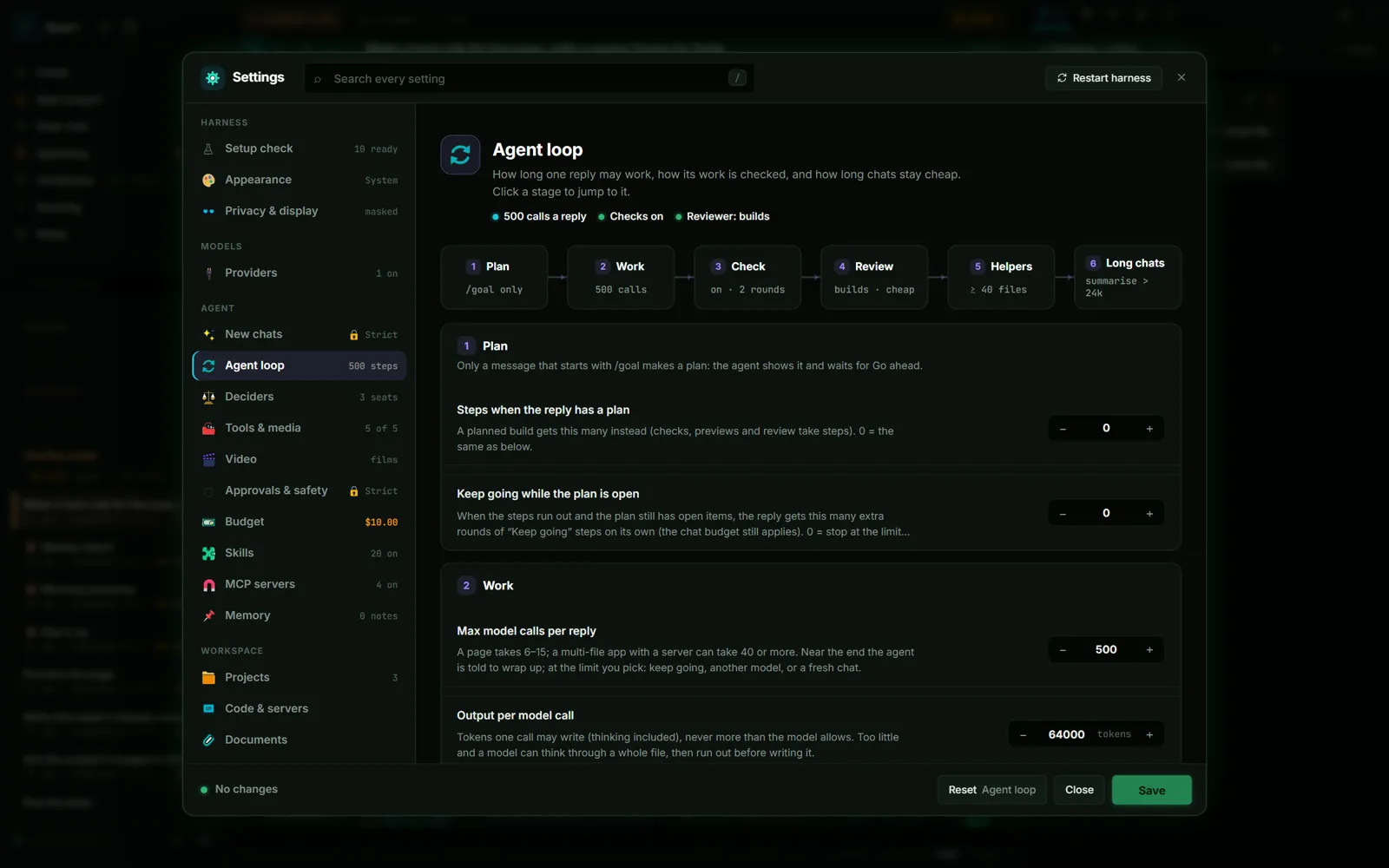
It reads a file again if you changed it, hears when background jobs end, reads other tools' notes, loads rare tools only when needed, and runs your hooks around any tool. Helper roles and typed memory, all in Settings.
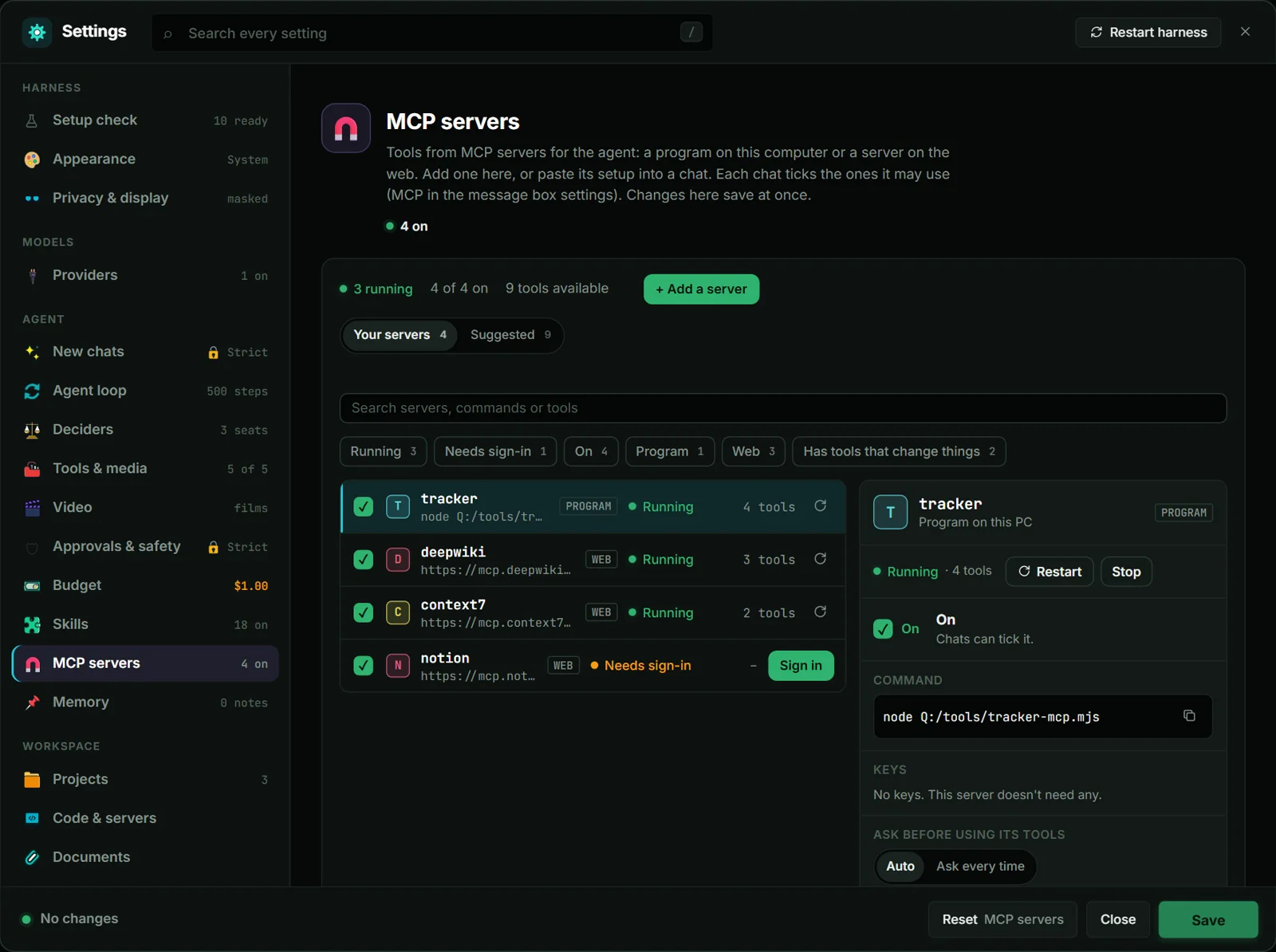
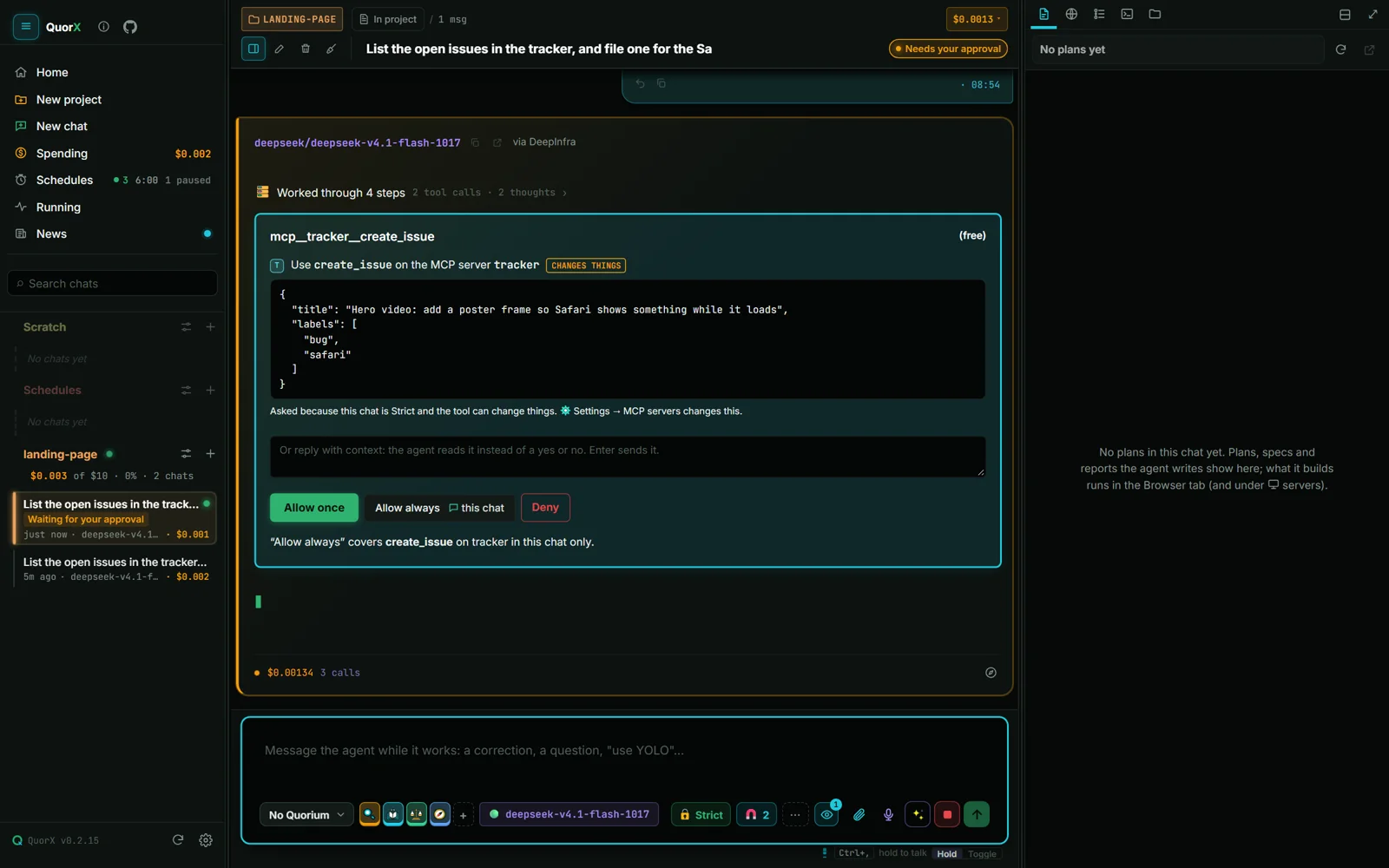
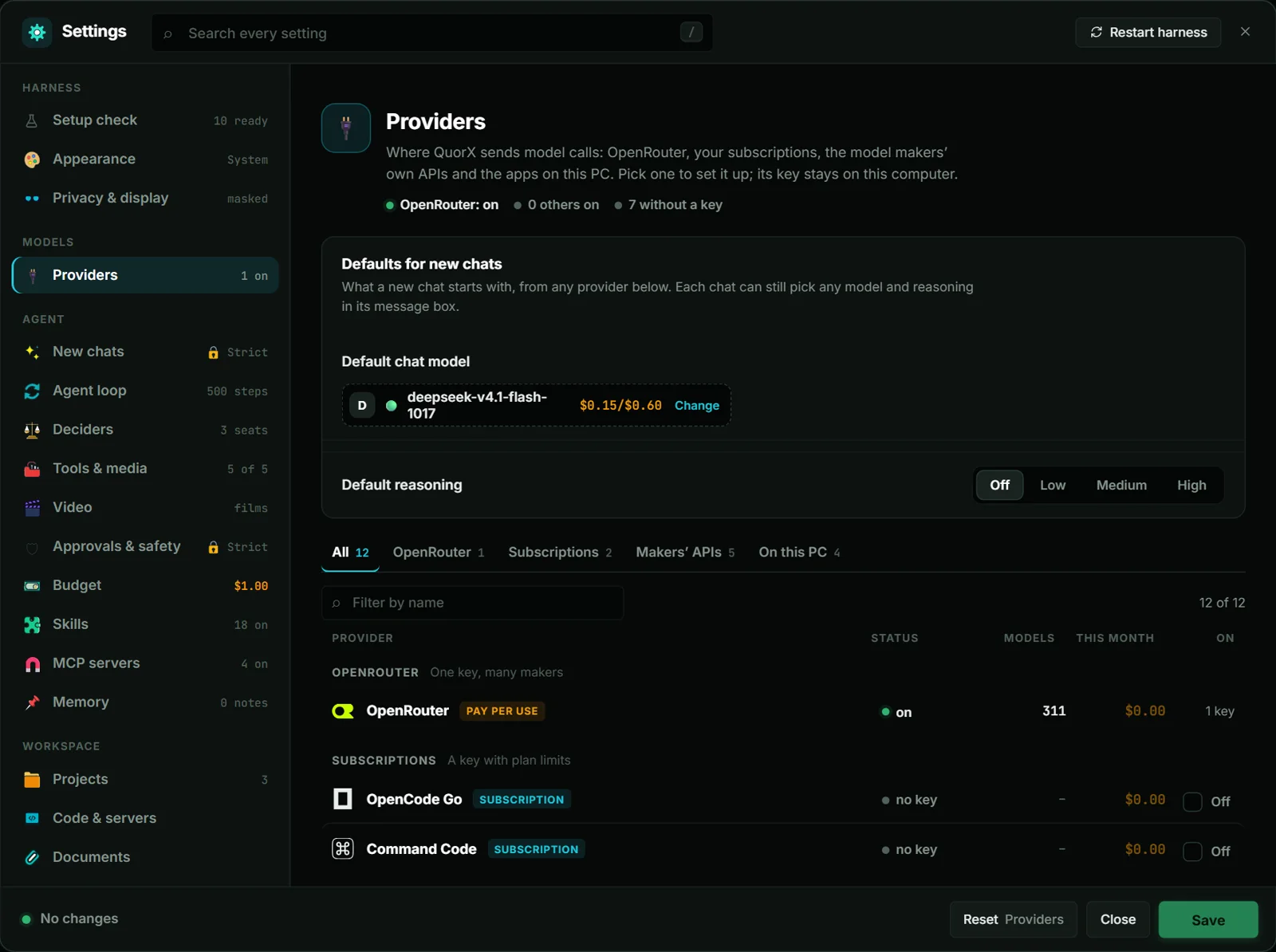
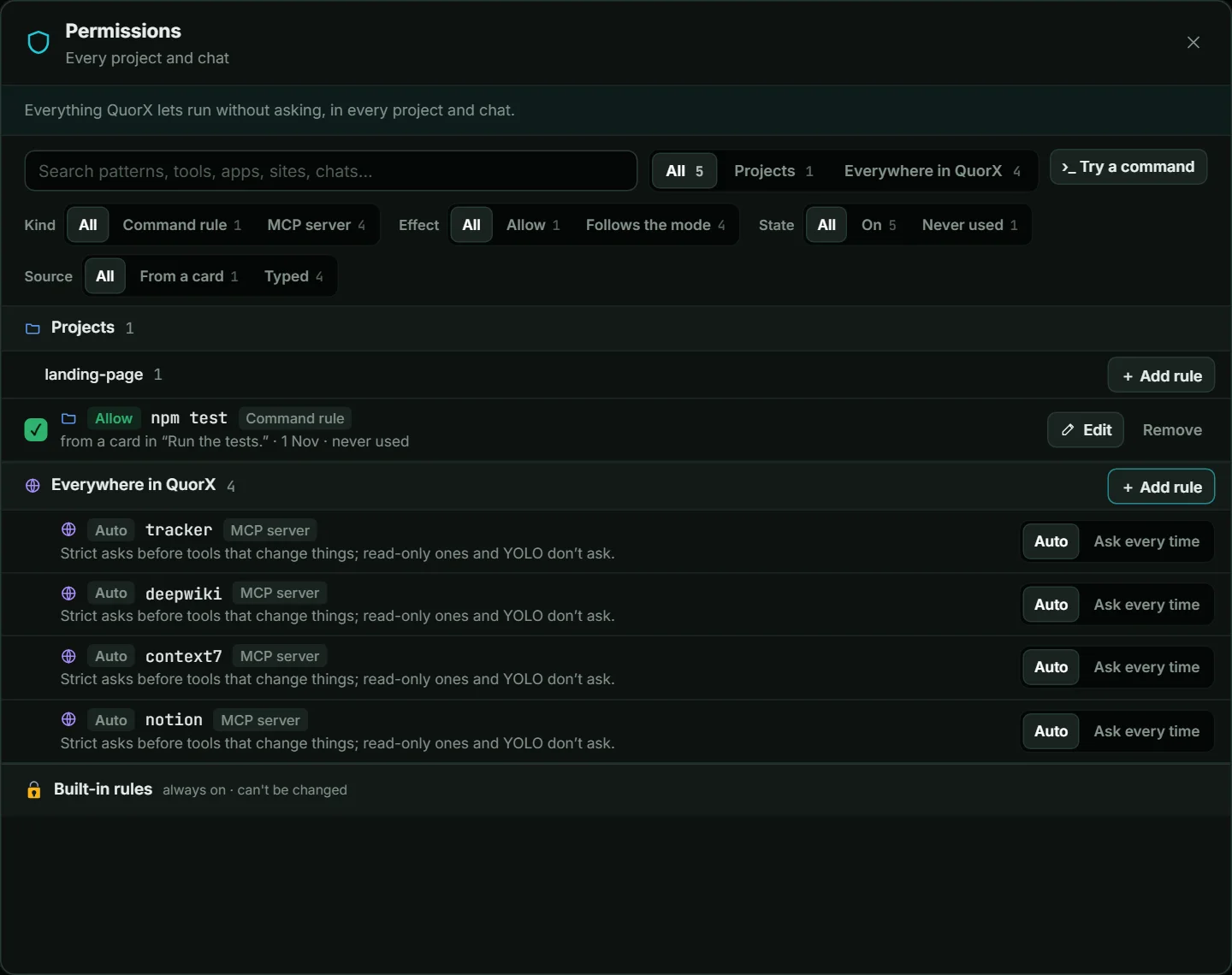
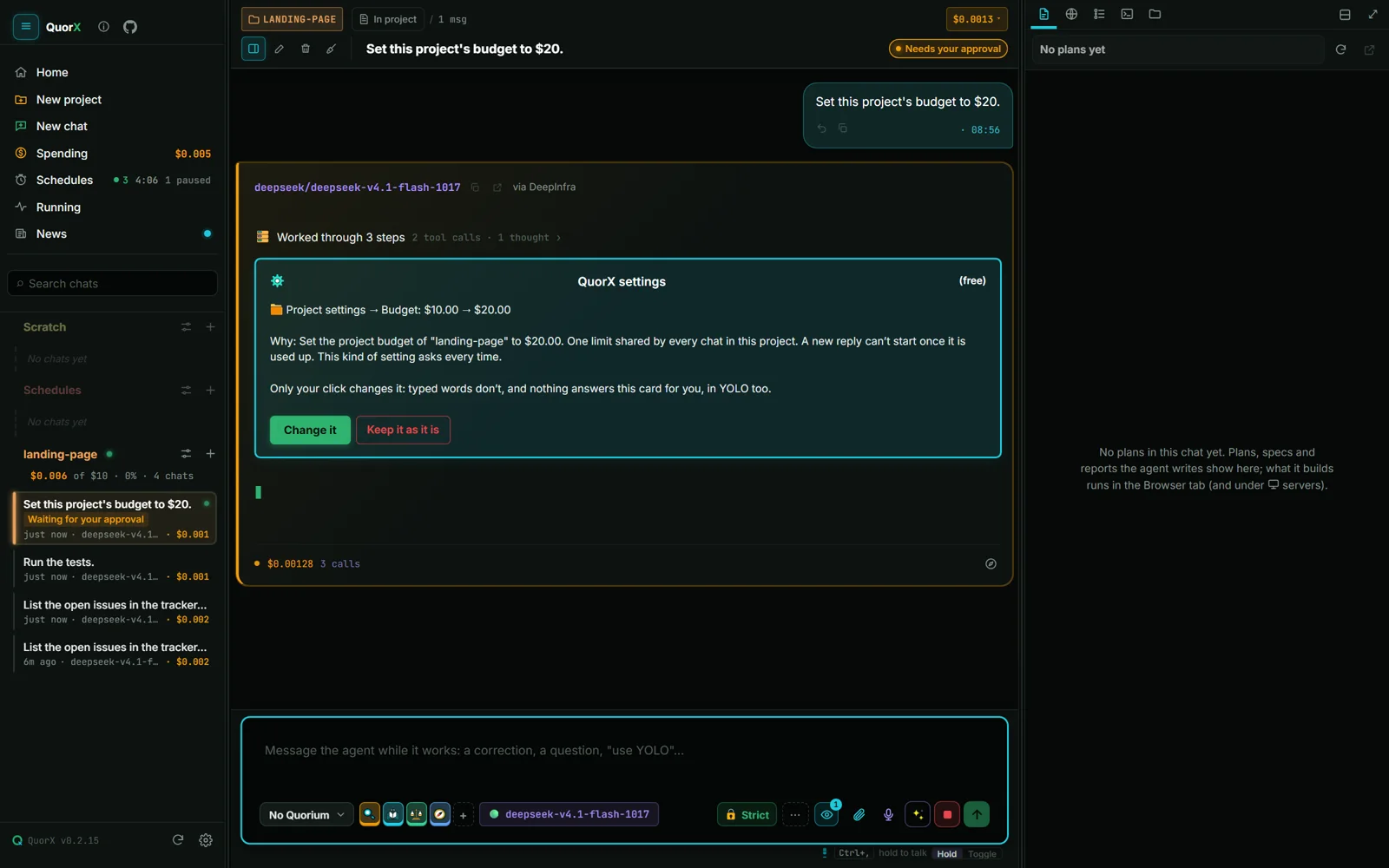
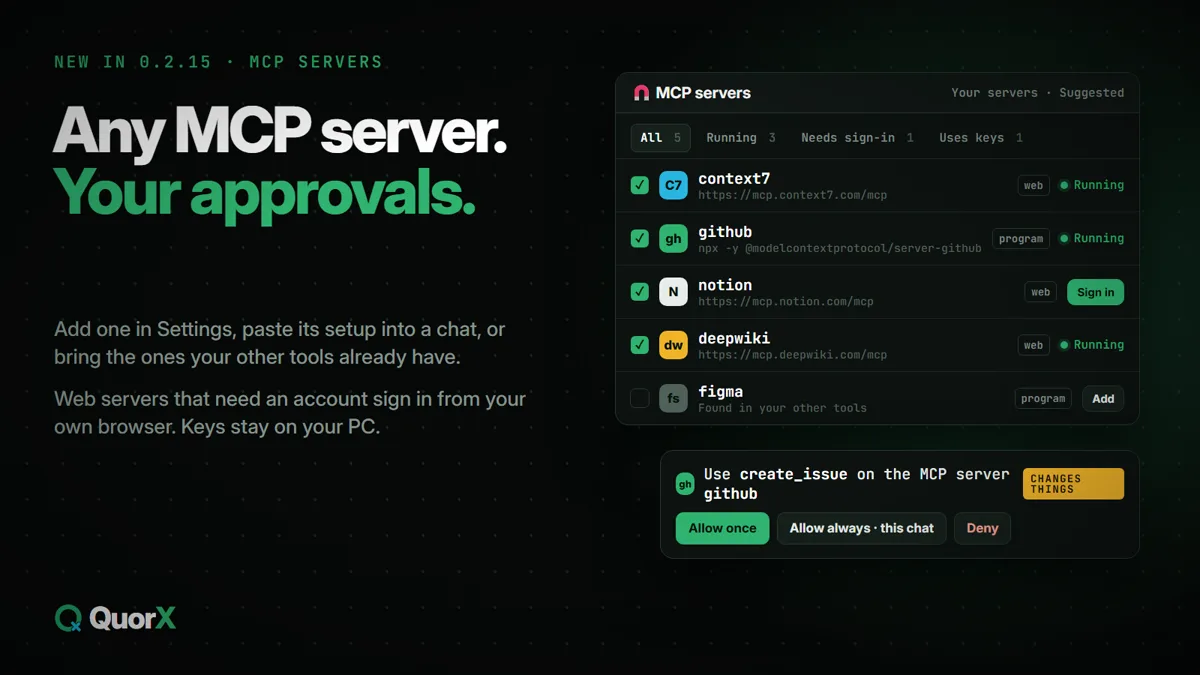
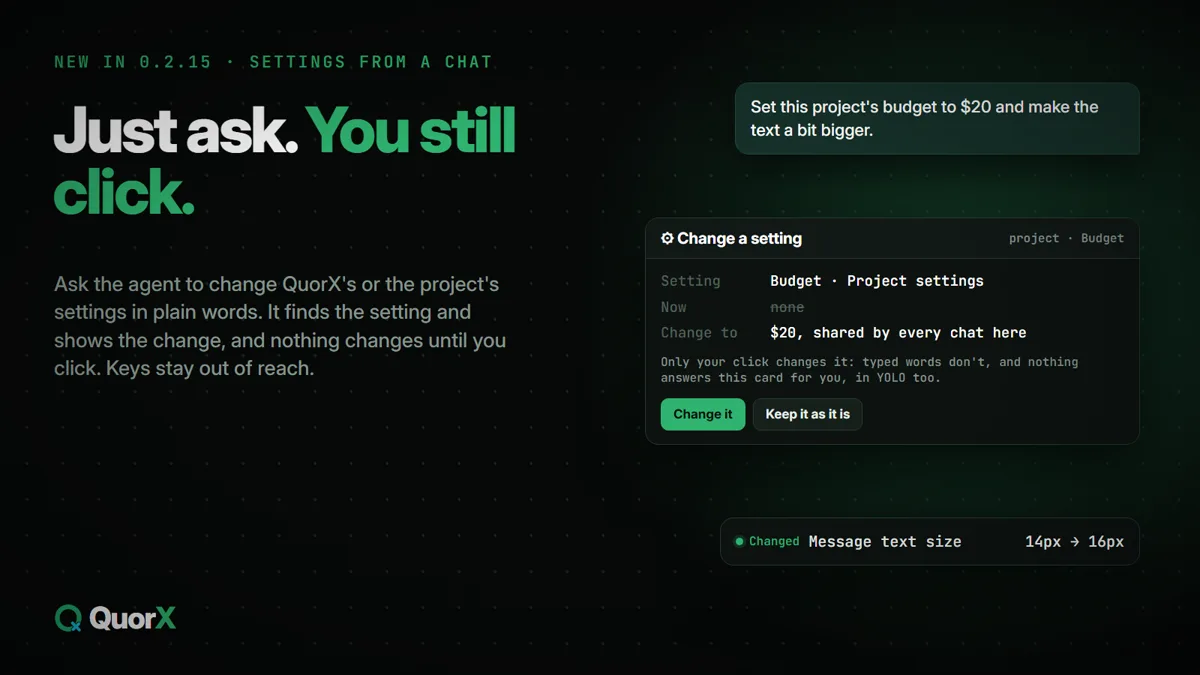
The side pane, split. The Terminal over the Browser: the test run, the page's server and the page itself, side by side with the chat.MCP servers. Programs on this PC and servers on the web, with their state, tools and a Sign in button.MCP tools ask first. A tool that changes things waits for you in Strict; read-only ones run.One Providers page. OpenRouter, subscriptions, the makers' own APIs and apps on this PC.One Permissions window. Every rule and tool you allowed, where it applies and how often it ran."Allow always", spelled out. What it covers and where, before you save it.Settings from a chat. The agent finds the setting; only your click changes it.
The agent uses any MCP server's tools, a program on your PC or a server on the web. Add one in Settings, paste its setup into a chat, or bring in the ones your other tools already have. Notion, Linear and Sentry sign in from your own browser.
OpenRouter; the makers' own APIs with your key (OpenAI, Anthropic, Google Gemini, Moonshot Kimi, Meta); OpenCode Go and Command Code plans; and Ollama, OpenCode, Claude Code and Grok Build on your PC. Each with its own page, spend and a free test.
Run a chat's main model through OpenCode, Claude Code or Grok Build on your PC. Your own plan pays, QuorX holds no key, and its files, browser, terminal, checks and approvals work the same.
Chats, the helper, the reviewer, the prompt enhancer and fresh eyes can all run on an app on this PC. What needs OpenRouter is switched off, and says so.
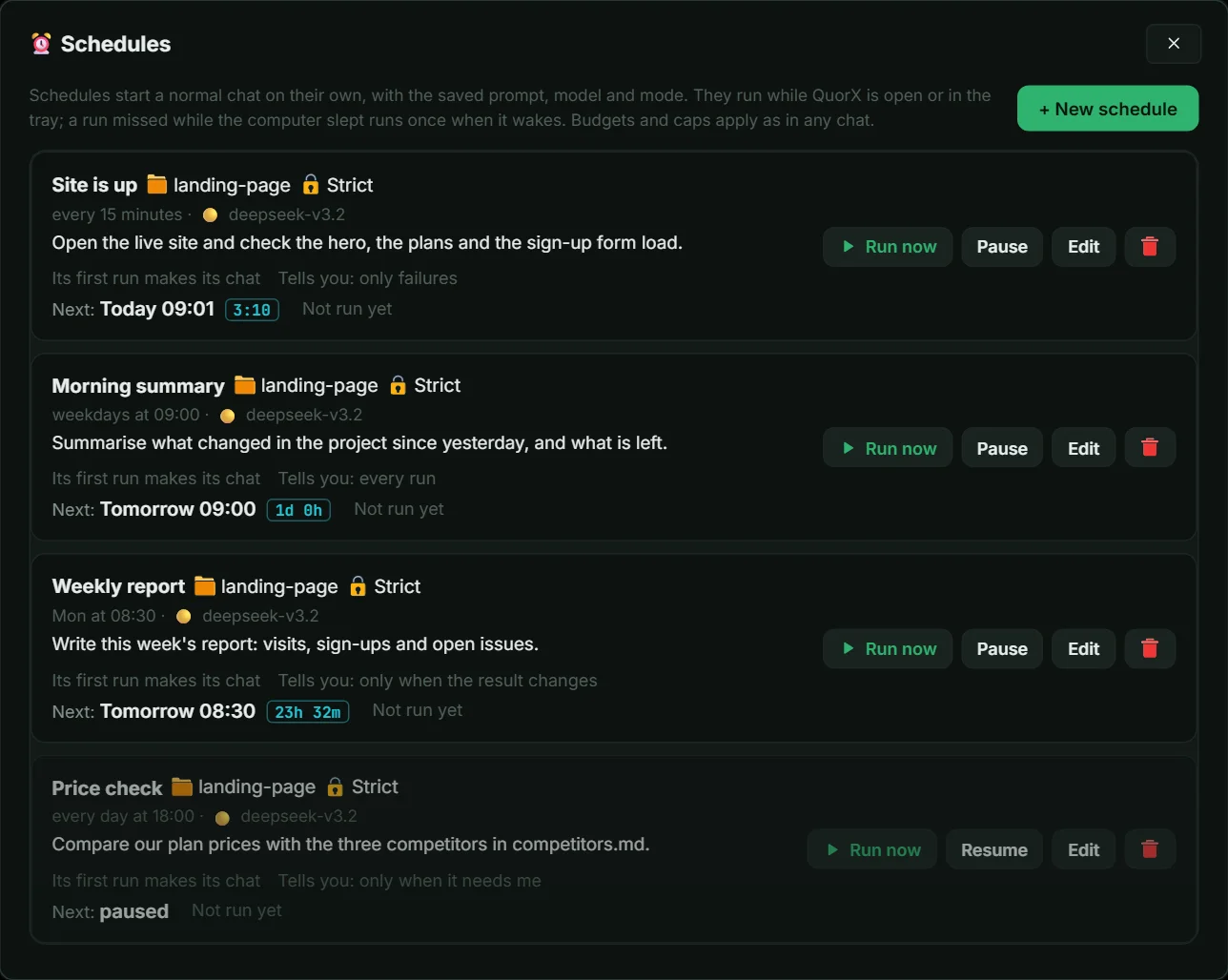
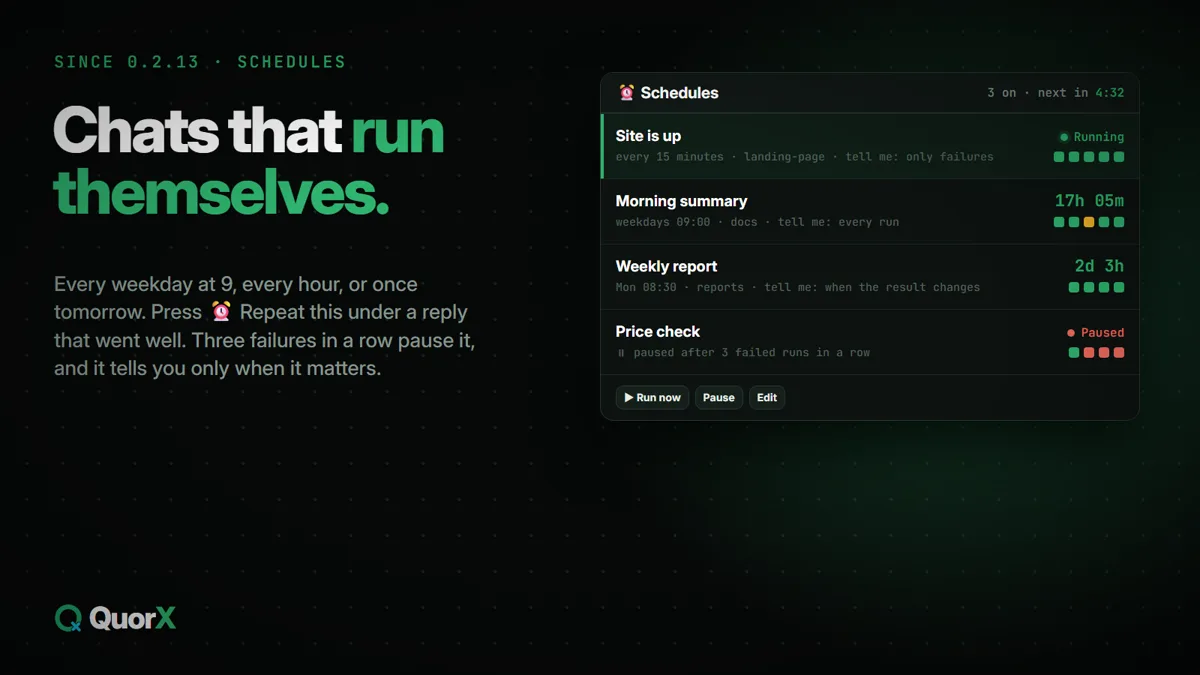
A chat that runs every weekday at 9, every hour, or once tomorrow. Press ⏰ Repeat this under a good reply, pick when it tells you, and three failed runs in a row pause it.
Allow each app at View, Click or Full, and the agent works in apps already open or opens installed ones by name. A glowing edge and a Stop button show while it works.
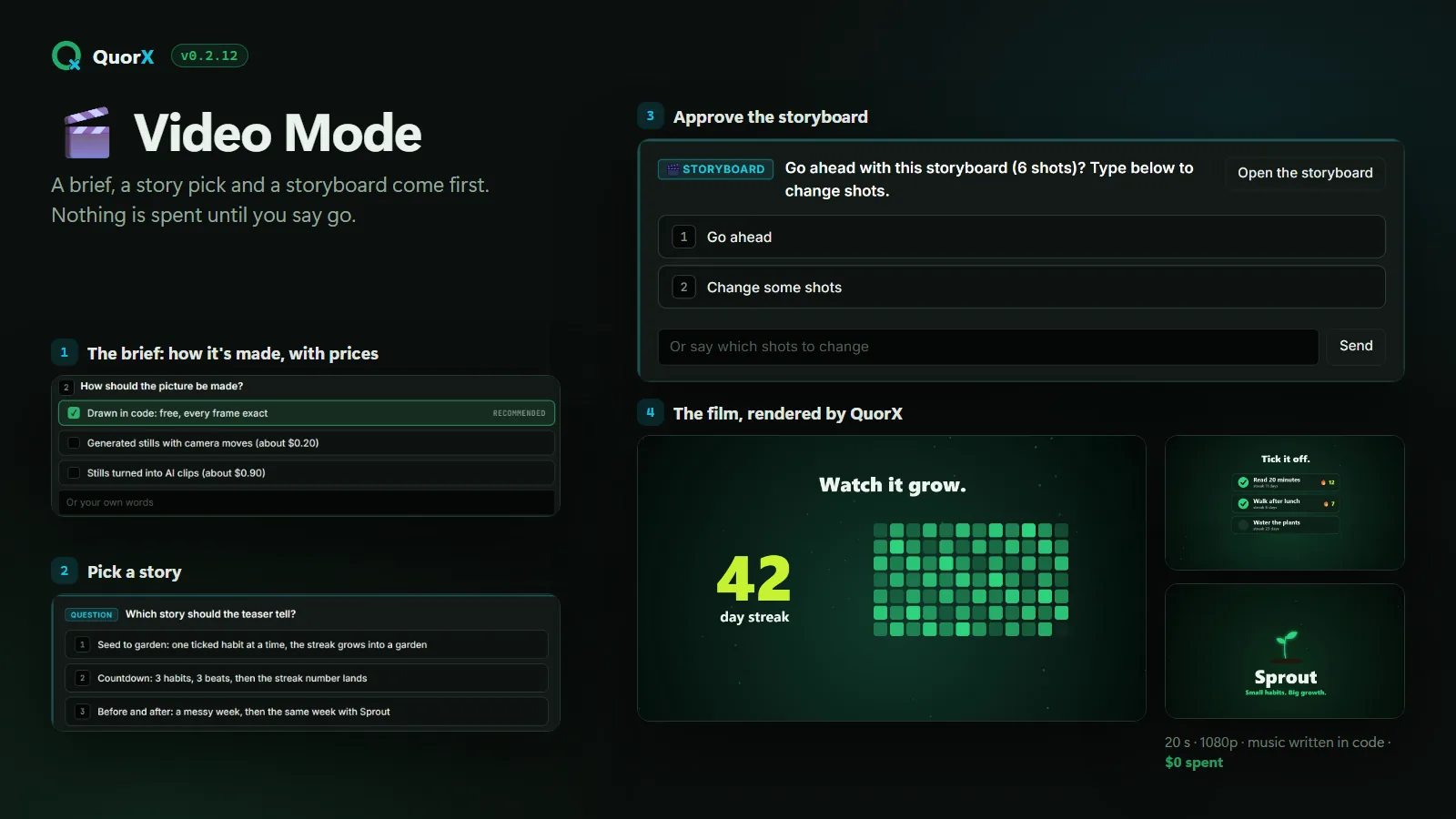
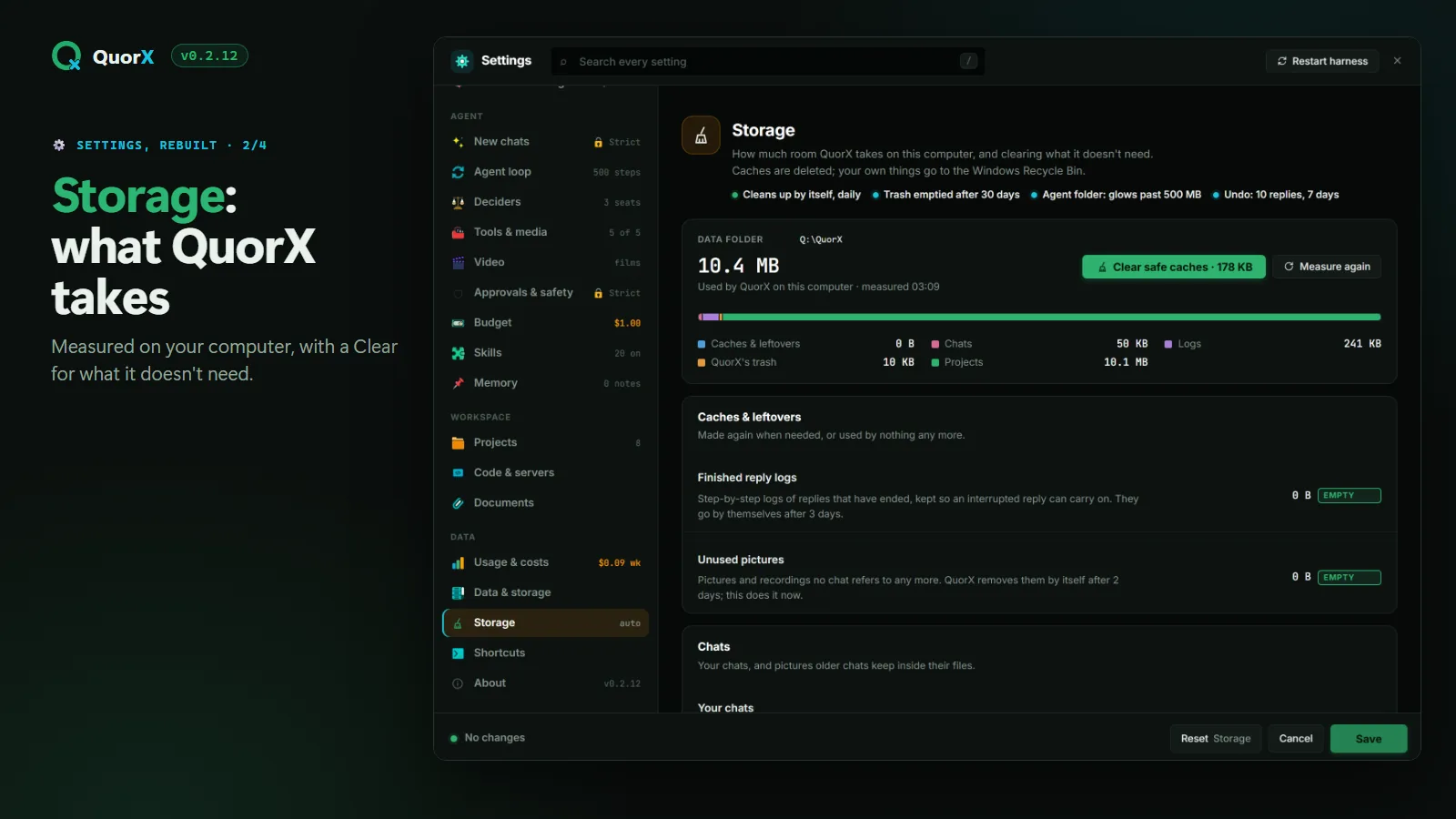
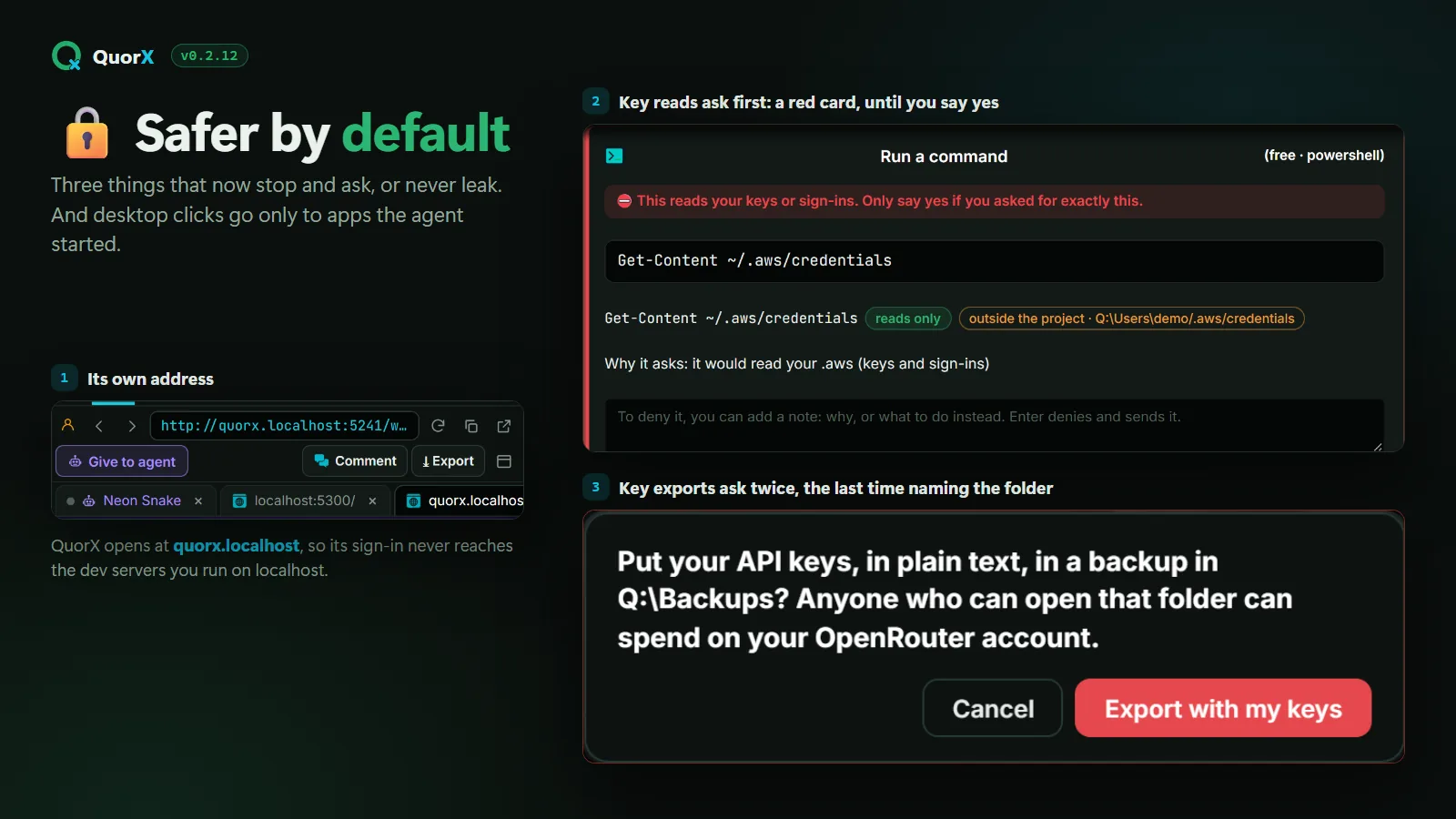
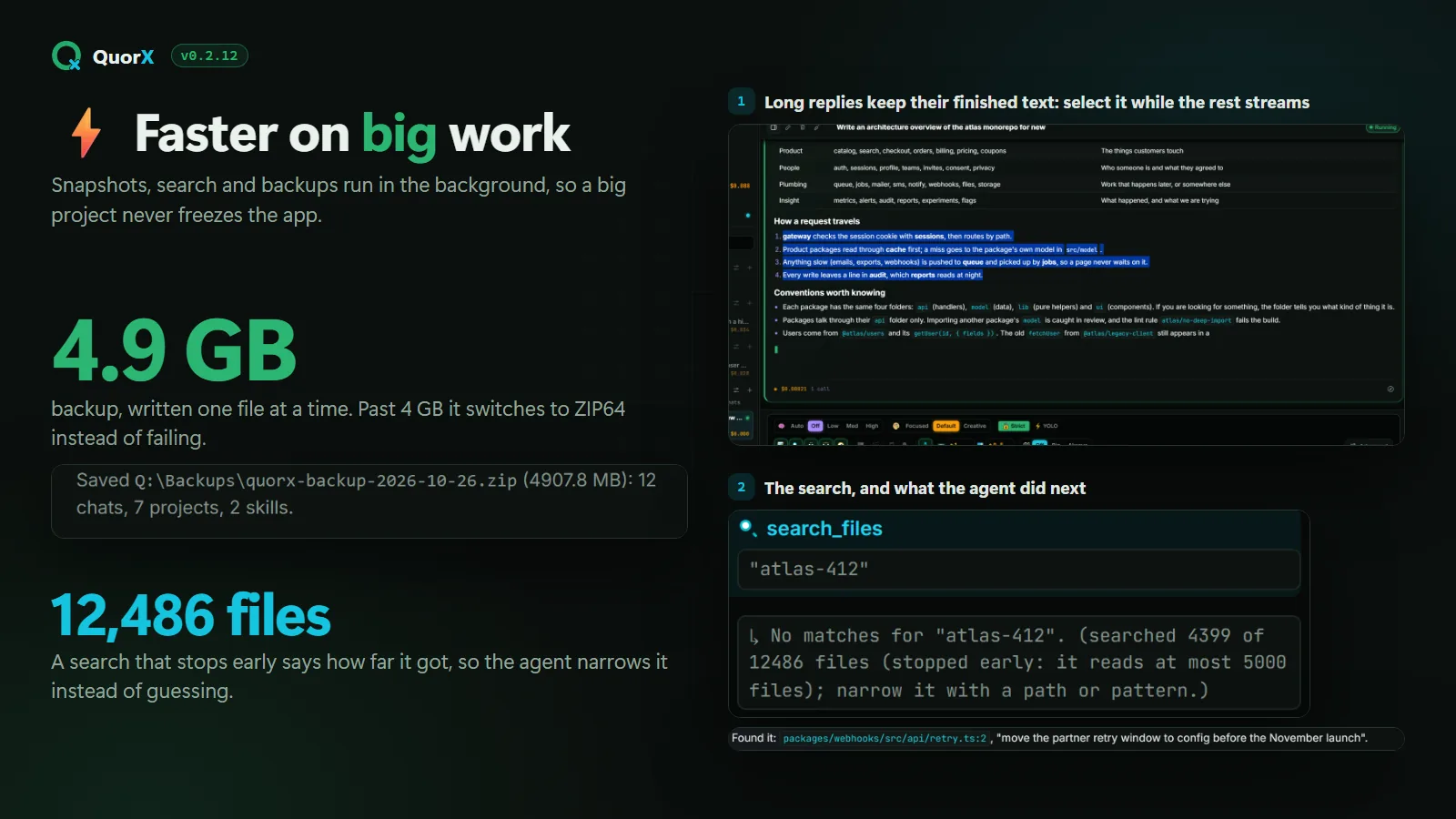
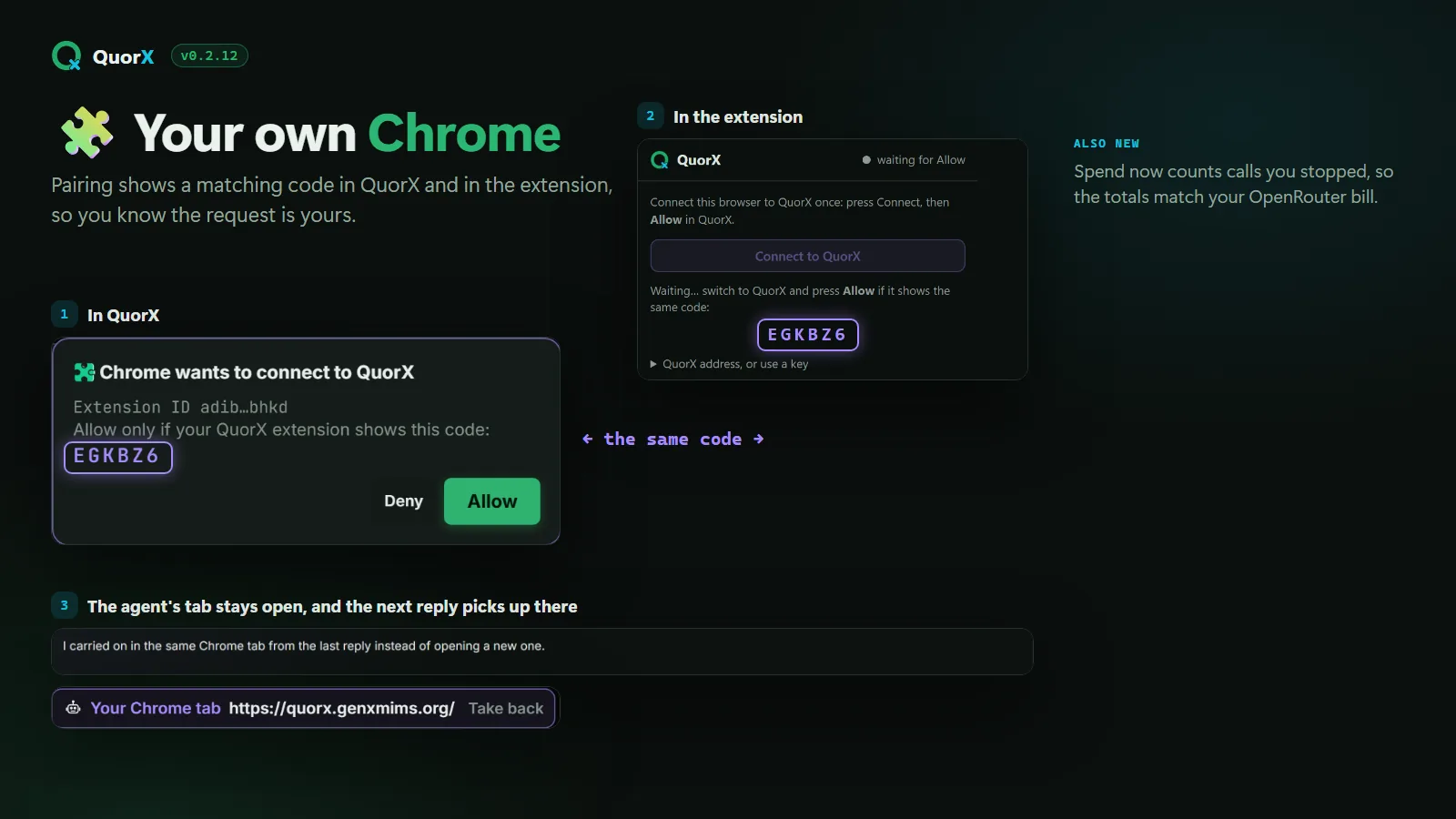
Built from one request, in 26 minutes. Black Hole Lab: WebGL lensing and real orbital physics, with 19 passing tests and the reviewer's pass. Try the live demo →Video Mode. The brief, the story pick and the storyboard, then the film.Storage in Settings. What QuorX takes on this computer, and a safe way to clear it.Safer by default. Its own address, a red card before any key is read, and one more ask before keys are exported.Fast with big work. A 4.9 GB backup in the background, and a search that says where it stopped.Your own Chrome. A matching pairing code, and the next reply carries on in the same tab.
🎬 Video Mode
A film starts with a brief, a story pick and a storyboard, then music first and moving pictures, before anything is spent.
Settings, redesigned
Each category laid out for what it controls. Storage shows what QuorX takes and clears it, Skills you write work in every project or just one, and News arrives between versions.
Its own address
QuorX opens at quorx.localhost, so your sign-in stays away from the apps you build and run on localhost.
Fast with big work
Big projects, long replies and large backups no longer slow QuorX down. A streaming reply keeps its text in place, so you can select it as it arrives.
Stronger checks
Starting a server is checked like any command, reading your keys asks first, and the agent's keys and clicks go only to apps it started.
Your Chrome tabs
The agent's tabs stay open and the next reply carries on in them. ⚡ YOLO can act in your own tabs without asking, if you turn it on. Pairing shows a code to match.
Good to know when you update from 0.2.11 or earlier
The first start replaces the app's key, so restart any MCP server that's running.
Spend reads higher: stopped and failed calls now count, so it matches what OpenRouter bills.
Search skips what .gitignore ignores and build folders.
A chat runs one reply at a time.
Backups over 4 GB use ZIP64, which older versions can't import.
0.2.7 – 0.2.11Your own browser, the Store, and checked harder
0.2.11 The agent works in your own Chrome, Brave or Edge; one Terminal tab; ✨ Enhance; drag anything into a chat.
0.2.10 In the Microsoft Store; the agent's browser tells it whether a page started any sound; the Windows app is about 55 MB smaller.
0.2.7: checked harder, easier to trust
A smaller, cache-friendly prompt
The parts that never change come first, so more of each step is read from the provider's cache. On our benchmark run it passed 2 of 2 tasks vs 1 of 2, at $0.094 vs $0.127 a run. That was one run of each version, so most of the gap is run-to-run variation.
Tougher build tasks with hidden checks the agent can't see, and stricter scoring for originality.
Model cards
Recommended models get a card with their limits, quirks, provider tips and QuorX results, and the agent reads the ones it uses.
Cache share per model
Usage shows how much of each model's input came from the prompt cache, so you can see where the money goes.
Review, hooks, schedules, memory
/review lists bugs in what changed with file and line. Hooks run your own commands around the agent's work. Schedules start chats on their own. Memory keeps facts you approve.
A first-run tour, export and import
A short tour of projects, Strict and YOLO, the deciders and costs. Export saves your chats, projects and settings to one file; Import restores them anywhere.
The main changes in 0.2.7 come with write-ups: what was tried, what was measured and what didn't work. Read the research notes ↗
Built with QuorX
Try what it built, live.
Two apps from real QuorX 0.2.12 runs, each from one request: written, tested and reviewed by QuorX, and hosted here as they came out.
Skyline
Live weather and air quality for any city, a sky drawn from the real conditions, and Kite Day: fly a kite in the city's real wind. QuorX found the free weather API by researching it in its own Chrome tabs, then built the app.
A black hole you can play with: gravitational lensing ray-marched on your graphics card, a Doppler-beamed disk, and probes on relativistic orbits that precess into rosettes.
One email per release or research piece. Kept on our own server, never sold, and you can leave anytime.
Get QuorX.
Which one updates first?
1From sourceEvery change, as soon as it's merged
2InstallerEach release, once it's out; it updates itself
3Microsoft StoreEach release, after Microsoft certifies it
Windows
Microsoft Store
Microsoft signs it and keeps it up to date, so Windows shows no warning.
0.2.19 isn't in the Store: get it with the installer below or from source. The Store copy updates itself with a later Store release.
Direct download (.exe)QuorX-Setup-0.2.19.exe from the 0.2.19 release. It updates itself, but it isn't code-signed yet, so Windows SmartScreen may warn the first time you run it. Every release has SHA256SUMS.txt and a signed build attestation: